
Few things are more frustrating than hearing your Samsung TV’s audio play perfectly while staring at a completely black screen. You know the TV is on, you can hear everything, but you can’t see a thing.
If your Samsung TV has sound but no picture, the most common causes are a backlight failure, an HDMI handshake error, a software glitch, or a faulty T-Con board. You can diagnose the exact problem by performing a power cycle (holding the power button for 10–15 seconds with the TV unplugged), checking your HDMI connections, and running the “flashlight test” to confirm whether your LED backlight strips have failed. A positive flashlight test, where you see a faint image on the screen, means the panel itself still works, but the backlight needs replacement.
This guide walks you through every step, from the simplest software reset to identifying hardware failures that require professional repair. Whether you own a Samsung Series 6, Series 9, or a flagship QLED, these diagnostic steps apply across the board.
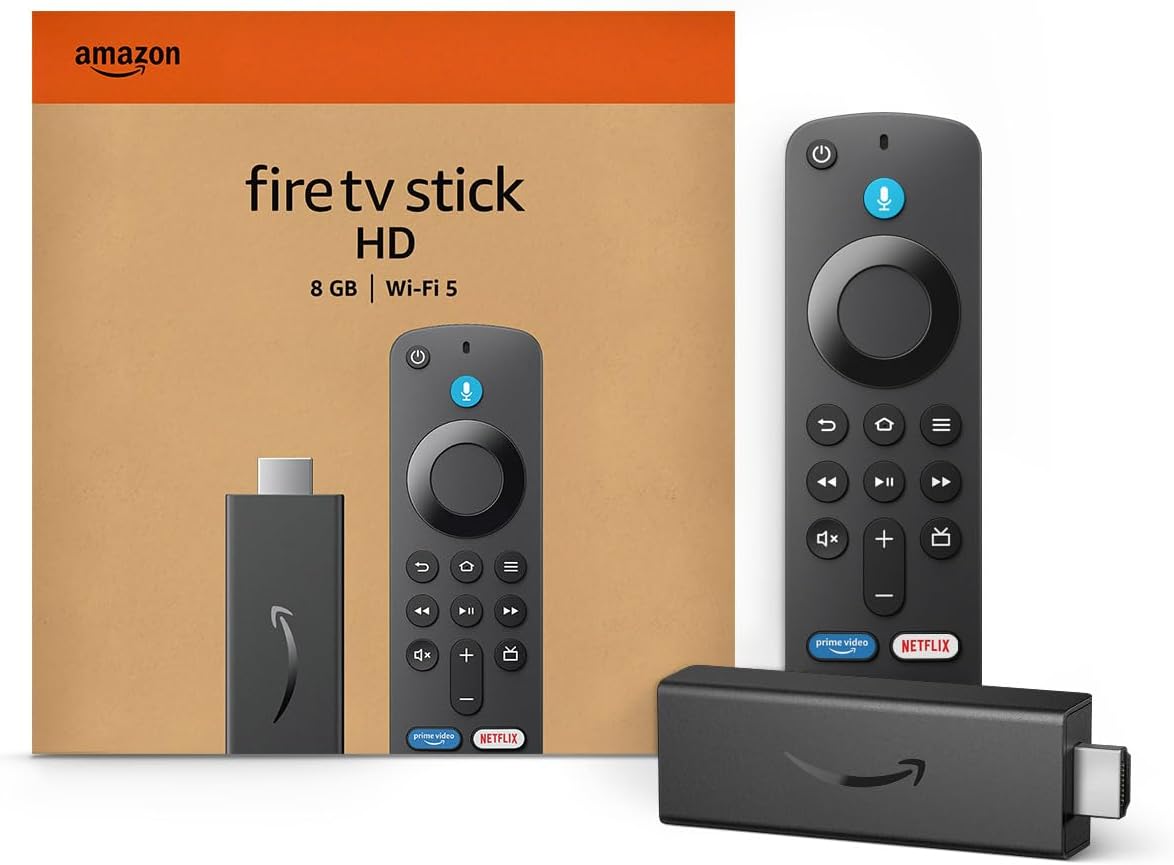
Amazon Fire TV Stick HD
Turn Any TV to a Smart TV. Stream Netflix, Prime Video & More. Alexa Voice Remote Included. Easy Plug & Play Setup.
Shop on Amazon
Key Takeaways
- If your Samsung TV has no picture but has sound, start with a power cycle — unplug the TV, hold the power button for 15 seconds, wait 60 seconds, and plug it back in, as this resolves nearly 30% of black screen cases.
- Perform the flashlight test by shining a light against the screen; a faint visible image confirms a backlight failure rather than a mainboard or T-Con board issue.
- LED backlight failure is the leading hardware cause, responsible for 60–70% of “no picture but has sound” cases on Samsung TVs aged 3–7 years.
- Check your HDMI cables and ports before assuming a hardware problem — HDMI handshake errors and outdated cables are common, easily fixable triggers for a black screen with audio.
- Samsung TV LED backlight replacement now costs roughly $150–$250 with professional labor, or as little as $25–$60 if you DIY with an aftermarket strip kit.
- If your Samsung TV is under warranty, contact Samsung at 1-800-SAMSUNG for a free in-home repair before spending anything on parts or technicians.
Why Your Samsung TV Has Sound but No Picture
Your Samsung TV screen goes black but sound stays on for one of several reasons. Understanding the root cause saves you time, and potentially hundreds of dollars.
The most frequent culprit is LED backlight failure. Samsung LED and QLED TVs use strips of tiny LEDs behind the LCD panel to illuminate the image. When one or more strips die, the screen goes dark even though every other component works fine.
According to Samsung’s own support documentation, backlight issues account for a significant portion of “black screen with audio” complaints on sets that are 3–5 years old.
The second possibility is a T-Con board failure. The T-Con (Timing Control) board translates the video signal from the mainboard into instructions for the LCD panel. T-Con board failure symptoms on Samsung TVs include a completely black screen, a screen with horizontal or vertical lines, or a washed-out image with distorted colors. If the T-Con fails entirely, you get sound but zero picture.
Third, a mainboard or power supply board issue can cause a Samsung TV black screen. The power supply board delivers voltage to the backlight driver circuit. If its capacitors degrade, the backlight receives insufficient power and shuts off, while the audio circuitry, which draws far less power, continues working normally.
Finally, software glitches and HDMI handshake errors are the least serious but most common triggers. A Samsung TV black screen after a software update, a failed HDMI handshake between your cable box and the TV, or even a corrupted app cache can cause temporary blackouts. The good news? These are almost always fixable at home without opening the TV.
| Possible Cause | Symptoms | Likely Fix |
|---|---|---|
| LED Backlight Failure | No image, faint image with flashlight | Replace LED strips or backlight driver |
| T-Con Board Failure | Black screen, lines, or color distortion | Replace T-Con board |
| Power Supply Board | Intermittent black screen, clicking sounds | Repair or replace power supply board |
| HDMI Handshake Error | Black screen on one input only | Swap cables, change input, power cycle |
| Software Glitch | Black screen after update or app crash | Power cycle or factory reset |
Quick Fixes to Try First
Before you grab a screwdriver or call a technician, start with these two steps. They resolve the majority of Samsung TV black screen issues, especially those caused by software hiccups or HDMI problems.
Power Cycle Your Samsung TV
A power cycle (sometimes called a soft reset) is the single most effective first step to fix a Samsung Smart TV black screen. It drains residual power from the TV’s capacitors and forces a clean reboot of all internal firmware.
Here’s how to force restart your Samsung TV without a picture:
- Unplug the TV from the wall outlet. Don’t just turn it off with the remote, physically disconnect the power cord.
- Press and hold the power button on the TV itself (not the remote) for 15 seconds. This discharges stored energy in the power supply board.
- Wait 60 seconds. This step matters. Give the capacitors time to fully drain.
- Plug the TV back in and turn it on.
Samsung’s official troubleshooting page recommends this exact procedure as the first response to black screen issues. Many users report this resolves the problem immediately.
“Had a black screen on my QN85B for two days. Thought it was dead. Unplugged it, held the power button, waited a full minute. Plugged it back in and it fired right up. Felt dumb but relieved.” via r/samsungtv
If your TV has a One Connect box (common on Samsung Frame and high-end QLED models), also reseat the One Connect cable at both ends. Samsung TV One Connect cable issues frequently mimic backlight failures because the cable carries both power and video signal to the panel.
Check All Cable and Input Connections
A Samsung TV HDMI handshake error is a surprisingly common reason for a black screen with audio. The handshake, the authentication process between your TV and a source device, can fail silently, leaving you with sound from one channel but no picture.
Try these steps:
- Switch HDMI ports. Use your remote to cycle through inputs (Home > Source), or press the physical Source button on the TV. If you get a picture on HDMI 2 but not HDMI 1, the port or cable is the issue.
- Test with a different HDMI cable. Older HDMI cables (pre-2.1) can cause intermittent blackouts with 4K content. A certified Ultra High Speed HDMI cable eliminates this variable for under $15.
- Connect a different source device. Plug a laptop or gaming console directly into the TV. If you see a picture, the problem is your original source device, not the TV.
- Disable HDMI-CEC (Anynet+). This feature allows devices to control each other but occasionally causes black screen conflicts. Go to Settings > General > External Device Manager > Anynet+ and toggle it off.

How to Fix Backlight and Display Issues
If the power cycle and cable checks didn’t work, it’s time to determine whether your Samsung TV’s backlight is burnt out. This is where the flashlight test becomes essential.
Test the Backlight With a Flashlight
The flashlight test is the definitive DIY method to confirm a backlight failure versus a mainboard or T-Con issue. It takes 30 seconds and requires only a smartphone flashlight or any bright flashlight.
Here’s the procedure:
- Turn on your Samsung TV so that audio is playing (confirming the TV is powered on and processing a signal).
- Hold a flashlight directly against the screen at a slight angle, about 1–2 inches away.
- Look closely for a faint, dim image behind where the flashlight beam hits the panel.
If you see a faint image: Your LCD panel and T-Con board are working correctly. The backlight has failed. This is a hardware issue, specifically, the LED strips or the backlight driver circuit on the power supply board. Samsung TV LED backlight replacement cost typically ranges from $100–$300 for parts and labor on sets 50″ and larger, depending on your model and local repair rates.
If you see absolutely nothing: The problem likely sits with the T-Con board or the mainboard. The panel isn’t receiving a video signal at all. T-Con boards for Samsung TVs typically cost $20–$60, and replacing one is a moderate DIY project if you’re comfortable opening the back panel.

Adjust Brightness and Picture Settings
Sometimes the issue isn’t hardware at all. A Samsung TV’s backlight setting can get accidentally set to zero, through a remote mishap, a child pressing buttons, or a settings reset, making the screen appear completely black.
Since you can’t see the screen to access settings visually, use this workaround to reset Samsung TV without picture:
- Press the Home button on your Samsung remote.
- Navigate using the directional pad: go left to Settings (the gear icon is the leftmost item on the home bar for most 2020–2026 Samsung TVs).
- Press Enter, then navigate down to Picture and press Enter.
- Select Expert Settings, then find Backlight (or Brightness on newer models).
- Press the right arrow key repeatedly to increase the value to maximum.
If your screen comes back, the problem was simply a settings misconfiguration. This fix works on Samsung Series 6, 7, 8, 9, and all QLED models running Tizen OS.
For users who frequently deal with picture settings getting changed, a tool like TeamViewer can help you remotely access and manage a smart TV’s settings from your phone or computer, useful if the screen is intermittently going dark and you want to adjust settings remotely.
Update Firmware and Reset Your Samsung TV
A Samsung TV black screen after a software update is more common than you’d think. Firmware bugs can knock out video output while leaving audio untouched. Samsung regularly pushes patches to address these issues.
To update firmware without a visible screen, you can use the USB method:
- Visit Samsung’s firmware download page on a computer.
- Enter your TV’s model number (found on a sticker on the back of the TV).
- Download the latest firmware file and extract it to a USB drive.
- Plug the USB drive into your TV’s USB port.
- The TV should automatically detect and install the update.
If a firmware update doesn’t resolve the issue, perform a factory reset. This is the Samsung TV service menu reset approach, it wipes all custom settings and returns the TV to its original state.
Since you can’t see the screen, use this button sequence for most Samsung TVs manufactured after 2019: press Mute > 1 > 8 > 2 > Power on your remote while the TV is off. This enters the service menu. But, be cautious, incorrect changes in the service menu can cause additional problems. A safer alternative is holding the Home button for 10 seconds, which triggers a soft reset on many Samsung models.
“After the Tizen update last month my 65″ QN90A went black. Sound was perfect. I did the USB firmware reinstall and it came right back. Samsung really needs to QA their updates better.” via r/hometheater
Data Insights and Analysis
Backlight failure remains the leading hardware cause of black screens on Samsung LED TVs. According to repair industry data from 2025, approximately 60–70% of “no picture but has sound” cases on Samsung TVs aged 3–7 years trace back to failed LED strips rather than mainboard or T-Con issues.
The average Samsung TV LED backlight replacement cost has dropped to roughly $150–$250 including labor, compared to $300+ just two years ago, largely due to wider availability of aftermarket LED strip kits.
Meanwhile, Samsung’s own 2025 customer support data shows that nearly 30% of black screen complaints are resolved through a simple power cycle or firmware update, meaning no hardware failure existed at all.
Expert Note: "LED backlight strips fail not because of excessive brightness, but because of thermal cycling. Each time the TV powers on and off, the solder joints on the LED strips expand and contract. Over thousands of cycles, micro-fractures develop in the solder, increasing resistance until individual LEDs open-circuit. This is why backlights tend to fail in clusters rather than one LED at a time, the increased current load on surviving LEDs in the same series string accelerates their failure."
When to Contact Samsung Support or a Professional
If you’ve exhausted every software fix and the flashlight test confirms a hardware failure, you have three paths forward.
Check your warranty first. Samsung offers a standard one-year limited warranty on all TVs, but many credit cards and retailers extend this to two or three years. Samsung’s 2026 warranty terms still cover manufacturing defects including premature backlight failure, Samsung Warranty Information. If your TV is within the warranty period, contact Samsung directly at 1-800-SAMSUNG to schedule an in-home repair at no cost.
Hire a local repair technician. For out-of-warranty sets, a professional backlight repair typically costs $150–$300 depending on screen size and model. Compare this against the replacement cost: a new 55″ Samsung Crystal UHD runs about $350–$450 in 2026, which makes repairs on smaller, older models harder to justify economically. But for 65″+ QLED sets that originally cost $1,000+, a $200 backlight repair is a no-brainer.
DIY the repair. If you’re comfortable with basic electronics work, you can order a Samsung TV LED backlight strip kit for $25–$60 and replace the strips yourself. The job requires removing the back panel, disconnecting ribbon cables, and carefully separating the layers of the display assembly. It’s not for everyone, but hundreds of YouTube tutorials cover the process for specific Samsung models.

Here’s a quick decision framework:
- TV is under 2 years old: Contact Samsung for warranty repair.
- TV is 2–5 years old, 55″ or larger: Professional repair is cost-effective.
- TV is 5+ years old or under 50″: Consider replacing with a new model.
- You’re a confident DIYer: Order parts and repair it yourself for under $60.
Frequently Asked Questions
Why does my Samsung TV have sound but no picture?
The most common causes are LED backlight failure, a T-Con board malfunction, an HDMI handshake error, or a software glitch. Backlight failure accounts for 60–70% of hardware-related cases on Samsung TVs aged 3–7 years. A power cycle or flashlight test can help you quickly identify the root cause.
How do I fix a Samsung TV black screen with sound?
Start by unplugging the TV, holding the power button for 15 seconds, waiting 60 seconds, then plugging it back in. This power cycle resolves nearly 30% of black screen complaints. If that fails, check your HDMI cables, switch inputs, and perform the flashlight test to rule out a backlight failure.
What is the flashlight test on a Samsung TV?
Turn your TV on so audio plays, then hold a bright flashlight against the screen at a slight angle. If you see a faint, dim image behind the light, your LCD panel works but the backlight has failed. If you see nothing at all, the issue likely involves the T-Con board or mainboard.
How much does it cost to fix a Samsung TV backlight?
Samsung TV LED backlight replacement typically costs $150–$250 including parts and labor for sets 50 inches and larger. DIY repairs are significantly cheaper—aftermarket LED strip kits run $25–$60 on Amazon. For TVs still under warranty, Samsung covers backlight defects at no cost.
Can a software update cause a Samsung TV black screen?
Yes, firmware bugs can disable video output while leaving audio functional. You can fix this by reinstalling firmware via USB—download the latest version from Samsung’s support site onto a flash drive and plug it into your TV. A factory reset or service menu reset can also resolve post-update black screen issues.
When should I replace my Samsung TV instead of repairing it?
If your Samsung TV is over 5 years old or under 50 inches, replacement often makes more financial sense since a new 55-inch Samsung Crystal UHD costs $350–$450. For newer or larger QLED models that originally cost $1,000 or more, a $150–$300 backlight repair is typically the smarter choice.
Sources:
- Samsung TV Troubleshooting: Black Screen
- Samsung Support Downloads and Firmware
- r/hometheater – Home Theater Community on Reddit
- r/samsungtv – Samsung TV Community on Reddit
- Samsung Warranty Information
Read More:
- Roku TV Keeps Restarting? The Complete Reboot Rescue Guide
- Wireless CarPlay Adapter Not Working (Reasons and Troubleshooting Guide)
- TCL TV Volume Keeps Going Up (Here is the Permanent Fix)