

Last updated on April 6th, 2026 at 09:27 pm
Your Acura’s AcuraLink system should seamlessly pair with your iPhone, yet CarPlay stubbornly refuses to establish the connection you desperately need.
Acura CarPlay failures typically result from AcuraLink software glitches, iOS compatibility conflicts, authentication cable problems, or system cache corruption. Solutions include performing hard resets, updating iPhone network settings, replacing MFi-certified cables, and clearing stored device data through dealership software updates.

AcuraLink Reset
Acura’s proprietary infotainment platform operates through complex software layers that occasionally develop conflicts requiring systematic restoration. Unlike simpler automotive systems, AcuraLink manages multiple communication protocols simultaneously, creating vulnerability points when temporary files accumulate or memory buffers become corrupted.

Best Bluetooth OBD2 Scanner
Detect 39,000+ Issues With Enhanced Codes. Save $1000s on car repairs & buying used vehicles by diagnosing problems yourself.
Shop on AmazonThe reset procedure varies significantly between Acura model generations, making accurate identification crucial before attempting any restoration process. Your vehicle’s specific reset method depends on whether you have the older AcuraLink system or the newer True Touchpad Interface found in recent models.
For 2016-2019 Acura models with traditional AcuraLink systems, simultaneously press and hold the audio power button with the menu button for approximately 15 seconds. The display will go completely black before showing the Acura logo during initialization.
However, newer models equipped with True Touchpad Interface require navigation through menu options instead. Access Settings from the home screen, select System, then locate the Reset option within advanced configurations. This process takes considerably longer but provides more thorough cache clearing than the button method.
“After months of intermittent CarPlay issues, the AcuraLink reset completely solved my connectivity problems. Should have tried this first.” MDX owner on AcuraZine forums
Interestingly, timing plays a critical role in reset effectiveness. Allow the system to remain completely idle for at least two minutes after reboot completion before attempting any device connections. This patience prevents incomplete initialization that often requires additional reset cycles.
iOS Configuration
Apple’s frequent software updates create cascading compatibility issues that particularly affect Acura’s sensitive authentication protocols. Each iOS revision modifies how CarPlay communicates with vehicle systems, sometimes disrupting previously stable connections without obvious warning signs.
Network settings corruption represents the most frequent culprit behind persistent connection failures in Acura vehicles. Your iPhone stores cached authentication data from previous CarPlay sessions, and when iOS updates alter communication methods, this stored information conflicts with new protocols.
Restoring network settings eliminates these conflicts but requires complete reconfiguration of Wi-Fi passwords, Bluetooth pairings, and VPN settings afterward. Navigate to Settings > General > Transfer or Reset iPhone > Reset > Reset Network Settings to begin the restoration process.
This comprehensive reset forces fresh authentication attempts with your Acura’s system while eliminating corrupted connection profiles. Most owners notice immediate improvements in both connection reliability and pairing speed following network restoration.
Additionally, specific iOS settings can interfere with CarPlay functionality in unexpected ways. Ensure Siri remains enabled, check that Screen Time restrictions don’t block CarPlay access, and verify that Bluetooth permissions allow vehicle connections.
“iOS network reset was the magic bullet for my TLX CarPlay problems. Connection went from unreliable to instant every single time.” AcuraWorld forum contributor
Moreover, the sequence of steps during iPhone reconfiguration affects long-term stability. Always establish CarPlay connections before adding other Bluetooth devices to prevent communication conflicts that can develop over time.
Cable Authentication
Physical connectivity problems masquerade as complex software issues more frequently than most Acura owners realize. Apple’s MFi certification program ensures cables contain genuine authentication chips, yet counterfeit products proliferate with convincing packaging and competitive pricing.
Authentication failures occur when damaged or counterfeit chips cannot complete the handshaking protocols required for CarPlay activation. Your iPhone may charge normally while data transmission fails entirely, creating confusion about the actual problem source.
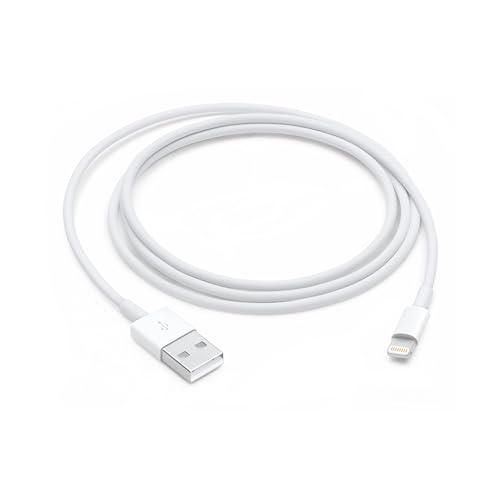
Genuine cables incorporate several features absent from counterfeit alternatives that directly impact performance in automotive environments:
- Temperature resistance ranging from -40°F to 185°F
- Enhanced electromagnetic interference shielding
- Reinforced strain relief at critical connection points
- Automotive-grade materials resistant to UV degradation
Testing multiple cables helps isolate authentication problems from system-level issues effectively. Borrow a verified working cable from another iPhone user or visit an Apple Store for professional verification testing.
Cable positioning within your Acura also affects connection reliability significantly. Avoid sharp bends, pinching between seats, or routing near heating vents that accelerate material degradation through repeated thermal cycling.
The Anker PowerLine+ Lightning Cable provides exceptional durability with automotive-grade construction designed specifically for vehicle environments. Alternatively, the Belkin BOOST↑CHARGE Lightning Cable offers lifetime warranty coverage for added peace of mind.

Furthermore, cable age plays a crucial role in authentication reliability. Even genuine cables degrade over time, developing microscopic cracks in authentication chips that prevent proper communication with your Acura’s system.
USB Port Analysis
Acura vehicles incorporate multiple USB ports serving distinctly different functions, yet physical appearance provides no indication of data transmission capability. This design philosophy creates significant confusion when troubleshooting CarPlay connectivity problems systematically.
Port designation varies dramatically between model years and trim levels within the same vehicle line. RDX models typically feature data-capable ports in center console locations, while charging-only ports occupy armrest compartments. Conversely, MDX variants may completely reverse this configuration depending on production year.
Systematic port testing eliminates guesswork during diagnosis while revealing which connections actually support CarPlay functionality. Connect your iPhone to each available port using a verified cable, carefully noting any differences in activation time or available features.
Additionally, port contamination accumulates from environmental dust, beverage spills, and normal oxidation over extended periods. Compressed air cleaning removes surface debris effectively, while electronic contact cleaner addresses more stubborn corrosion issues that prevent reliable connections.
To safely remove oxidation or beverage residue from your vehicle’s data ports without shorting the electronics, we recommend a specialized spray like BW-100 Electronic Contact Cleaner; it evaporates instantly and ensures a clean metal-to-metal connection between your Acura’s USB port and your Lightning cable.

“Discovered my Acura had four USB ports but only two supported CarPlay data transmission. Would have saved hours of frustration knowing this upfront.” ILX owner on Reddit
Port replacement becomes necessary when cleaning and cable testing fail to restore proper functionality. Authorized Acura service centers stock OEM replacement modules, though aftermarket options exist for budget-conscious owners willing to sacrifice warranty coverage.
Software Updates
Acura distributes infotainment updates through multiple channels, creating confusion about availability and proper installation procedures. Over-the-air updates remain limited compared to smartphone platforms, requiring manual intervention for most significant improvements.
Your AcuraLink system may display “current version” status while newer firmware exists through dealer networks exclusively. This discrepancy occurs because consumer-accessible updates differ substantially from professional diagnostic versions containing additional compatibility fixes.
Checking Acura’s official software portal provides current firmware information specific to your VIN. However, complex updates typically require professional installation due to specialized diagnostic equipment requirements.
Update benefits extend far beyond CarPlay improvements to include enhanced system stability, faster boot sequences, and expanded smartphone compatibility matrices. Recent updates specifically address iOS 17 and 18 compatibility issues affecting connection reliability across multiple model years.
Professional installation costs vary between dealerships, though many include updates during routine maintenance appointments at no additional charge. Independent shops specializing in Honda/Acura vehicles often provide comparable services at reduced rates.
Bluetooth Conflicts
Acura’s infotainment architecture attempts to manage both traditional Bluetooth phone connections and CarPlay simultaneously, creating resource allocation conflicts that manifest as intermittent connectivity or complete connection failures.
The system struggles when your iPhone tries to maintain separate Bluetooth pairing for phone calls while establishing CarPlay through the same device. This dual-connection approach overwhelms the system’s management capabilities, leading to seemingly random disconnections.
Strategic device management eliminates these conflicts by restricting connections to CarPlay exclusively. After performing an AcuraLink reset, avoid establishing traditional Bluetooth pairings for phone functionality since CarPlay handles all communication needs.
Delete existing phone pairings from your Acura’s device list and remove your vehicle from iPhone Bluetooth settings completely. This clean slate approach prevents automatic reconnection attempts that create conflicts during CarPlay establishment.
“Eliminating Bluetooth pairing and using only CarPlay solved all my connection issues. Wish someone had mentioned this compatibility problem earlier.” TSX owner on AcuraZine
Timing becomes critical when re-establishing connections after conflict resolution. Allow CarPlay to connect and stabilize completely before adding any additional Bluetooth devices for passengers or specific applications.
Factory Restoration
Complete system restoration provides comprehensive solutions when targeted fixes fail to resolve persistent CarPlay connectivity problems. However, factory resets erase all personalized settings, requiring extensive reconfiguration to restore your preferred operational setup.
Documentation becomes essential before initiating factory procedures to streamline post-reset configuration. Record radio presets, navigation favorites, climate control preferences, and any customized interface settings that enhance your daily driving experience.
Access methods vary between AcuraLink generations and trim levels significantly. Navigate through Vehicle Settings > System > Factory Reset, though some models require service mode activation through specific button combinations not documented in owner manuals.
The restoration process typically requires 10-15 minutes of uninterrupted operation with the engine running or ignition in accessory mode. Avoid pressing buttons or turning off the vehicle during this critical initialization period.
System reinitialization continues for several minutes after the reset appears complete. Resist attempting immediate device pairing or configuration changes—patience during this phase prevents stability issues requiring additional restoration cycles.
| Model Year | Reset Method | Time Required | Button Combination |
|---|---|---|---|
| 2016-2018 | Button Hold | 15 seconds | Power + Menu |
| 2019-2021 | Menu Navigation | 3-5 minutes | Settings > System |
| 2022+ | Service Mode | 10-15 minutes | Varies by model |
Video Credit: Cars With Steve / YouTube
Professional Solutions
When systematic DIY approaches fail to restore CarPlay functionality, professional diagnosis at authorized Acura service centers provides access to proprietary diagnostic equipment and software unavailable to consumers.
Acura Technical Service Bulletins address known CarPlay issues affecting specific production runs and model years. These bulletins often include updated firmware, hardware replacements, or configuration changes resolving widespread connectivity problems.
Advanced diagnostic procedures can identify hardware failures, wiring harness issues, or component conflicts invisible to standard troubleshooting methods. Professional equipment isolates problems to specific modules or communication pathways with precision.
Service costs vary significantly between dealerships and independent specialists familiar with Honda/Acura systems. European and Asian automotive shops often provide comparable diagnostic capabilities at reduced rates, though warranty considerations may favor authorized service centers.
Diagnostic results help determine whether problems stem from repairable software issues or require hardware component replacement. This information proves invaluable when deciding between professional repair and aftermarket upgrade alternatives.
Why does my iPhone charge but CarPlay won’t activate in my Acura?
This scenario typically indicates cable authentication failure or incompatible USB port usage affecting data transmission capabilities. Your iPhone receives charging power through dedicated pins while CarPlay requires additional connections and proper MFi authentication chips for data communication.
Test with a verified MFi-certified cable and systematically try different USB ports to identify data-capable connections. Many Acura models include charging-only ports that successfully deliver power without supporting CarPlay functionality.
Can software updates fix persistent Acura CarPlay problems?
Software updates frequently resolve CarPlay compatibility issues, particularly following major iOS releases that modify communication protocols. Acura’s software portal provides current firmware information, though many updates require professional installation through authorized dealerships.
Recent updates specifically address iOS 17 and 18 compatibility problems affecting connection reliability across multiple model years. Contact your local Acura service center about available updates if you experience persistent connectivity issues following iPhone software changes.
How do I prevent Bluetooth conflicts with Acura CarPlay?
Bluetooth conflicts occur when your Acura attempts to manage traditional phone pairing and CarPlay simultaneously from the same device. Eliminate these conflicts by deleting existing Bluetooth pairings and relying exclusively on CarPlay for all communication functions including phone calls and messaging.
After performing an AcuraLink reset, establish CarPlay connections first and allow them to stabilize before adding any additional Bluetooth devices. This sequential approach prevents resource allocation conflicts that cause intermittent connectivity problems.
What should I try first when Acura CarPlay completely stops working?
Begin with the appropriate AcuraLink system reset for your model year and generation, as this resolves software conflicts and cache corruption causing most connectivity issues. For 2016-2018 models, simultaneously hold the power and menu buttons for 15 seconds.
Newer models require navigation through Settings > System > Reset menus. If reset procedures don’t restore functionality, perform iOS network settings restoration on your iPhone to eliminate corrupted connection profiles before considering cable replacement or professional diagnosis.
Why does Acura CarPlay work intermittently instead of consistently?
Intermittent connectivity typically results from authentication conflicts, cable degradation, or iOS compatibility issues that develop gradually over time. Software conflicts between Bluetooth and CarPlay connections create resource allocation problems that manifest as random disconnections.
Environmental factors like extreme temperatures can affect cable performance, while iOS updates may introduce compatibility changes requiring system reconfiguration. Systematic troubleshooting including reset procedures, cable testing, and network settings restoration usually resolves intermittent connectivity patterns effectively.
Sources:
- Acura Owners Portal
- Apple CarPlay Support
- Acura Technical Information
- iOS CarPlay Settings
- MFi Certification Program