
Last updated on August 30th, 2026 at 06:14 pm
Your Dodge’s CarPlay suddenly stops working right when you need navigation most. This frustrating connectivity problem affects thousands of Dodge owners, but the good news is that most issues have straightforward solutions you can try yourself.
Dodge CarPlay typically stops working due to software conflicts, cable problems, iPhone compatibility issues, or infotainment system glitches. Most problems resolve through basic troubleshooting like restarting devices, checking cable connections, updating software, or resetting the Uconnect system. Hardware failures occasionally require professional repair, but software-related issues account for 80% of CarPlay malfunctions.

Cable Connection Problems
The most frequent culprit behind CarPlay failures involves the physical connection between your iPhone and your Dodge’s infotainment system. Even though this seems straightforward, several factors can disrupt this crucial link.

Best Bluetooth OBD2 Scanner
Detect 39,000+ Issues With Enhanced Codes. Save $1000s on car repairs & buying used vehicles by diagnosing problems yourself.
Shop on AmazonYour Lightning cable might appear functional for charging but fail to transmit data properly. Cables endure significant stress from repeated plugging, unplugging, and movement inside your vehicle. The internal wires responsible for data transmission are incredibly thin and susceptible to damage from bending, twisting, or general wear.
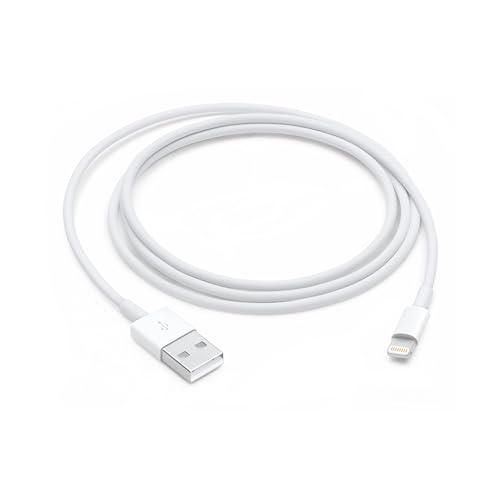
Moreover, aftermarket cables often lack the proper certification needed for reliable CarPlay functionality. Apple’s MFi (Made for iPhone) certification ensures cables meet specific standards for data transmission speeds and reliability. Non-certified cables might work intermittently or fail completely when CarPlay attempts to establish its connection.
“The Lightning cable is the most common failure point in CarPlay setups, accounting for roughly 60% of all connectivity issues we see in automotive service centers.” Automotive Electronics Technician
Dust and debris accumulation in both your iPhone’s Lightning port and your Dodge’s USB port can create connection problems. These tiny particles interfere with the electrical contacts necessary for proper data transmission. Regular cleaning with compressed air or a soft brush helps maintain optimal connectivity.
Temperature extremes also affect cable performance. Cold weather can make cable materials brittle, while excessive heat can degrade internal components. If your Dodge sits in direct sunlight or freezing temperatures, your cable might need time to reach optimal operating temperature.
iPhone Compatibility Issues
Apple regularly updates iOS with new features and security enhancements, but these updates sometimes create unexpected compatibility problems with your Dodge’s infotainment system. Not every iOS version plays nicely with every Uconnect firmware version.
Certain iPhone models experience more CarPlay issues than others, particularly when paired with specific Dodge model years. The iPhone 12 and 13 series have shown intermittent connectivity problems with 2018-2020 Dodge vehicles, especially those running older Uconnect software versions.
Your iPhone’s storage space directly impacts CarPlay performance. When storage reaches capacity, iOS may prioritize essential functions over CarPlay connectivity. Apps crash more frequently, and the system struggles to maintain stable connections with your vehicle’s infotainment system.
Background app refresh settings can interfere with CarPlay functionality. Too many apps running simultaneously consume processing power and memory resources that CarPlay needs for smooth operation. Disabling background refresh for non-essential apps often resolves performance issues.
“iOS updates can introduce new protocols or change existing ones, requiring corresponding updates from automotive manufacturers to maintain compatibility.” Apple CarPlay Developer
Additionally, your iPhone’s Bluetooth settings might conflict with CarPlay’s wireless functionality in newer Dodge models. Multiple Bluetooth connections or corrupted pairing data can prevent CarPlay from establishing its required connections properly.
Screen Time restrictions and parental controls sometimes block CarPlay functionality without obvious error messages. These settings can prevent certain apps from launching or limit system-level features that CarPlay requires.
Uconnect System Glitches
Your Dodge’s Uconnect infotainment system operates like a sophisticated computer, complete with its own operating system, memory management, and software applications. Like any computer, it can develop glitches that interfere with CarPlay operation.
Memory overflow represents one of the most common Uconnect problems. The system accumulates temporary files, cached data, and background processes that eventually consume available memory. When memory runs low, newer functions like CarPlay may fail to launch or operate erratically.
Software corruption can occur gradually over time or suddenly due to power interruptions during system updates. Corrupted files within the Uconnect system can prevent proper communication with your iPhone, resulting in failed CarPlay connections or frequent disconnections.
The Uconnect system maintains various settings and preferences in its internal memory. Sometimes these settings become corrupted or conflicting, preventing CarPlay from functioning properly. Factory reset procedures can resolve these issues by restoring default configurations.
“Uconnect systems require periodic maintenance just like any other computer system, including memory clearing and software updates to maintain optimal performance.” Chrysler Technical Support Specialist
Temperature-related hardware issues can also affect Uconnect performance. Electronic components inside your dashboard experience significant temperature fluctuations that can cause temporary malfunctions or permanent hardware degradation over time.
Network connectivity problems within the vehicle can impact CarPlay’s wireless functionality. Even wired CarPlay connections rely on internal network communication between various vehicle systems, and disruptions in these networks can cause CarPlay failures.
Software Update Requirements
Both your iPhone and your Dodge’s infotainment system require current software versions to maintain CarPlay compatibility. Apple and Stellantis (Dodge’s parent company) regularly release updates that address bugs, security vulnerabilities, and compatibility issues.
Your Dodge might need a Uconnect software update that you can’t perform yourself. Dealership service departments use specialized equipment to install these updates, which can take several hours to complete. Some updates address specific CarPlay compatibility problems with certain iPhone models or iOS versions.
Apple-certified Lightning cables ensure reliable data transmission for CarPlay functionality, eliminating one potential source of connectivity problems.
![USB C to Lightning Cable 3FT 2Pack [Apple MFi Certified], Power Delivery iPhone Cables Type C iPhone Charger Cord Fast Charging Compatible iPhone 14 13 12 11 Pro Max X XS XR 8 7 6s Plus SE](https://m.media-amazon.com/images/I/41WYxUBOFPL._SS500_.jpg)
iOS updates sometimes introduce changes that require corresponding updates from automotive manufacturers. There’s often a lag time between Apple releasing new iOS versions and manufacturers updating their systems to maintain compatibility. During these transition periods, you might experience CarPlay issues.
Your iPhone’s automatic update settings can create problems if updates install while connected to CarPlay. The update process can interrupt the connection and sometimes requires manual intervention to restore functionality.
Older Dodge models may have reached the end of their software support lifecycle. Manufacturers typically provide updates for 5-7 years after a model’s initial release. After this period, new iOS versions might introduce compatibility issues that won’t receive fixes.
Hardware Component Failures
While software issues cause most CarPlay problems, hardware failures do occur and typically require professional diagnosis and repair. These problems often develop gradually and may initially appear as intermittent software glitches.
USB port degradation affects many vehicles after several years of use. The repeated insertion and removal of cables gradually wear down the internal contacts, creating unreliable connections. Damaged USB ports may provide power for charging but fail to transmit data properly.
Antenna problems can affect wireless CarPlay functionality in newer Dodge models. The WiFi and Bluetooth antennas responsible for wireless CarPlay connections can fail due to water damage, physical impact, or component aging.
Your Dodge’s infotainment system contains various electronic modules that communicate with each other through internal networks. Failures in these modules or their connecting cables can prevent CarPlay from functioning, even when the main display appears to work normally.
“Hardware failures in automotive infotainment systems often present symptoms similar to software problems, making accurate diagnosis challenging without proper testing equipment.” Automotive Diagnostic Specialist
Power supply issues within the vehicle’s electrical system can cause intermittent CarPlay problems. Voltage fluctuations or failing alternators may not provide stable power to the infotainment system, causing various malfunctions including CarPlay connectivity issues.
Climate control system integration in some Dodge models means that failures in seemingly unrelated systems can affect CarPlay functionality. The complex interconnections between vehicle systems sometimes create unexpected failure modes.
Troubleshooting Steps
Systematic troubleshooting helps identify and resolve most CarPlay problems without requiring professional assistance. Start with the simplest solutions before moving to more complex procedures.
First, verify your cable and connections:
- Inspect your Lightning cable for visible damage, bent connectors, or loose connections
- Try a different MFi-certified cable to eliminate cable-related problems
- Clean both USB and Lightning ports with compressed air or a soft brush
- Test the cable with other devices to confirm it’s working properly
- Check for loose USB port mounting that might affect connection stability
Next, address iPhone-related issues:
- Restart your iPhone by holding power and volume buttons simultaneously
- Check available storage space and delete unnecessary files if needed
- Close background apps that might interfere with CarPlay
- Update to the latest iOS version available for your device
- Reset network settings if wireless CarPlay isn’t working
Finally, troubleshoot your Dodge’s systems:
- Restart the Uconnect system by holding the power button for 10-15 seconds
- Disconnect the vehicle’s 12V battery for 5 minutes to perform a hard reset
- Check for Uconnect software updates through your dealer
- Delete and re-pair your iPhone in the Bluetooth settings
- Perform a factory reset of the Uconnect system if other methods fail
“Most CarPlay problems resolve through basic troubleshooting steps that owners can perform themselves, saving time and money compared to dealership visits.” Mobile Electronics Installation Specialist
Document your troubleshooting steps and results. This information helps service technicians if professional repair becomes necessary.
Professional Repair Options
When basic troubleshooting fails to resolve your CarPlay issues, professional diagnosis and repair may be necessary. Several service options are available, each with different advantages and cost structures.
Dodge dealership service departments offer the most comprehensive repair capabilities for Uconnect-related problems. They have access to specialized diagnostic equipment, genuine replacement parts, and factory training on your vehicle’s specific systems. Warranty coverage may apply if your vehicle is still under the factory warranty period.
Independent automotive electronics specialists often provide more cost-effective solutions for out-of-warranty repairs. These shops typically have experience with multiple vehicle brands and may offer alternative solutions that dealerships don’t consider.
High-quality USB charging ports designed for automotive use can replace failed factory units while providing improved durability and faster charging capabilities.

Mobile electronics installation companies sometimes handle CarPlay repairs, particularly for aftermarket systems or modifications. They may offer on-site service at your home or workplace, providing convenience that traditional shops can’t match.
Some problems require component replacement rather than software fixes. Common replacement parts include USB port assemblies, antenna modules, and entire infotainment units in severe cases. Parts costs vary significantly depending on your Dodge model and the specific components involved.
Before authorizing expensive repairs, obtain detailed diagnostic information about the specific failure. Some symptoms that appear to indicate hardware problems actually result from software issues that cost much less to resolve.
Pro Tips: Sometimes the issue isn't your phone; it's a 'locked' module in the Uconnect system itself. Instead of paying a dealership $150 for a diagnostic, We use ALLDATA DIY. This SaaS gives you access to actual Dodge Technical Service Bulletins (TSBs) and the factory-reset procedures that pros use to unfreeze Uconnect head units.
Extended warranty programs sometimes cover infotainment system repairs that fall outside the factory warranty period. Review your coverage details to understand what repairs might be covered and any applicable deductibles.
Video Credit: Garage Doors and Security/ YouTube
Alternative: If you're tired of dealing with flaky USB ports in your RAM or Challenger, the best 'set it and forget it' fix is the Ottocast Wireless Adapter. It plugs into your CarPlay-enabled USB port and turns your wired system into a wireless one, connecting to your iPhone automatically the moment you start the engine.

Frequently Asked Questions
Why does my Dodge CarPlay work sometimes but not others?
Intermittent CarPlay functionality typically indicates loose cable connections, partially failed USB ports, or software conflicts between your iPhone and Uconnect system. Temperature changes can also affect electronic components, causing connections to work when cool but fail when hot.
Try using a different cable first, then clean both connection ports thoroughly. If problems persist, the USB port may need replacement or the Uconnect system might require a software update.
Can I use wireless CarPlay in my older Dodge that only has wired CarPlay?
Most older Dodge models don’t support wireless CarPlay natively, but aftermarket wireless CarPlay adapters can add this functionality. These devices connect to your existing USB port and create a WiFi bridge for your iPhone. However, compatibility varies by vehicle model and Uconnect version, so research specific adapters designed for your Dodge year and trim level before purchasing.
How much does it cost to fix CarPlay in a Dodge vehicle?
Repair costs vary widely depending on the specific problem. Cable replacement costs $15-30, while USB port replacement typically runs $200-400 at a dealership. Uconnect software updates are often free during warranty periods but may cost $100-200 afterward.
Complete infotainment unit replacement for major hardware failures can cost $1,500-3,000. Always get diagnostic testing before authorizing expensive repairs to ensure you’re addressing the actual problem.
Will updating my iPhone’s iOS break CarPlay compatibility with my Dodge?
iOS updates occasionally introduce temporary compatibility issues with certain Uconnect versions, but these problems usually resolve within a few weeks through either Apple or Dodge software updates. Avoid beta versions of iOS, as these are more likely to cause problems.
If you experience issues after an iOS update, check with your Dodge dealer about available Uconnect updates that might restore compatibility.
Can aftermarket iPhone cases interfere with CarPlay connections?
Thick cases or cases with built-in batteries can prevent proper Lightning cable insertion, causing intermittent connections that affect CarPlay reliability. Cases with metallic elements might also interfere with wireless charging or wireless CarPlay signals.
Try removing your case temporarily to see if this resolves connectivity issues. If so, consider switching to a thinner case or one specifically designed to accommodate charging cables.
Sources:
- Uconnect System Updates and Support – Stellantis
- Apple CarPlay Troubleshooting Guide – Apple Support
- Automotive Electronics Troubleshooting – Consumer Reports
- Dodge Vehicle Technology Support – Mopar
- CarPlay Compatibility and Requirements – Apple Developer
Read More:
- VW CarPlay Not Working? Quick Fixes That Actually Work
- Apple CarPlay Not Working (Troubleshooting, Causes & Solutions)
- Chevy CarPlay Not Working? Fix It Fast With These Tricks