
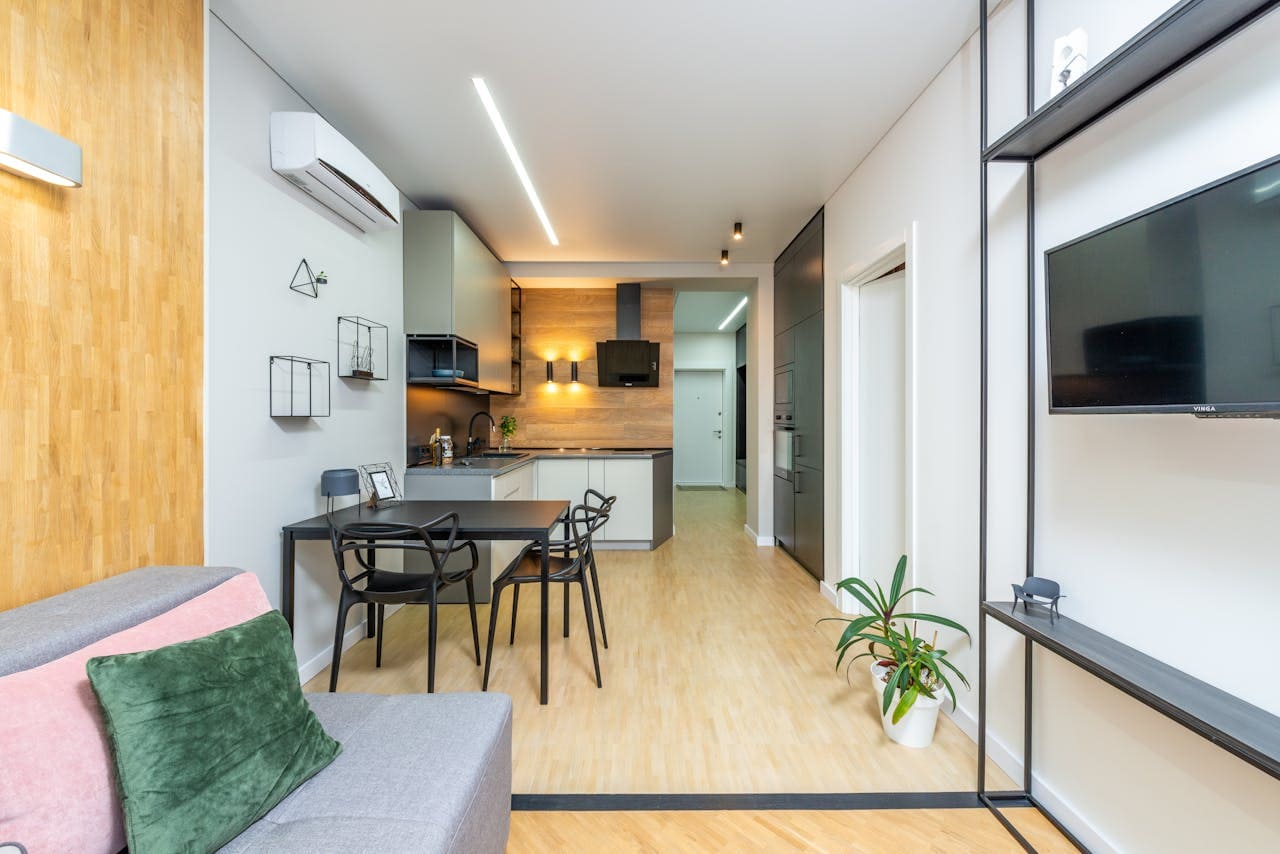
When Air conditioner remote controls malfunction or become unresponsive, the resulting inability to control climate comfort can create significant frustration, particularly during extreme weather conditions when proper AC operation becomes essential.
Resetting an AC remote involves multiple approaches depending on the specific issue and remote type: perform basic battery reset by removing batteries for 10-15 minutes then pressing all buttons before reinsertion, locate and press dedicated reset buttons typically found in battery compartments, use brand-specific reset procedures for manufacturers like LG, Daikin, or Panasonic that require specific button combinations, clear electronic interference by relocating nearby devices, or employ universal remote programming when original remotes fail completely. Different AC brands have unique reset procedures, making model identification crucial for successful troubleshooting.

AC Remote Control Problems
AC remote control malfunctions manifest in various ways that can indicate different underlying issues requiring specific troubleshooting approaches. Common symptoms include complete unresponsiveness to button presses, intermittent operation where commands work sporadically, display issues showing incorrect information or blank screens, and functional buttons that fail to communicate with the air conditioning unit.
Electronic components within remote controls can experience temporary glitches caused by power fluctuations, electromagnetic interference, or software bugs that accumulate over time during normal operation. These issues often resolve through systematic reset procedures that clear internal memory and restore factory default settings.
Physical damage from drops, liquid spills, or excessive heat exposure can compromise internal circuitry and require more extensive repair or replacement procedures. Understanding the difference between software-related issues and hardware failures helps determine appropriate troubleshooting approaches.
“Most AC remote control problems stem from simple issues like battery depletion or temporary electronic glitches that reset procedures can resolve, making systematic troubleshooting essential before considering replacement options,” HVAC Technician, Robert Martinez.
Battery-related problems represent the most common cause of remote control failures, including not only complete battery depletion but also poor battery contact, corrosion in battery compartments, or incorrect battery installation that prevents proper power delivery to electronic components.
Basic Battery Reset Procedure
The battery reset method represents the most fundamental and often effective approach to resolving AC remote control issues, working by completely draining residual power from electronic components and allowing internal systems to restart with fresh configuration settings.
Step-by-Step Battery Reset Process:
- Remove the battery compartment cover by sliding or lifting according to directional arrows
- Extract all batteries from the compartment and set them aside temporarily
- Press and hold every button on the remote control simultaneously for 10-15 seconds
- Continue holding buttons to discharge any remaining electrical charge stored in capacitors
- Wait an additional 10-15 minutes with batteries removed to ensure complete power drain
- Clean battery contacts with a dry cloth to remove corrosion or debris
- Reinsert batteries ensuring correct positive and negative polarity alignment
- Replace the battery compartment cover securely
- Test remote functionality by pointing it toward the AC unit and pressing power
- Verify that all button functions operate correctly and display shows proper information
The button-pressing step during battery removal serves to discharge residual power stored in internal capacitors and memory circuits, effectively clearing temporary settings and error states that may prevent normal operation. This process mimics a complete power cycle that refreshes electronic systems.
Timing becomes important during this procedure, as insufficient waiting periods may not allow complete power discharge, while battery contact cleaning ensures optimal electrical connections that prevent future communication issues between remote and AC unit.
Some AC remotes include backup power sources or memory retention circuits that require extended battery removal periods of 20-30 minutes to achieve complete reset, particularly in advanced models with extensive programming capabilities and display features.
Dedicated Reset Button
Many AC remote controls include dedicated reset buttons specifically designed to restore factory default settings without requiring battery removal or extended troubleshooting procedures. These buttons typically hide within battery compartments or behind small access panels to prevent accidental activation.
Locating and Using Reset Buttons:
- Remove the battery compartment cover to access internal components
- Look for small buttons labeled “RESET,” “RC,” or similar designations
- Locate recessed buttons that may require thin tools like paperclips for activation
- Press and hold the reset button for 3-5 seconds while observing any display changes
- Release the button and wait 30 seconds for internal systems to reinitialize
- Test remote functionality to verify successful reset completion
- Reconfigure any custom settings like temperature preferences or timer programs
- Replace battery compartment cover and verify continued operation
Reset button locations vary significantly between manufacturers and models, with some placing them near battery contacts, others integrating them into circuit boards, or positioning them behind removable panels requiring careful access procedures.
The duration of button pressing varies by model, with some requiring brief momentary presses while others need sustained pressure for specific time periods to activate reset functions. Incorrect timing may result in incomplete reset procedures that fail to resolve underlying issues.
“Dedicated reset buttons provide the most reliable method for restoring AC remote controls to factory settings, but their hidden locations and model-specific activation procedures often require careful manual consultation,” Electronics Repair Specialist, Jennifer Walsh.
Visual or audible feedback during reset procedures helps confirm successful activation, including display changes, LED indicators, or beeping sounds that signal internal system reinitialization and readiness for normal operation.
Brand-Specific Reset
Different AC manufacturers implement unique reset procedures that reflect their specific remote control designs, software architectures, and user interface philosophies. Understanding these brand-specific approaches ensures optimal success rates when troubleshooting remote control issues.
LG AC Remote Reset Procedure:
- Press and hold the “ENERGY SAVING” and “LIGHTING” buttons simultaneously for 5 seconds
- Wait for the display to flash or show reset confirmation symbols
- Release buttons and allow 30 seconds for system reinitialization
- Test basic functions like power, temperature adjustment, and mode selection
- Reconfigure personal preferences and custom settings as needed
Daikin AC Remote Reset Procedure:
- Remove batteries and press all buttons for 10 seconds to discharge power
- Reinsert batteries and press “ON/OFF” and “MODE” buttons together for 3 seconds
- Look for display changes indicating successful reset completion
- Verify communication with AC unit by testing temperature control functions
- Reset timer programs and personalized comfort settings
Panasonic AC Remote Reset Procedure:
- Locate the “RC” reset button inside the battery compartment
- Use a paperclip to press and hold the button for 5 seconds
- Observe display reset to factory default settings and symbols
- Test remote responsiveness with AC unit power and mode controls
- Reprogram advanced features like weekly schedules or sleep modes
Mitsubishi AC Remote Reset Procedure:
- Press “RESET” button if present, or remove batteries for 15 minutes
- Press and hold “TEMP UP” and “TEMP DOWN” buttons simultaneously for 10 seconds
- Watch for display initialization sequence confirming reset success
- Verify proper communication between remote and indoor unit
- Restore custom programming for optimal comfort settings
Brand-specific procedures often incorporate security features or specialized programming modes that generic reset methods cannot access, making manufacturer documentation essential for complete troubleshooting success.
Universal Remote Programming
Universal AC remotes offer replacement solutions when original remotes fail completely or become lost, providing compatibility across multiple brands through programmable code databases and automatic setup procedures.
Universal Remote Setup Process:
- Obtain compatible universal remote designed for AC applications
- Install fresh batteries and power on the remote control
- Locate brand code lists in the instruction manual or online databases
- Enter programming mode by pressing designated button combinations
- Input specific codes for your AC brand and model number
- Test basic functions like power, temperature, and mode controls
- Fine-tune settings for optimal compatibility and responsiveness
- Program advanced features if supported by the universal remote
- Document successful codes for future reference and troubleshooting
Universal remotes vary in complexity from basic models supporting essential functions to advanced units offering full feature compatibility including timer programming, energy-saving modes, and specialized comfort settings.
Code programming success depends on accurate brand and model identification, as similar AC units may require different codes based on manufacturing years, feature sets, or regional variations that affect infrared signal protocols.
“Universal AC remotes provide excellent backup solutions and often include additional features not found on original remotes, but proper programming requires patience and systematic code testing for optimal compatibility,” Climate Control Technician, David Rodriguez.
Automatic code search functions in premium universal remotes can identify correct settings through systematic signal testing, eliminating manual code entry while ensuring compatibility across various AC brands and models.
Common Reset Issues
Reset procedure failures can occur due to various factors including hardware damage, interference sources, or incorrect technique application that prevents successful restoration of remote control functionality.
Common Reset Problems and Solutions:
Battery-related issues including incorrect polarity installation, corroded contacts, or weak batteries can prevent successful reset completion. Clean contacts thoroughly and use high-quality alkaline batteries for optimal performance and longevity.
Electromagnetic interference from nearby electronic devices, fluorescent lighting, or wireless networks can disrupt reset procedures and normal remote operation. Temporarily relocate interference sources or perform resets in different locations.
Incomplete reset procedures due to insufficient button pressing duration, inadequate waiting periods, or missed steps can result in partial restoration that fails to resolve underlying issues. Follow manufacturer instructions precisely and allow adequate time for each procedure step.
Hardware damage from physical impacts, liquid exposure, or component aging may prevent successful reset regardless of proper technique application. Professional evaluation or replacement becomes necessary when reset procedures consistently fail.
Signal reception problems between remote and AC unit can persist after successful reset due to sensor blockage, distance limitations, or alignment issues that require physical positioning adjustments rather than electronic troubleshooting.
Advanced Troubleshooting
When standard reset procedures fail to restore remote control functionality, advanced diagnostic techniques can identify specific failure modes and guide appropriate repair or replacement decisions.
Signal Testing Methods:
Use smartphone cameras to detect infrared transmission from remote controls, as functioning remotes produce visible light through camera displays even when human eyes cannot perceive infrared emissions.
Circuit board inspection through careful disassembly can reveal physical damage, component failure, or manufacturing defects that prevent normal operation regardless of reset procedure application.
Professional diagnostic equipment including infrared analyzers and oscilloscopes can measure signal strength, frequency accuracy, and transmission patterns to identify specific electronic failures requiring component replacement.
Environmental testing in different locations, temperatures, and humidity conditions helps distinguish between environmental factors and inherent remote control defects that affect performance reliability.
Preventive Maintenance and Care
Proper remote control maintenance extends operational lifespan and reduces the frequency of reset procedures required to maintain optimal performance and reliability.
Maintenance Best Practices:
- Store remotes in protective cases or designated locations to prevent physical damage
- Clean battery compartments regularly to prevent corrosion and contact problems
- Replace batteries proactively rather than waiting for complete power depletion
- Avoid exposure to extreme temperatures, humidity, or direct sunlight
- Handle with clean, dry hands to prevent contamination of sensors and buttons
- Keep spare batteries available for immediate replacement when needed
- Document reset procedures and successful codes for future reference
- Perform periodic functional testing to identify developing issues early
Battery replacement schedules depend on usage frequency and battery quality, with typical alkaline batteries lasting 6-12 months under normal residential use patterns while lithium batteries may provide extended service life.
Environmental protection becomes particularly important in humid climates or dusty conditions where moisture infiltration or particle accumulation can damage electronic components and compromise long-term reliability.
Video Credit: Tech & Lifestyle / YouTube
Frequently Asked Questions
Why does my AC remote stop working even after replacing the batteries with fresh ones?
AC remote control failures after battery replacement typically indicate issues beyond simple power depletion, including corroded battery contacts, internal electronic component failure, or accumulated electromagnetic interference affecting signal transmission. Battery replacement alone may not resolve these underlying problems that require additional troubleshooting steps.
Corroded battery contacts prevent proper electrical connections even with fresh batteries, requiring cleaning with fine sandpaper or contact cleaner to restore conductivity. Internal component aging or damage from physical impacts can cause circuit failures that persist regardless of power source quality or battery condition.
Electromagnetic interference from LED lighting, wireless networks, or other electronic devices can disrupt remote control signals even when internal electronics function properly. Relocating potential interference sources or testing the remote in different environments helps identify and resolve these external factors affecting performance.
How can I tell if my AC remote needs to be reset or if it’s completely broken?
Distinguishing between resetable issues and permanent hardware failure requires systematic testing of various remote control functions and responsiveness patterns. Intermittent operation, partial functionality, or temporary responsiveness typically indicates software glitches that reset procedures can resolve, while complete unresponsiveness may suggest hardware damage.
Use smartphone camera tests to detect infrared signal transmission from the remote control, as functioning units produce visible light through camera displays even when AC units don’t respond. No visible transmission usually indicates internal component failure requiring replacement rather than reset procedures.
Try basic reset procedures including battery removal and button pressing before concluding hardware failure, as many seemingly “broken” remotes actually experience temporary electronic glitches that systematic troubleshooting can resolve without replacement costs or technical service requirements.
Are universal AC remotes as reliable as original manufacturer remotes?
Universal AC remotes provide excellent functionality for basic operations like power control, temperature adjustment, and mode selection, but may lack access to advanced features or specialized settings available only through original manufacturer remotes. Reliability depends primarily on proper programming and code selection rather than inherent quality differences.
High-quality universal remotes often include more robust construction and longer battery life compared to original remotes, while also offering additional features like backlit displays or learning functions that enhance usability. Programming complexity varies significantly between models, with some requiring extensive code testing while others offer automatic setup procedures.
Compatibility limitations may prevent universal remotes from accessing proprietary features like energy-saving algorithms, advanced scheduling functions, or smart home integration capabilities that manufacturer-specific remotes support. Consider feature requirements carefully when choosing between universal and original replacement options for optimal satisfaction and functionality.
Sources:
- True Blue AC – Remote Control Reset Procedures
- MBH Mechanical – AC Remote Troubleshooting Guide
- Excel Mechanical – Universal Remote Setup Guide