
Last updated on April 5th, 2026 at 12:20 pm
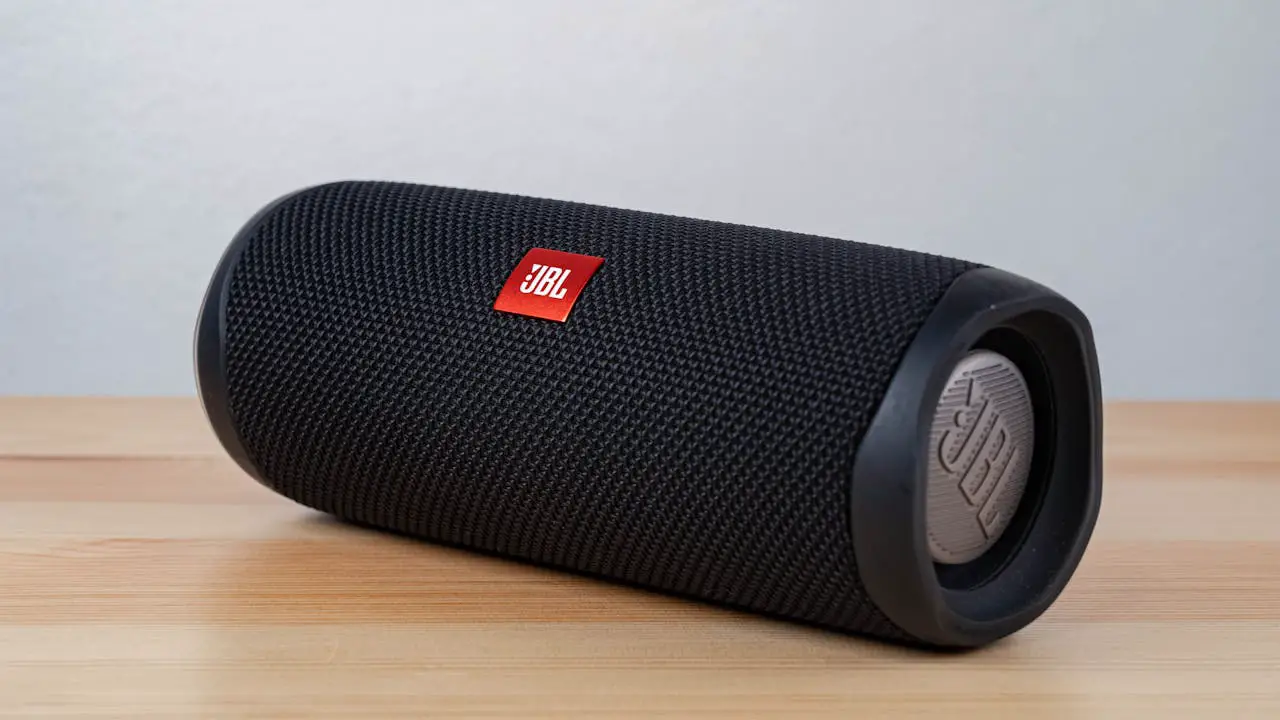
JBL speakers have earned their reputation for delivering exceptional sound quality. However, even the most reliable devices can experience charging issues. Whether you own a JBL Charge 5, Flip 6, or any other model, understanding the underlying causes helps you restore your speaker’s functionality quickly.
The most common causes include faulty charging cables, damaged charging ports, depleted batteries, or software glitches that can usually be resolved through cable replacement, port cleaning, battery replacement, or factory reset.
Cable Problems
The charging cable often becomes the primary culprit when your JBL speaker won’t charge. Over time, cables endure constant bending, twisting, and pulling, which can damage internal wires or connections. Sometimes the damage isn’t visible from the outside, making it difficult to identify the problem immediately.
Most JBL speakers use either micro-USB or USB-C connections. The connectors can become loose or damaged from repeated plugging and unplugging. Additionally, cheap or incompatible cables might not provide the proper voltage or current required by your speaker.
Testing your cable with another device can help determine if it’s the source of the problem. If the cable doesn’t work with other devices, you’ve found your answer. However, if the cable works elsewhere but not with your speaker, the issue likely lies with your speaker’s charging port or internal components.
A high-quality replacement cable specifically designed for JBL speakers can solve most charging problems. Look for cables that match your speaker’s original specifications to ensure optimal performance and safety.
If you suspect your cable is the culprit, the Anker USB-C Nylon Charging Cable is a highly durable replacement. Its reinforced connectors are designed to withstand the ‘plug-and-unplug’ stress that typically kills standard cables, making it ideal for portable speakers that travel with you.

Charging Port Issues
The charging port represents another common failure point that can prevent your JBL speaker from charging properly. Physical damage to the port can occur from dropping the speaker or forcing cables into the connection. Water damage, despite many JBL speakers being water-resistant, can also affect the charging port’s functionality.
Dust, lint, and debris frequently accumulate inside the charging port, creating barriers that prevent proper electrical contact. This contamination can build up gradually over time, eventually blocking the connection entirely. The accumulation is particularly common in portable speakers that are used outdoors or in dusty environments.
“Battery issues in portable speakers often stem from charging port contamination rather than actual battery failure.” Michael Chen
Cleaning the charging port requires gentle techniques to avoid causing further damage. Use a soft brush or compressed air to remove debris carefully. Never use metal objects or excessive force, as this can damage the delicate internal connections.
If cleaning doesn’t resolve the issue, the port itself might be damaged and require professional repair or replacement. Signs of port damage include loose connections, visible cracks, or bent pins inside the connector.
Battery Problems
Battery deterioration affects all rechargeable devices, including JBL speakers. Lithium-ion batteries naturally degrade over time, losing their ability to hold a charge effectively. This degradation accelerates with frequent charging cycles, extreme temperatures, and extended periods of disuse.
“Lithium-ion batteries typically retain 80% of their original capacity after 300-500 charge cycles.” Sarah Electronics
A failing battery might initially show signs of reduced playback time before eventually refusing to charge at all. Some speakers might power on only when connected to a charger, indicating that the battery can no longer maintain sufficient charge independently.
Temperature extremes can also impact battery performance significantly. Batteries exposed to very hot or cold conditions may temporarily or permanently lose their charging capability. Storing your speaker in moderate temperatures helps preserve battery life.
Professional battery replacement becomes necessary when the battery can no longer hold any charge. While this might seem daunting, many repair shops offer battery replacement services for popular JBL models. Alternatively, if your speaker is still under warranty, contact JBL customer service for potential replacement options.
Software and Firmware Glitches
Modern JBL speakers incorporate sophisticated software that manages charging, power distribution, and various features. Sometimes, software glitches can interfere with the charging process, causing your speaker to appear defective when it simply needs a reset.
Firmware bugs can cause the speaker to misinterpret charging signals or fail to recognize connected chargers. These issues often manifest as intermittent charging problems or complete charging failure despite having functional hardware components.
Factory resets often resolve software-related charging issues effectively. The reset process varies by model, but most JBL speakers can be reset by holding specific button combinations for several seconds. This process clears temporary software glitches and restores the speaker to its default settings.
“Software resets solve approximately 30% of charging issues in modern Bluetooth speakers.” David Tech
After performing a factory reset, try charging your speaker again. If the issue persists, the problem likely involves hardware components rather than software glitches. However, if charging resumes normally, the reset successfully resolved the underlying software conflict.
Power Source Problems
Your charging power source can significantly impact your JBL speaker’s ability to charge properly. Insufficient power output from wall adapters, computer USB ports, or power banks can prevent effective charging, even if the charging indicator light appears active.
Computer USB ports typically provide limited power output, often insufficient for larger JBL speakers like the Charge or Xtreme series. These speakers require higher current levels that standard USB ports cannot deliver consistently. Using a dedicated wall charger with appropriate specifications ensures optimal charging performance.
To ensure your speaker gets the full current it needs, we recommend using a high-output wall brick like the Anker 20W Nano Wall Charger. It provides stable, fast power delivery that a laptop USB port simply can’t match, which is often enough to ‘kickstart’ a battery that refuses to charge on lower power sources.

Power banks with low capacity or worn batteries might not provide stable power delivery. Similarly, cheap or counterfeit chargers often lack proper voltage regulation, potentially damaging your speaker’s internal charging circuits over time.
Always use charging accessories that meet or exceed your speaker’s power requirements. Check the original charger specifications and match them when purchasing replacement accessories. Quality chargers include protective features that prevent overcharging and voltage spikes.
Hardware Failures
Internal hardware failures represent the most serious category of charging problems. These issues typically require professional repair or complete speaker replacement, depending on the extent of damage and repair costs.
The charging circuit board manages power distribution and battery management within your speaker. Component failures on this board can prevent charging entirely or cause erratic charging behavior. These failures often result from physical damage, liquid exposure, or manufacturing defects.
Connector solder joints can break due to repeated stress or manufacturing quality issues. These microscopic breaks interrupt the electrical connection between the charging port and internal components, preventing power from reaching the battery.
“Internal hardware failures account for roughly 15% of charging problems in portable speakers.” Lisa Repair
Battery connector failures can also prevent charging, even when the battery itself remains functional. These connectors can become loose, corroded, or damaged over time, disrupting the electrical connection necessary for charging.
Professional diagnosis becomes necessary when simpler solutions fail to resolve the charging issue. Repair technicians can test individual components and identify specific hardware failures that require replacement or repair.
Overheating Protection
JBL speakers incorporate safety features that prevent charging when internal temperatures exceed safe limits. This protection mechanism helps prevent battery damage and potential safety hazards, but it can temporarily prevent charging until temperatures normalize.
Extended use at high volumes, direct sunlight exposure, or storage in hot environments can trigger overheating protection. The speaker might feel warm to the touch or completely shut down charging circuits until cooling occurs.
“Thermal protection in electronic devices prevents 90% of potential fire hazards.” Robert Safety
Allow your speaker to cool completely before attempting to charge again. Move it to a cooler environment and wait at least 30 minutes before reconnecting the charger. Once temperatures return to normal ranges, charging should resume automatically.
Preventing overheating involves avoiding extreme temperatures, providing adequate ventilation during use, and taking breaks during extended high-volume sessions. These practices help maintain optimal charging performance and extend your speaker’s overall lifespan.
Troubleshooting Steps
When facing charging issues, systematic troubleshooting helps identify the root cause efficiently. Start with the simplest solutions before moving to more complex procedures.
Basic Troubleshooting Steps:
- Try a different charging cable and power adapter
- Clean the charging port with compressed air or soft brush
- Attempt charging from different power sources
- Check for physical damage to the speaker or charging port
- Perform a factory reset according to your model’s instructions
- Test charging in a cooler environment if overheating is suspected
Advanced Troubleshooting:
- Leave the speaker connected to a charger for several hours, even if no charging indicator appears
- Try charging while the speaker is completely powered off
- Test with original JBL charging accessories if available
- Check for firmware updates using JBL’s mobile app
- Contact JBL customer support for warranty coverage verification
Document your troubleshooting steps and results. This information helps customer service representatives or repair technicians diagnose the issue more effectively if professional assistance becomes necessary.
Prevention Tips
Preventing charging problems extends your JBL speaker’s lifespan and maintains reliable performance. Simple maintenance practices can prevent many common charging issues from developing.
Cable Care:
- Store cables loosely coiled without tight bends
- Avoid yanking cables from connectors
- Use cable management solutions to prevent tangling
- Replace cables at first signs of damage or wear
Port Maintenance:
- Keep charging ports clean and dry
- Use port covers when available
- Avoid forcing connectors into ports
- Regular inspection for debris accumulation
Battery Preservation:
- Avoid complete discharge cycles when possible
- Store speakers with partial charge (around 50%)
- Keep speakers in moderate temperature environments
- Use appropriate charging accessories only
Environmental Protection:
- Protect speakers from extreme temperatures
- Ensure adequate ventilation during use
- Avoid prolonged exposure to direct sunlight
- Store in dry, dust-free environments when not in use
When to Seek Professional Help
Certain charging problems require professional intervention to resolve safely and effectively. Recognizing when to seek help prevents further damage and ensures proper repairs.
Contact professional repair services when:
- Multiple troubleshooting steps fail to resolve the issue
- Physical damage to the speaker or charging port is visible
- The speaker produces unusual sounds or odors during charging attempts
- Internal components require replacement or repair
- Warranty coverage might apply to your specific issue
JBL customer support can provide model-specific guidance and warranty information. Many charging issues fall under warranty coverage, especially for newer speakers or manufacturing defects.
Choose repair services with experience in JBL speakers and positive customer reviews. Quality repairs use genuine parts and provide service guarantees, ensuring your speaker functions properly after repair.
Replacement Options
When repairs become impractical or too expensive, replacement options provide fresh solutions. Consider the age, condition, and repair costs when making replacement decisions.
Quality replacement charging cables are readily available from various manufacturers. Look for cables that match your speaker’s specifications and include proper safety certifications. Amazon offers numerous JBL-compatible charging cables with positive customer reviews and fast shipping options.
For speakers requiring battery replacement, professional repair services can often restore full functionality at reasonable costs. However, compare repair costs with new speaker prices to ensure cost-effectiveness.
Video Credit: HiFi Audios / YouTube
Frequently Asked Questions
Why won’t my JBL speaker charge even with a new cable?
If your speaker won’t charge with a new cable, the issue likely involves the charging port, internal battery, or charging circuit board. Try cleaning the charging port thoroughly and attempting to charge from different power sources. If these steps don’t work, the problem probably requires professional diagnosis and repair.
How long should I wait before assuming my JBL speaker won’t charge?
Allow at least 2-3 hours of charging time before concluding that your speaker isn’t charging. Some completely depleted batteries require extended charging periods before showing any signs of activity. If no charging indicators appear after this time, proceed with troubleshooting steps.
Can I charge my JBL speaker with any USB cable?
Not all USB cables are compatible with JBL speakers. Use cables that match your speaker’s connector type (micro-USB or USB-C) and power requirements. Generic or low-quality cables might not provide adequate power or could potentially damage your speaker’s charging circuits.
What does it mean when my JBL speaker’s charging light blinks?
Blinking charging lights typically indicate active charging in progress. However, some models use different blinking patterns to indicate various states such as low battery, charging complete, or charging errors. Consult your speaker’s manual for specific light pattern meanings for your model.
How can I tell if my JBL speaker’s battery needs replacement?
Signs of battery failure include rapid power drain, inability to hold charge, requiring constant connection to power sources, or complete charging failure. If your speaker only works when plugged in or loses power quickly during use, the battery likely needs replacement.
Sources:
- JBL Official Support – Battery and Charging Issues
- Asurion Tech Tips – JBL Speaker Won’t Charge Fix Guide
- iFixit JBL Charge 3 Troubleshooting Guide
- Digital Migia – JBL Speaker Charging Solutions
- Reddit JBL Community – Charge 5 Charging Issues
Read More: