

Last updated on April 1st, 2026 at 03:06 am
Power outages can disrupt your Starlink satellite internet system, leaving you disconnected from the digital world when electricity returns.
Starlink fails to work after power outages due to improper system initialization, power surge damage, corrupted configuration settings, satellite tracking errors, firmware corruption, or hardware components requiring manual reset procedures.
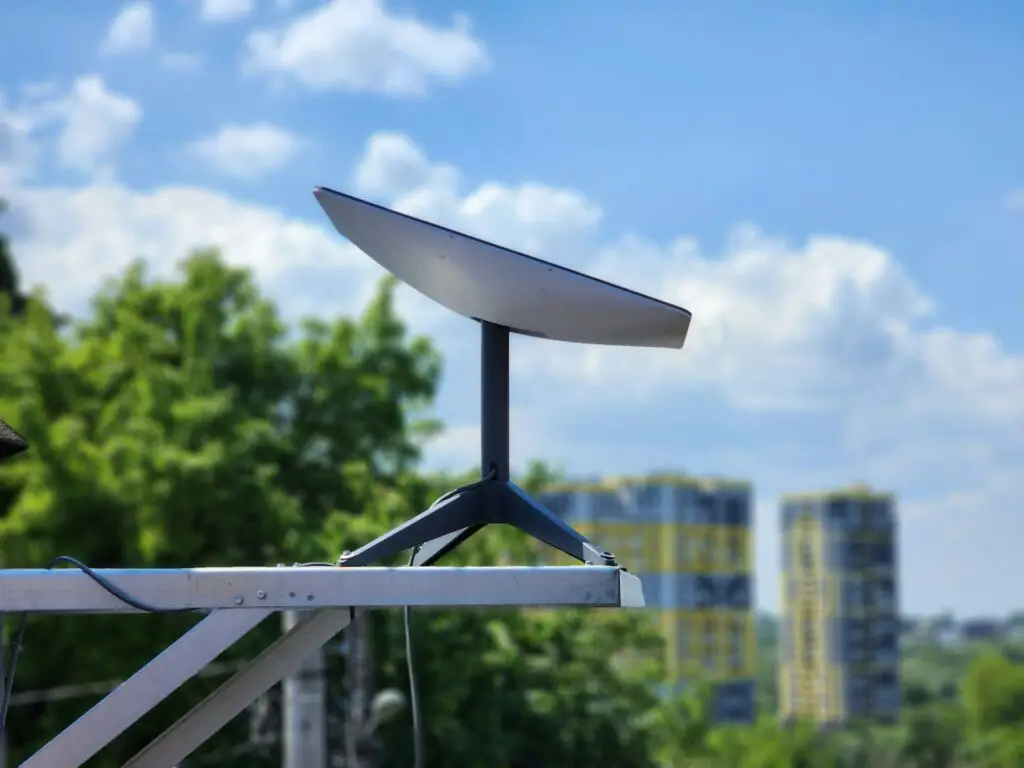
Power Surge Damage
Power surges during electrical outages represent one of the most serious threats to Starlink equipment functionality. When electricity returns after an outage, voltage spikes can damage sensitive electronic components within the dish, router, or power supply units.
The Starlink system contains sophisticated electronics that operate at specific voltage levels, and sudden power fluctuations can overwhelm protective circuits and cause permanent damage. Components most vulnerable to surge damage include the dish’s positioning motors, network interface circuits, and power regulation systems.
Additionally, lightning strikes associated with storms that cause power outages can induce electrical surges through power lines, even if the strike occurs miles away from your location. These induced surges travel through electrical infrastructure and can damage connected equipment.
Power grid switching operations during outage restoration can create voltage transients that affect sensitive electronics. Utility companies use various switching procedures to restore power, and these operations sometimes generate electrical disturbances that damage unprotected equipment.
“Power surge protection is essential for satellite internet equipment, as these systems contain sensitive electronics that can be permanently damaged by voltage fluctuations.”
Robert Martinez, Electrical Systems Engineer
Furthermore, generator backfeed during power outages can create electrical anomalies when utility power returns. If generators aren’t properly disconnected before utility restoration, the interaction between power sources can generate harmful electrical conditions.
System Initialization
Starlink requires a specific startup sequence to establish proper satellite communications after power restoration. The system must reinitialize its positioning systems, download current satellite constellation data, and reestablish network connections in a predetermined order.
Interrupted initialization processes can leave the system in unstable states where some functions work while others remain offline. If power fluctuates during the startup sequence, the system may not complete critical initialization steps required for internet connectivity.
Moreover, the dish’s positioning motors need time to calibrate and orient toward optimal satellite positions. Rushing this process or interrupting it can result in tracking errors that prevent successful internet connection establishment.
Network authentication procedures must also complete successfully during system initialization. Starlink equipment needs to verify account credentials and establish secure connections with SpaceX’s network infrastructure before providing internet access.
Additionally, temperature compensation systems require time to adjust after power restoration. The dish’s electronics need to reach optimal operating temperatures, and this thermal stabilization process affects system performance and connectivity reliability.
Configuration Issues
Power outages can corrupt stored configuration settings within Starlink equipment, causing connectivity problems when power returns. These configuration files contain critical network parameters, satellite tracking data, and user account information necessary for proper operation.
Memory corruption during power loss can affect various system settings including WiFi passwords, network names, security configurations, and custom user preferences. When these settings become corrupted, the system may appear to function but fail to provide internet connectivity.
Furthermore, firmware corruption can occur if power loss happens during critical system operations or automatic updates. Corrupted firmware may prevent proper system initialization or cause erratic behavior that interferes with internet connectivity.
Factory default settings may not match your specific installation requirements or account configuration. When systems revert to default configurations, they may not include customizations necessary for your particular setup or service plan.
Additionally, time synchronization issues can affect system operation after power outages. Starlink relies on precise timing for satellite communication, and incorrect system time can interfere with authentication and connectivity procedures.
Satellite Tracking
The Starlink dish must reacquire satellite positions after power restoration, and this process can take considerable time depending on how long the outage lasted. Satellite positions change continuously, and the dish needs current orbital data to establish connections.
Tracking motor calibration may be disrupted by power outages, particularly if the dish moved during the outage due to wind or other environmental factors. The positioning system needs to redetermine its current orientation and adjust to optimal satellite angles.
Moreover, satellite handoff procedures become more complex after extended outages. As satellites move across the sky, the dish must seamlessly transfer connections between different satellites, and this process requires accurate timing and positioning data.
Environmental changes during power outages can affect satellite visibility. Storms that cause outages may also change the local environment through fallen trees, debris, or other obstructions that block satellite signals.
“Satellite tracking systems require continuous power and precise timing to maintain optimal connectivity, making power outages particularly disruptive to satellite internet services.”
Dr. Jennifer Chen, Aerospace Communications Specialist
Additionally, the satellite constellation itself may have changed during extended outages. SpaceX regularly launches new satellites and adjusts orbital patterns, so the dish may need updated constellation data to establish optimal connections.
Hardware Failures
Power outages can reveal existing hardware problems or cause new failures that prevent Starlink from functioning properly after electricity returns. Components that were operating marginally before the outage may fail completely when power cycling stresses their weakened circuits.
Cable connections can be affected by power outages, particularly if environmental conditions during the outage caused expansion, contraction, or moisture infiltration. Loose or corroded connections may work intermittently or fail completely after power restoration.
Furthermore, the power supply unit may sustain damage from electrical surges or extended periods without power. Power supplies contain capacitors and other components that can degrade when subjected to electrical stress or prolonged dormancy.
Motor assemblies within the dish may experience problems after power outages, especially if they were positioned awkwardly when power was lost. These precision motors require specific startup procedures and may malfunction if not properly initialized.
Additionally, circuit board components can develop problems during power cycling, particularly in equipment exposed to temperature extremes or moisture during outages. Thermal expansion and contraction can stress solder joints and electrical connections.
Firmware Corruption
Interrupted firmware operations during power outages can corrupt the software that controls Starlink system functions. If power loss occurs during firmware updates or critical system operations, the resulting corruption can prevent proper system operation.
Recovery procedures for firmware corruption often require factory resets that erase all user configurations and settings. This process restores the system to default operation but requires complete reconfiguration of network settings and preferences.
Moreover, automatic firmware update failures after power restoration can create persistent connectivity problems. The system may repeatedly attempt to update firmware but fail due to corruption or connectivity issues, creating a cycle of failed updates.
Firmware version mismatches between different system components can cause compatibility problems after power outages. If some components update successfully while others fail, the resulting version conflicts can prevent proper system operation.
“Firmware integrity is crucial for satellite internet systems, and power outages during critical operations can create corruption that requires professional intervention to resolve.”
Michael Zhang, Satellite Systems Technician
Additionally, bootloader corruption can prevent the system from starting properly after power restoration. This low-level software corruption typically requires specialized recovery procedures or equipment replacement to resolve.
Network Problems
Power outages can disrupt network configurations and cause connectivity issues that persist after Starlink hardware appears to function normally. Local network settings may become corrupted or reset to incompatible configurations.
DHCP conflicts can occur when multiple devices attempt to obtain network addresses simultaneously during system restoration. These conflicts can prevent internet access even when the Starlink connection itself is functioning properly.
Furthermore, DNS configuration problems may prevent web browsing and other internet services while basic connectivity remains intact. Corrupted DNS settings can make it appear that internet access is completely unavailable.
Router functionality integrated into Starlink equipment may experience problems independent of the satellite connection. WiFi networks, port forwarding, and other router features can malfunction without affecting the underlying satellite link.
Additionally, device connectivity problems may develop when numerous devices attempt to reconnect simultaneously after power restoration. Bandwidth limitations or authentication issues can prevent some devices from establishing connections.
Recovery Procedures
Systematic recovery procedures can restore Starlink functionality after power outages by addressing the most common causes of post-outage connectivity problems. Start by verifying that all equipment has power and appears to be functioning before proceeding with advanced troubleshooting.
Power cycle the entire Starlink system by unplugging the power adapter for at least two minutes, then reconnecting and allowing 15-20 minutes for complete system initialization. This extended power cycle helps ensure all capacitors discharge completely and the system performs a full restart.
Follow these comprehensive recovery steps:
- Verify power supply and all cable connections
- Power cycle system for minimum 2 minutes
- Check for physical damage from storms or debris
- Allow 20 minutes for complete satellite reacquisition
- Test connectivity with multiple devices
- Factory reset if problems persist
- Contact Starlink support for hardware issues
- Document any error messages or unusual behavior
Use the Starlink mobile app to monitor system status and run built-in diagnostics during the recovery process. The app provides real-time information about satellite connectivity, signal strength, and potential obstruction issues.
Additionally, inspect all cable connections for damage, corrosion, or looseness that may have developed during the power outage. Environmental conditions during outages can affect cable integrity and connection reliability.
Consider installing the APC Back-UPS Pro 1500VA to protect your Starlink system from future power outages and surge damage while providing backup power for continued operation.

Prevention Strategies
Surge protection systems can prevent power outage damage and reduce the likelihood of post-outage connectivity problems. Quality surge protectors designed for sensitive electronics provide the first line of defense against electrical damage.
Uninterruptible Power Supply (UPS) systems offer the best protection by providing clean, stable power during outages and preventing abrupt shutdowns that can corrupt system configurations. Properly sized UPS units can maintain Starlink operation during brief outages.
Moreover, generator systems can provide extended backup power for longer outages, but proper installation and switching procedures are essential to prevent electrical problems when utility power returns.
Environmental protection measures help prevent storm-related damage that often accompanies power outages. Securing loose equipment, protecting cable connections, and ensuring proper drainage can minimize outage-related problems.
“Proactive power protection measures significantly reduce the risk of satellite internet system failures and minimize recovery time after electrical disturbances.”
Sarah Johnson, Power Systems Consultant
Additionally, regular system maintenance and firmware updates help ensure optimal system reliability and reduce the likelihood of configuration problems after power outages.
The Tripp Lite Smart UPS provides excellent protection for Starlink systems while offering battery backup capabilities for continued operation during power outages.

Documentation of system settings and configurations before outages occur can expedite recovery procedures and help restore custom settings after factory resets become necessary.
According to Starlink’s official support documentation, proper power protection and systematic recovery procedures can resolve most post-outage connectivity issues without requiring professional service.
Professional installation assessment may be warranted after severe outages to verify system integrity and identify potential improvements that enhance outage resistance and recovery reliability.
Video Credit: DISHYtech / YouTube
Frequently Asked Questions
How long should I wait for Starlink to reconnect after a power outage?
Allow at least 15-20 minutes for your Starlink system to complete its full initialization sequence after power restoration. The system needs time to calibrate positioning motors, reacquire satellite connections, and download current constellation data before internet connectivity becomes available.
During the recovery period, you may observe various status indicators including searching, heating, or booting messages that are normal parts of the startup process. The dish may also move significantly as it reorients itself toward optimal satellite positions.
If internet connectivity doesn’t restore within 30 minutes of power returning, begin systematic troubleshooting procedures to identify potential hardware damage or configuration issues that may require intervention to resolve.
Can power surges permanently damage my Starlink equipment?
Yes, power surges can cause permanent damage to Starlink equipment, particularly the sensitive electronics within the dish and router components. Voltage spikes can overwhelm protective circuits and damage processors, memory chips, motor controllers, and network interface components.
Surge damage may not be immediately apparent and can manifest as intermittent connectivity problems, reduced performance, or complete system failures that develop over time. Some surge damage creates latent defects that cause premature equipment failure.
Using quality surge protection devices and UPS systems significantly reduces the risk of surge damage, though no protection system can prevent damage from direct lightning strikes or extreme electrical events.
Why does my Starlink show it’s connected but I have no internet after an outage?
This condition typically indicates that your Starlink dish has reestablished satellite communication but network configuration problems prevent internet access. The satellite link may be functional while local network settings, DNS configurations, or authentication procedures remain corrupted.
Factory reset procedures often resolve these issues by restoring default network configurations and clearing corrupted settings. However, this process erases all custom configurations and requires complete network setup.
Additionally, check that all connected devices can obtain network addresses properly and that no IP address conflicts exist between devices attempting to reconnect simultaneously after the outage.
Should I manually restart my Starlink after every power outage?
While Starlink systems are designed to automatically restart after power restoration, manual restarts often provide more reliable recovery by ensuring complete system initialization. Extended power cycles help clear any residual electrical charges and force comprehensive system resets.
Manual restarts also allow you to monitor the recovery process and identify any unusual behavior or error conditions that might indicate hardware problems requiring attention. This proactive approach can prevent minor issues from developing into more serious problems.
Consider implementing automatic restart procedures using programmable outlets or UPS systems that can power cycle equipment systematically after power restoration to ensure optimal recovery reliability.
When should I contact Starlink support after a power outage?
Contact Starlink support if your system doesn’t restore internet connectivity within several hours of systematic troubleshooting, or if you observe unusual behavior that suggests hardware damage. Document any error messages, status indicators, or physical damage before calling support.
Immediate support contact is warranted if you smell burning odors, observe visible damage to equipment, or notice that the dish doesn’t move during startup procedures. These symptoms may indicate serious hardware problems requiring professional assessment.
Additionally, contact support if factory reset procedures don’t restore connectivity, as this may indicate firmware corruption or hardware failures that require professional intervention or equipment replacement to resolve.
Sources:
- Starlink Official Support Documentation
- Federal Emergency Management Agency Power Outage Safety
- Institute of Electrical and Electronics Engineers Power Quality Standards
- National Weather Service Storm Safety Guidelines
- Consumer Reports Electronics Protection Guide
Read More:
- Starlink Keeps Rebooting (Fix Constant Restart Issues)
- Starlink Not Connecting to Internet (Quick Troubleshooting Guide)