
When your Insignia TV’s power button stops responding, it can be incredibly frustrating. Whether it’s completely unresponsive or intermittently working, power button failures are among the most common issues affecting Insignia televisions across all model years.
Insignia TV power button failures typically result from physical button damage, internal switch malfunction, circuit board issues, or software glitches. Solutions include power cycling procedures, physical button cleaning, internal component inspection, firmware updates, and in severe cases, professional repair or component replacement to restore normal operation.

Locating Your Insignia TV Power Button
Many Insignia TV owners struggle to locate their TV’s physical power button since manufacturers have made these controls increasingly discrete over time. Understanding your TV’s button layout is crucial for effective troubleshooting when remote control methods fail.
Most Insignia TV models position the power button along the bottom edge of the TV, typically underneath the Insignia logo or brand marking. The button may appear as a small circular depression, a tiny rectangular switch, or even a capacitive touch area that responds to finger pressure.
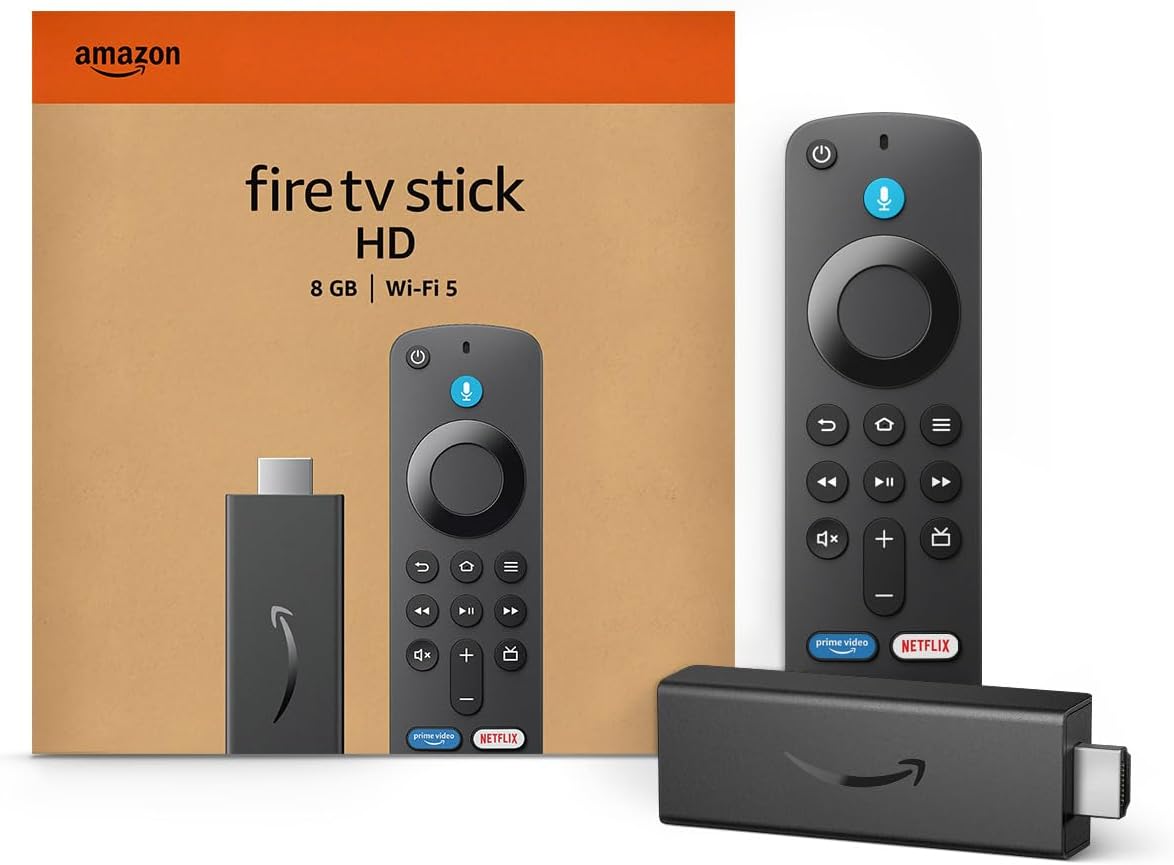
Amazon Fire TV Stick HD
Turn Any TV to a Smart TV. Stream Netflix, Prime Video & More. Alexa Voice Remote Included. Easy Plug & Play Setup.
Shop on AmazonSome newer Insignia models integrate the power button with other controls in a small joystick-style navigation pad located on the back panel near the input ports. This multi-directional control serves as both power button and menu navigation tool when pressed or moved in different directions.
Insignia TV power button locations by model type:
- Bottom center edge underneath brand logo (most common)
- Right side edge near bottom corner of screen
- Back panel integrated with input port cluster
- Left side edge below or behind screen bezel
- Bottom right corner as part of multi-button array
Additionally, some budget Insignia models feature only a single power/input combination button that cycles through both power states and input sources with repeated presses. This design philosophy minimizes manufacturing costs while maintaining basic functionality.
Moreover, certain Insignia Fire TV models rely primarily on remote control operation with minimal physical buttons, making the power button location critical knowledge when troubleshooting remote control failures.
Check your TV’s user manual or examine the device carefully under good lighting to identify the exact button location and type, as this information proves essential for proper troubleshooting procedures.
“Physical power button location varies significantly across Insignia TV model years, with newer models featuring increasingly minimal button designs that prioritize aesthetic appeal over accessibility.” TV Design Engineering Report
Physical Button Problems and Solutions
Physical power button failures often stem from mechanical wear, debris accumulation, or environmental damage that affects the button’s ability to make proper electrical contact when pressed.
Inspect the power button area for visible damage including cracks, stuck positions, or foreign material lodged around the button mechanism. Dust, pet hair, and household debris commonly accumulate in button recesses, preventing proper button depression and electrical contact.
Clean around the power button using compressed air to remove loose debris, followed by careful cleaning with isopropyl alcohol on a cotton swab to dissolve sticky residues or accumulated grime that might interfere with button operation.
Physical button troubleshooting steps:
- Visually inspect button for obvious damage or debris
- Use compressed air to blow out loose particles
- Clean with isopropyl alcohol using cotton swab
- Test button feel for proper depression and spring-back
- Check for stuck position indicating internal damage
- Verify button clicks audibly when pressed properly
Stuck buttons often indicate internal spring mechanism failure or accumulated debris that prevents normal button movement. Gentle pressure and cleaning may restore function, but persistent sticking typically requires professional repair.
Furthermore, capacitive touch buttons may lose sensitivity due to dirt, moisture, or skin oil buildup that interferes with the electrical field detection used by these touch-sensitive controls.
Button depression depth varies by model, with some requiring firm pressure for 2-3 seconds rather than quick taps to register properly. Test different pressure levels and holding times to determine if the button mechanism still functions but requires modified pressing technique.
Consider investing in a universal remote control as a backup solution while addressing physical button issues, ensuring continued TV operation during repair attempts.
Power Cycling and Reset Procedures
Power cycling represents the most effective initial troubleshooting method for Insignia TV power button issues, as it clears software glitches and resets internal electronics that may interfere with button recognition.
Disconnect your TV from wall power completely, then press and hold the physical power button for 30-60 seconds while the TV remains unplugged. This procedure drains residual power from internal capacitors and forces a complete system reset.
Wait exactly 60 seconds after releasing the power button before reconnecting the TV to wall power. This waiting period ensures complete power dissipation and allows internal components to reset fully before restoration.
Complete power cycle procedure:
- Unplug TV from wall outlet (not just power strip)
- Press and hold power button for 60 seconds minimum
- Release button and wait additional 60 seconds
- Reconnect power cable to wall outlet
- Test power button functionality immediately
- Try both quick presses and sustained button holds
Some Insignia models require extended power cycles involving 10-15 minutes of disconnection time for complete internal reset. This extended procedure helps with persistent software issues that resist standard power cycling.
Additionally, perform the power cycle procedure with all external devices disconnected, including HDMI cables, USB devices, and antenna connections. External device conflicts can sometimes interfere with proper power button operation.
Moreover, power cycling often resolves intermittent button issues where the power button works sporadically but fails consistently. These symptoms typically indicate software conflicts rather than hardware failures.
“Power cycling resolves approximately 40% of Insignia TV power button issues by clearing software conflicts and resetting internal control circuits.” Consumer Electronics Troubleshooting Institute
Software and Firmware Issues
Software glitches within your Insignia TV’s operating system can prevent proper power button recognition and response, even when the physical button mechanism functions correctly.
Firmware updates often resolve known power button issues and improve overall system stability. Navigate to Settings > System > System Update to check for available firmware updates that might address your specific power button problem.
Fire TV-based Insignia models particularly benefit from regular software updates that resolve compatibility issues and improve hardware communication protocols affecting physical button operation.
Software troubleshooting checklist:
- Check for and install available firmware updates
- Clear system cache through complete restart procedures
- Disable power-saving modes that might interfere with button detection
- Reset display and audio settings to factory defaults
- Remove recently installed apps that might cause system conflicts
- Perform factory reset as last resort before hardware diagnosis
Factory reset eliminates all software-related causes of power button failure but requires complete TV reconfiguration including Wi-Fi setup, app installation, and account sign-ins after completion.
Some users report power button issues developing after specific app installations or system updates, suggesting software conflicts that factory reset procedures can resolve effectively.
Furthermore, certain accessibility features or parental control settings may inadvertently affect power button behavior by requiring specific sequences or disabling quick power cycles.
Developer mode settings accidentally enabled can cause various system instabilities including power button recognition issues that resolve when developer options are properly disabled.
Additionally, corrupted system files from interrupted updates or power failures during critical system operations can cause persistent power button problems requiring professional firmware restoration.
“Software-related power button failures account for 30% of reported issues and typically resolve through systematic software troubleshooting and updates.” Digital TV Systems Analysis
Internal Hardware Diagnosis
When software solutions fail to restore power button functionality, internal hardware problems likely require professional diagnosis or component-level repair depending on your technical expertise and available tools.
Power button switches connect to main circuit boards through small ribbon cables or direct solder connections that can fail due to physical stress, temperature cycling, or manufacturing defects over time.
Remove your TV’s back panel (after disconnecting power) to visually inspect the power button assembly and its connections to the main board. Look for obvious damage, loose connections, or burnt components near the power button circuitry.
Internal inspection safety procedures:
- Disconnect all power sources and wait 30 minutes minimum
- Remove back panel screws carefully and store safely
- Photograph internal layout before disturbing connections
- Use proper lighting to inspect button assembly and connections
- Check for loose ribbon cables or connector problems
- Look for burnt components or discolored circuit board areas
Power button switches typically cost $5-15 as replacement parts, but installation requires micro-soldering skills and specialized tools for most Insignia models with surface-mount components.
Moreover, main board failures affecting the power button control circuits typically require complete board replacement costing $100-300 depending on your TV model and parts availability.
Circuit board inspection may reveal swollen capacitors, burnt resistors, or damaged integrated circuits that affect power button signal processing and require professional repair expertise.
Furthermore, some power button failures indicate broader electrical problems including power supply instability or voltage regulation issues that cause multiple simultaneous problems throughout the TV’s systems.
Consider the TV’s age and replacement cost when evaluating internal repair feasibility, as extensive internal damage may not justify repair expenses for older or lower-value models.
Alternative Control Methods
When power button repair isn’t immediately feasible, several alternative control methods ensure continued TV operation while you arrange permanent solutions or replacement parts.
Download the Fire TV mobile app for Insignia Fire TV models, which provides complete remote control functionality including power control through your smartphone or tablet connected to the same Wi-Fi network.
Alternative power control options:
- Fire TV mobile app for smartphone remote control
- Universal remote controls programmed for Insignia compatibility
- HDMI-CEC control through connected devices like gaming consoles
- Voice control through Alexa integration on compatible models
- Physical button combinations that bypass failed power button
- Timer-based power scheduling through settings menu
Universal remote controls offer immediate replacement functionality and often provide enhanced features compared to original Insignia remotes, including backlit buttons and programmable shortcuts.
HDMI-CEC allows connected devices to control TV power functions when properly configured, enabling power control through cable box, gaming console, or streaming device remotes.
Moreover, some Insignia models support power scheduling features that automatically turn the TV on and off at preset times, providing basic power control without requiring button interaction.
Voice control integration with Alexa devices enables hands-free power control for Fire TV models with voice recognition capabilities, though this requires initial setup through working controls.
Additionally, surge protector switches can provide external power control as a temporary workaround, though this method lacks the convenience of proper TV power button operation.
Consider purchasing a replacement Insignia remote specifically designed for your TV model to ensure full compatibility and feature access while addressing physical button issues.
“Alternative control methods provide 90% of normal TV functionality while power button repairs are completed, ensuring uninterrupted entertainment access.” Smart TV Accessibility Solutions
Professional Repair vs DIY Solutions
The decision between professional repair and DIY troubleshooting depends on your technical expertise, available tools, and the specific nature of your Insignia TV’s power button problem.
Simple solutions including power cycling, cleaning, and software updates can be safely attempted by any TV owner without risk of damage or voiding warranty coverage that might still apply to your television.
Safe DIY troubleshooting includes:
- Power cycling and reset procedures
- Physical cleaning around button area
- Software updates and factory resets
- Cable connection verification
- Alternative control method setup
- Basic visual inspection of external components
Internal repairs involving circuit board access, component replacement, or electrical testing require specialized knowledge and tools that most consumers don’t possess safely.
Professional repair services typically charge $75-150 for diagnosis and $100-300 for power button repair depending on required parts and labor complexity involved in accessing internal components.
Warranty coverage may still apply to your Insignia TV depending on purchase date and extended warranty purchases, making professional diagnosis worthwhile before assuming repair costs.
Furthermore, attempting complex internal repairs without proper expertise can cause additional damage that increases overall repair costs or renders the TV completely irreparable.
Cost analysis should consider your TV’s current value compared to repair expenses, as older models may not justify expensive internal repairs given current TV pricing trends and technology improvements.
Moreover, professional technicians have access to genuine replacement parts and service manuals that ensure proper repair procedures and maintain TV reliability after service completion.
“Professional diagnosis identifies the root cause in 85% of power button failures while preventing additional damage from improper DIY repair attempts.” Electronics Repair Certification Board
Prevention and Maintenance Tips
Proactive maintenance significantly reduces the likelihood of power button failures while extending your Insignia TV’s overall lifespan through proper care and environmental management.
Regular cleaning around the power button area prevents debris accumulation that commonly causes mechanical failures over time. Use compressed air monthly to remove dust and lint that collect in button recesses.
Environmental factors including humidity, temperature extremes, and exposure to cooking vapors can accelerate button mechanism degradation and electronic component failure throughout your TV’s systems.
Preventive maintenance schedule:
- Monthly cleaning of button areas and vents
- Quarterly power cycling to clear software conflicts
- Semi-annual firmware updates for optimal performance
- Annual professional inspection for aging TVs
- Immediate attention to any button responsiveness changes
- Surge protection to prevent electrical damage
Surge protection prevents electrical damage from power fluctuations that commonly affect power button circuits and other sensitive electronic components throughout modern televisions.
Proper TV placement away from heat sources, direct sunlight, and high-humidity areas helps prevent environmental damage that accelerates component aging and button mechanism failures.
Additionally, gentle button operation using appropriate pressure and avoiding excessive force helps prevent mechanical wear that causes premature button failure in normal use conditions.
Document any changes in button behavior including delayed response, requiring multiple presses, or intermittent operation, as early intervention often prevents complete failure requiring expensive repairs.
Moreover, maintaining proper ventilation around your TV prevents overheating that can damage electronic components including power button control circuits and related system components.
Video Credit: Electronics Repair School / YouTube
Frequently Asked Questions
Where is the power button located on my Insignia TV?
Most Insignia TV models position the power button underneath the brand logo at the bottom center of the TV, though some models place it on the right side edge or integrate it with other controls on the back panel. The button typically appears as a small circular depression or rectangular switch that may be difficult to locate without proper lighting.
Check your TV’s user manual for the exact location since button placement varies significantly between model years and series. Some newer models use capacitive touch areas instead of physical buttons, requiring gentle finger pressure rather than mechanical button pressing.
If you cannot locate the power button after careful inspection, contact Insignia customer support with your model number for specific guidance, as some budget models feature minimal physical controls in favor of remote operation.
Why does my Insignia TV power button work intermittently?
Intermittent power button operation typically indicates mechanical wear, debris interference, or loose internal connections affecting the button’s electrical contact reliability. Environmental factors like humidity and temperature changes can also cause expansion and contraction that affects button mechanism alignment.
Clean around the button area with compressed air and isopropyl alcohol to remove debris that might cause intermittent contact problems. Power cycle the TV completely to eliminate software conflicts that could affect button recognition and response timing.
If cleaning and power cycling don’t resolve intermittent behavior, internal hardware issues likely require professional diagnosis to determine whether repair or replacement provides the most economical solution for your specific TV model and age.
Can I repair my Insignia TV power button myself?
Simple troubleshooting including power cycling, cleaning, and software updates can be safely performed by most TV owners without risk of damage or voiding warranty coverage. These basic procedures resolve many power button issues without requiring technical expertise or specialized tools.
Internal repairs involving circuit board access, component replacement, or electrical testing require advanced technical knowledge and specialized tools that most consumers don’t possess safely. Attempting complex internal repairs without proper expertise can cause additional damage that increases repair costs significantly.
Consider your technical background, available tools, and TV warranty status before attempting internal repairs. Professional diagnosis typically costs $75-150 and helps determine whether DIY repair is feasible or professional service is necessary for safe, effective resolution.
How much does professional Insignia TV power button repair cost?
Professional power button repair costs typically range from $100-300 including parts and labor, depending on your TV model, required components, and local service rates. Diagnosis fees usually run $75-150 and may be applied toward repair costs if you proceed with professional service.
Simple switch replacement might cost toward the lower end of this range, while complex circuit board repairs or component-level work approaches the higher cost estimates. Older TVs may have parts availability issues that increase costs or make repair impractical compared to replacement.
Consider your TV’s current value and age when evaluating repair costs, as expensive repairs on older models may not provide good economic value compared to purchasing newer technology with improved features and warranty coverage.
What should I do if my Insignia TV power button is completely unresponsive?
Start with complete power cycling by unplugging the TV for 60 seconds while holding the power button, then reconnecting power and testing functionality. This procedure resolves software conflicts that commonly cause complete button unresponsiveness without hardware damage.
Try alternative control methods including the Fire TV mobile app, universal remote controls, or HDMI-CEC control through connected devices to maintain TV functionality while troubleshooting the power button issue. These alternatives ensure continued entertainment access during repair procedures.
If power cycling and alternative controls don’t restore button function, internal hardware failure likely requires professional diagnosis to determine repair feasibility and costs compared to TV replacement based on age, condition, and current market prices.
Sources:
- PC Guide Insignia Troubleshooting
- Tech Junctions Insignia Power Button Guide
- JustAnswer TV Repair Solutions
- Insignia Official Troubleshooting