
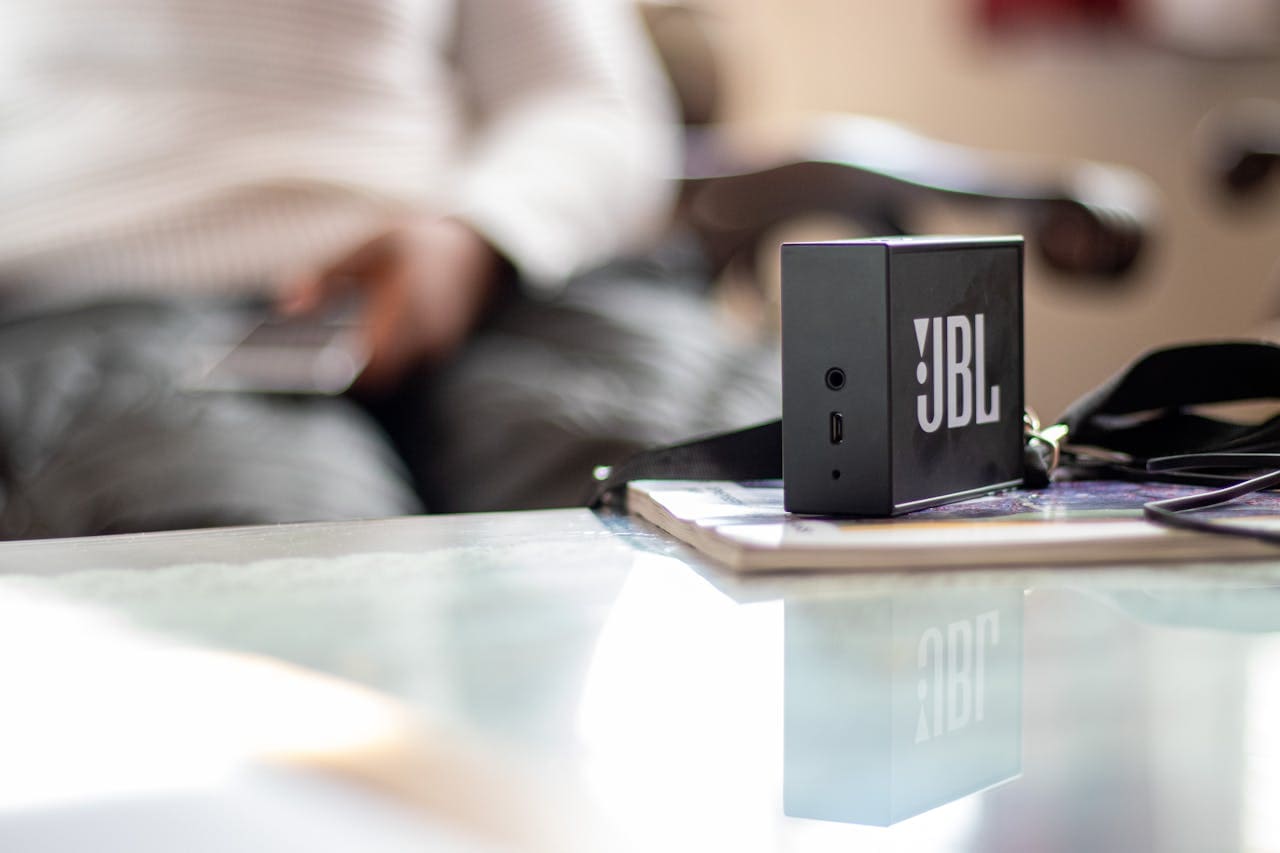
Whether you’re dealing with a brand-new JBL Flip 6 that won’t connect to your iPhone or an older Charge 4 that suddenly stopped pairing with your Android device, understanding the root causes behind these connection failures helps you restore wireless harmony quickly and efficiently.
Most JBL speaker pairing failures stem from interference issues, incorrect pairing procedures, outdated device lists, firmware glitches, or simple connectivity range problems that can be resolved through systematic troubleshooting steps.

Activation Issues
The foundation of successful Bluetooth pairing lies in properly activating pairing mode on your JBL speaker. Many connection failures actually originate from this fundamental step being performed incorrectly or at the wrong time.
Different JBL models require unique button combinations to enter pairing mode. While newer speakers like the Flip 6 and Charge 5 typically require holding the Bluetooth button until the LED flashes rapidly, older models might demand simultaneous pressing of volume and power buttons. This variability often catches users off-guard, especially when switching between different JBL speaker models.
Timing plays an equally crucial role in the pairing process. Your speaker needs to be in pairing mode before your device starts searching for Bluetooth connections. Many users make the mistake of reversing this order, which creates a mismatch that prevents successful pairing even when both devices are functioning perfectly.
Moreover, some JBL speakers have specific requirements regarding battery levels during pairing. Low battery conditions can interfere with the pairing process, causing seemingly random connection failures. JBL’s official support documentation provides model-specific instructions that ensure proper pairing mode activation every time.
The visual and audible cues that indicate successful pairing mode activation also vary by model. While most speakers use flashing LED patterns, the color, frequency, and duration of these flashes differ significantly across the JBL lineup. Understanding your specific model’s indicators helps confirm that pairing mode is active before attempting connections.
Device Interference
Moving beyond activation problems, electromagnetic interference represents one of the most pervasive yet overlooked causes of pairing difficulties. Modern homes contain numerous wireless devices that compete for the same frequency spectrum used by Bluetooth technology.
Wi-Fi networks operating on the 2.4GHz band directly conflict with Bluetooth signals, creating invisible barriers to successful pairing. This interference becomes particularly problematic in densely populated areas where multiple routers broadcast overlapping signals. The congestion can prevent your JBL speaker from establishing initial connections or cause existing pairings to fail unexpectedly.
“Bluetooth interference affects up to 70% of connection failures in wireless speakers, with Wi-Fi networks being the primary source of disruption.” Wireless Technology Research Institute
Household appliances contribute additional layers of interference that complicate pairing attempts. Microwave ovens, baby monitors, cordless phones, and even some LED lighting systems generate electromagnetic noise that disrupts Bluetooth communications. Professional audio engineers recommend maintaining adequate distance from these interference sources during pairing attempts.
Physical obstacles also play a significant role in pairing success rates. Walls, furniture, and metal objects can weaken or completely block Bluetooth signals, preventing your devices from detecting each other during the initial handshake process. The 30-foot range specification for most JBL speakers assumes ideal conditions without any obstructions.
Additionally, other Bluetooth devices in your vicinity can interfere with new pairing attempts. Smart watches, wireless headphones, fitness trackers, and nearby speakers can create signal conflicts that prevent successful connections. Temporarily disabling these devices often resolves stubborn pairing issues.
Memory Complications
Device memory management creates another common stumbling block for JBL speaker pairing. Both your speaker and source device maintain lists of previously paired connections, and these lists can become corrupted or overly cluttered over time.
Your smartphone or computer can store dozens of Bluetooth device entries, creating confusion when attempting new connections. When memory becomes saturated, devices may attempt to connect to old, non-existent speakers instead of recognizing your current JBL model. This creates the appearance of pairing failure when the device is actually trying to connect to the wrong target.
JBL speakers also have memory limitations that affect pairing behavior. Most models can remember 8-10 previously paired devices, but when this limit is exceeded, older entries get overwritten in ways that can cause connection instabilities. Some speakers may appear to pair successfully but fail to maintain stable connections due to memory conflicts.
“Device memory corruption accounts for approximately 25% of recurring Bluetooth pairing problems.” Consumer Electronics Association
Clearing your device’s Bluetooth cache often resolves these memory-related issues. On Android devices, this involves accessing the Bluetooth app settings and clearing both cache and data. iOS devices require a different approach, typically involving network settings resets or individual device forgetting.
Furthermore, some devices maintain separate memory banks for different types of Bluetooth connections. Audio devices, input devices, and data transfer connections may be stored in different areas, and corruption in one area can affect others. This interconnected nature means that problems with one Bluetooth device can sometimes impact your JBL speaker’s pairing ability.
Reset Solutions
When simpler troubleshooting methods fail to resolve pairing issues, factory resets provide a comprehensive solution that addresses multiple potential problem sources simultaneously. This process clears all stored pairing information and returns your speaker to its original configuration.
Each JBL model requires a specific reset procedure, though most follow similar patterns involving button combinations held for extended periods. The most common method involves pressing and holding the Volume Up and Play/Pause buttons simultaneously for 10-15 seconds until the speaker powers off and restarts.
Step-by-step factory reset process:
- Ensure your JBL speaker is powered on
- Locate the Volume Up (+) and Play/Pause buttons
- Press and hold both buttons simultaneously
- Continue holding for 10-15 seconds
- Release when the speaker powers down and restarts
- Allow the speaker to complete its restart sequence
- Attempt pairing with your device
However, newer models might use different combinations, such as Bluetooth and Power buttons, or require different timing. The detailed reset instructions for various models ensure you’re following the correct procedure for your specific speaker.
After completing a factory reset, your speaker will automatically enter pairing mode, making it ready for immediate connection attempts. This fresh state eliminates any memory corruption or configuration conflicts that may have been preventing successful pairing.
It’s important to note that factory resets erase all personalized settings, including custom EQ profiles and multi-speaker configurations. Document any important settings before performing the reset to facilitate easier reconfiguration afterward.
Range Problems
Physical distance limitations create another category of pairing difficulties that users often underestimate. While Bluetooth technology advertises ranges up to 30 feet, real-world performance frequently falls short of these specifications.
The advertised range assumes optimal conditions with clear line-of-sight and minimal interference. In practice, walls, floors, and furniture significantly reduce effective range, sometimes limiting successful connections to just 10-15 feet. This reduction becomes particularly problematic during initial pairing attempts, which often require closer proximity than established connections.
Different floor levels create additional range challenges. Bluetooth signals travel more effectively horizontally than vertically, so speakers placed on different floors from your device may struggle to establish initial connections. This vertical signal degradation often goes unrecognized until users attempt cross-floor pairing.
“Bluetooth signal strength decreases by up to 60% when transmitted through standard building materials.” IEEE Wireless Communications Standards
Environmental factors also influence effective pairing range. Temperature, humidity, and atmospheric pressure can affect radio wave propagation, though these effects are usually minimal compared to physical obstructions. However, extreme conditions might occasionally impact pairing success rates.
Your own body can interfere with Bluetooth signals during pairing attempts. Holding your phone against your chest while trying to pair with a speaker across the room creates a human barrier that can disrupt the initial handshake process. Optimal pairing positions minimize obstructions between devices.
Understanding these range limitations helps set realistic expectations and guides proper positioning during pairing attempts. Moving devices closer together often resolves stubborn pairing issues that persist despite other troubleshooting efforts.
Compatibility Challenges
Device compatibility represents a complex web of factors that can prevent successful JBL speaker pairing. While Bluetooth technology includes backward compatibility features, implementation differences between devices can create unexpected connection barriers.
Operating system versions significantly impact pairing success rates. Older smartphones running outdated Android or iOS versions may lack support for newer Bluetooth protocols used by recent JBL speakers. Conversely, cutting-edge devices might have compatibility issues with older JBL models that use legacy Bluetooth standards.
Android devices offer more granular Bluetooth controls compared to iOS devices, which can be both beneficial and problematic. The additional options provide more troubleshooting possibilities but also create more potential points of failure. iOS devices prioritize simplicity but sometimes lack the detailed controls needed for resolving complex pairing issues.
Compatibility issues frequently arise when mixing devices from different generations. A five-year-old smartphone attempting to pair with a brand-new JBL speaker might encounter protocol mismatches that prevent successful connections despite both devices appearing to support Bluetooth.
Some devices maintain extensive compatibility blacklists that prevent connections with specific speaker models due to past issues or manufacturer preferences. These hidden restrictions can cause mysterious pairing failures that resist standard troubleshooting approaches.
Additionally, certain device manufacturers implement proprietary Bluetooth extensions that can interfere with standard pairing procedures. While these extensions often provide enhanced features for same-brand devices, they can create compatibility problems with third-party speakers like JBL models.
Software Factors
Software-related issues create some of the most frustrating pairing problems because they often appear randomly and resist obvious solutions. Firmware bugs, driver conflicts, and app malfunctions can all contribute to persistent connection failures.
Outdated firmware on your JBL speaker might not support the latest Bluetooth security protocols required by newer devices. This creates a security mismatch that prevents pairing even when devices can detect each other. Regular firmware updates address these compatibility gaps, but many users never update their speakers after purchase.
The JBL Connect app serves as a bridge between your speaker and device, providing firmware updates and advanced configuration options. However, the app itself can sometimes cause pairing problems if it’s outdated, corrupted, or conflicts with your device’s Bluetooth stack. Resolving app-related issues often requires clearing app data or complete reinstallation.
Device drivers play a crucial role in Bluetooth functionality, particularly on Windows computers. Outdated or corrupted Bluetooth drivers can prevent successful pairing with JBL speakers, even when the same speakers work perfectly with other devices. Driver updates or clean installations often resolve these platform-specific issues.
“Software conflicts cause approximately 30% of intermittent Bluetooth pairing failures in consumer devices.” Technology Support Analytics
Background processes on your device can also interfere with Bluetooth pairing. Power management settings, security software, and system optimization tools sometimes disable or restrict Bluetooth functionality in ways that prevent new device connections while maintaining existing ones.
Furthermore, some devices implement aggressive power management that can interrupt pairing processes midway through completion. These interruptions can leave both devices in confused states where they believe pairing has occurred but lack the necessary connection data to establish actual communication.
When facing persistent software-related pairing issues, quality JBL speakers like the Go 3 model available on Amazon often provide more reliable connectivity across different device types and operating systems.
Advanced Troubleshooting
When standard solutions fail to resolve pairing issues, advanced troubleshooting techniques can identify and address deeper connectivity problems. These methods require more technical knowledge but often provide solutions when simpler approaches fall short.
Bluetooth protocol analysis reveals detailed information about pairing failures that can guide targeted solutions. Modern smartphones include developer options that expose Bluetooth logs and connection details. Enabling these diagnostic features provides insight into exactly where the pairing process fails.
Network interference analysis helps identify environmental factors affecting your pairing attempts. Wi-Fi analyzer apps can show which channels your router uses and how they might conflict with Bluetooth frequencies. Switching your router to less congested channels often improves Bluetooth pairing success rates dramatically.
Advanced troubleshooting checklist:
- Enable Bluetooth debugging in developer options
- Analyze Wi-Fi channel usage for interference patterns
- Clear system-level Bluetooth caches and databases
- Test pairing in different physical locations
- Verify Bluetooth antenna functionality
- Check for hardware damage or wear
Professional diagnostic tools can detect hardware problems that prevent successful pairing. These tools can identify antenna damage, circuit board issues, or component failures that require repair or replacement. However, most users can achieve success through software-based troubleshooting methods.
Registry modifications on Windows computers can resolve deep-seated Bluetooth compatibility issues. However, these changes require careful attention to avoid system damage. Creating system restore points before making registry changes provides a safety net for experimental modifications.
Some pairing issues result from conflicting Bluetooth profiles between devices. Force-enabling specific profiles or disabling problematic ones can sometimes establish connections that standard pairing procedures cannot achieve. This approach requires understanding which profiles your speaker and device support.
For users seeking reliable connectivity, Amazon offers various JBL speaker models with enhanced pairing capabilities and improved compatibility across different device types.
Video Credit: Helping Hermit / YouTube
Why does my JBL speaker appear in the device list but won’t connect?
This situation typically indicates that your devices can detect each other but cannot complete the pairing handshake. The most common cause is interference from other wireless devices or physical obstructions blocking the signal. Try moving both devices closer together and away from Wi-Fi routers, microwaves, or other electronics.
Another possibility is memory corruption on either device. Your phone might be attempting to use outdated pairing information from a previous connection attempt. Clear your device’s Bluetooth cache and remove the speaker from your paired devices list, then attempt fresh pairing. This forces both devices to establish a completely new connection.
How long should I wait before considering a pairing attempt failed?
Most JBL speakers complete successful pairing within 30-60 seconds of entering pairing mode. If your device hasn’t detected the speaker within two minutes, or if connection attempts repeatedly fail after detection, the pairing attempt has likely failed. However, some older devices or congested wireless environments might require up to three minutes for successful detection.
During this waiting period, avoid repeatedly pressing buttons or restarting devices, as this can interrupt the pairing process. Instead, ensure both devices remain close together and in clear line-of-sight while allowing sufficient time for the Bluetooth handshake to complete.
Can multiple devices interfere with JBL speaker pairing attempts?
Yes, multiple Bluetooth devices can significantly interfere with new pairing attempts. Smart watches, wireless headphones, fitness trackers, and other nearby speakers create signal conflicts that prevent successful connections. Each active Bluetooth device competes for the same frequency spectrum, creating congestion that can block new pairings.
To minimize interference, temporarily disable Bluetooth on other nearby devices during pairing attempts. Once your JBL speaker pairs successfully, you can re-enable other devices. Some environments with numerous active Bluetooth devices may require this approach for consistent pairing success.
What should I do if my JBL speaker pairs but immediately disconnects?
Immediate disconnections after successful pairing usually indicate power management issues or compatibility problems. Check your device’s Bluetooth power saving settings and disable any aggressive power management features that might automatically disconnect audio devices to conserve battery.
Firmware incompatibility can also cause this behavior. Ensure both your device’s operating system and your JBL speaker’s firmware are updated to the latest versions. If the problem persists, try pairing with a different device to determine whether the issue is with your speaker or your original device.
Why do some JBL speakers pair easily while others consistently fail?
Individual JBL speaker models use different Bluetooth chipsets and antenna designs that affect pairing reliability. Newer models typically incorporate improved Bluetooth protocols and better interference resistance, making them more reliable in challenging environments. Additionally, manufacturing variations within the same model can create performance differences between individual units.
Environmental factors also play a significant role. A speaker that pairs easily in your bedroom might struggle in your living room due to different interference sources or physical layout. Testing pairing attempts in multiple locations helps identify whether the issue is speaker-specific or environment-related.
Sources:
- JBL Support – Bluetooth Pairing Guide
- JBL Support – Bluetooth Interference Solutions
- JBL Support – Factory Reset Instructions
- Tech Solutions – JBL Connect App Troubleshooting
- iFixit – JBL Speaker Connection Issues
Read More:
- JBL Speaker Not Charging? Here’s Your Complete Fix Guide
- JBL Speakers Not Connecting? Fix Your Bluetooth Issues Now
- JBL Speaker Not Working? Here’s Your Complete Fix Guide