

If your LG TV’s backlight isn’t working, the screen may appear completely dark even though the TV powers on. This issue is often caused by a failed backlight LED strip, a problem with the power board, or a loose connection inside your TV.
Understanding the specific cause will help you decide whether you can fix it yourself or need professional help. You might notice faint images on the screen if the backlight is partially working, which is a strong sign of LED burnout.
Other common symptoms include flickering lights or uneven brightness across the screen. Diagnosing these issues involves checking the power and T-Con boards, cables, and the LED strips themselves.
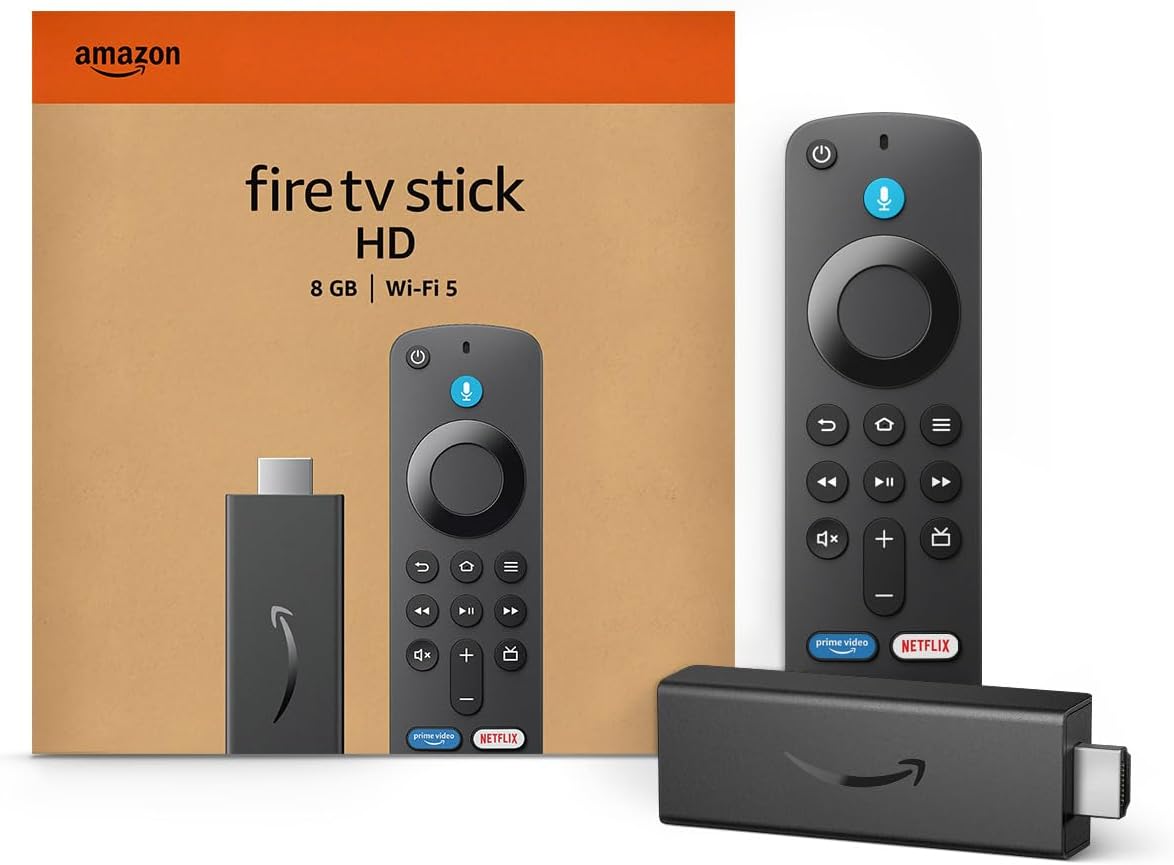
Amazon Fire TV Stick HD
Turn Any TV to a Smart TV. Stream Netflix, Prime Video & More. Alexa Voice Remote Included. Easy Plug & Play Setup.
Shop on AmazonThis guide covers how to identify backlight problems in your LG TV and explains practical solutions for each common cause. For more detailed fixes, see this comprehensive LG TV backlight troubleshooting guide.

Understanding LG TV Backlight Systems
Your LG TV’s backlight system is a crucial component that directly affects picture brightness and clarity. Understanding how it operates, the different types of backlights used, and the critical parts involved can help you diagnose why your backlight may not be working.
How Backlights Work in LG TVs
Backlights in LG TVs illuminate the LCD panel from behind, allowing you to see images clearly. The most common backlight type uses LED strips arranged either along the edges or across the entire panel.
These LEDs emit light that passes through layers of diffusion and color filters, producing the picture you see. The brightness and uniformity depend on the health of these LED backlights and their diffusers.
When an LED burns out or diffusers fail, you’ll notice flickering, dim areas, or complete black screens. The backlight’s role is strictly to provide illumination; the image itself is created by liquid crystals controlling the light’s passage.
Types of Backlight Systems Used by LG
LG primarily uses two types of LED backlights in its TVs: edge-lit and direct-lit (or full-array).
Knowing which backlight system your LG TV has is important for troubleshooting since failed LEDs manifest differently depending on the type.
Role of the Backlight Inverter
In older LG TV models, the backlight inverter is a separate component powering the LED backlights by converting standard power supply voltages into higher voltages required for the LEDs to operate. Modern LG TVs usually integrate this inverter function directly into the power board.
If your TV’s backlight is flickering, not powering on, or causing the TV to shut off repeatedly, the inverter or power board may be at fault. A failed inverter cuts off the backlight power, leaving the screen dark despite the TV being powered on.
Testing and replacing the inverter (or power board in newer models) often restores backlight function.
Importance of Proper Backlight Function
A properly functioning backlight is essential for witnessing the full picture quality your LG TV is capable of. Without it, images appear faint or are invisible despite the TV being on.
Issues like flickering, uneven brightness, or complete backlight failure usually stem from LED burnout, power supply problems, or damaged inverter circuits. Proper backlight operation ensures vibrant colors and sharp images.
If your LG TV shows dark areas, flickers, or has a blue tint, the backlight or its components likely need inspection or replacement to restore optimal viewing.
For step-by-step troubleshooting and repairs, you may find detailed guidance helpful on diagnosing LG TV backlight issues.
Common Causes and Symptoms of Backlight Issues
When your LG TV backlight is not working, identifying specific signs and underlying causes helps target the repair effectively. Backlight failure can manifest in several ways, often linked to worn components, power issues, or physical damage.
Understanding these details will guide your troubleshooting steps.
Signs of Backlight Failure
You may notice your TV screen appearing unusually dark or completely black despite the TV being powered on. Sometimes faint images or menus are visible when you shine a flashlight on the screen, indicating the LCD panel is working but the backlight is not.
Other signs include:
- Flickering screen or inconsistent light levels
- Bright spots or patches caused by failed LED diffusers
- Half the screen darker than the other side
- A persistent blue tint, due to phosphor coating burn-off on the LEDs
Spotting these symptoms early helps determine whether you face backlight strip failure or a related component issue like the power or T-Con boards.
Frequent Causes of Backlight Problems
Backlight problems often stem from one or more burned-out LEDs on the backlight strip. A single LED failure increases voltage stress on others, triggering multiple failures.
Power board faults are common, especially if the backlight isn’t receiving the correct voltage. Loose connections, faulty capacitors, or general board damage are frequent culprits.
Thermal stress from running your backlight at maximum brightness for extended periods accelerates LED degradation. The delicate glue securing LED lenses and diffusers also fails over time, causing bright hot spots on the screen.
Physical Damage and Component Wear
Physical damage or aging components can cause backlight failure in your LG TV. The backlight LEDs are located deep inside the panel, requiring disassembly to inspect.
With age, the glue holding LED diffusers can burn off, causing reflectors to fall and creating white spots on the screen. You might also hear a rattling inside your TV when moved.
The cold-soldered connections in LED strips are prone to breaking or oxidizing, interrupting power flow to LEDs. You may spot signs of corrosion or burnt areas on connectors and circuit boards.
Impact of Power Supply and T-Con Board
The power board converts electricity to voltages needed for the backlight. Damage here will cause no backlight or flickering.
Check for burnt components, bulging capacitors, or loose connectors. Often, replacing the entire power board is simpler than repairing individual parts.
The T-Con board manages timing and signals for the screen. A failing T-Con or its LVDS cable will mimic backlight issues, such as half the screen going dark or no picture despite the backlight functioning.
Make sure connectors are clean and seated firmly. If problems persist after cleaning, the T-Con board may need replacement.
Learn more about diagnosing and fixing LG TV backlight problems here.
How to Diagnose Backlight Problems in LG TVs
Diagnosing backlight issues involves a series of focused tests and inspections. You’ll need to verify power and connections, check for faint images in the absence of light, and examine internal hardware like backlight strips and driver boards.
Proper tools and safety steps are essential when working inside your TV.
Initial Checks and Power Cycling
Start by unplugging your LG TV and holding down the power button for at least 30 seconds. This discharges residual power from capacitors on the power board, helping reset internal components.
After waiting a few minutes, plug the TV back in and power it on. Check for obvious signs like flickering, no backlight, or uneven brightness across the screen.
If the TV has no picture but powers on, it might indicate backlight failure. Look for loose or damaged cables connecting the power board, main board, or T-Con board, especially the LVDS cables responsible for the display signal.
Ensure all connectors are clean and firmly seated.
Performing the Flashlight Test
With the TV on but the screen dark, get a flashlight or the brightness from your phone and shine it closely on the screen at various angles. Focus on the edges and center.
If you see faint images, menus, or shapes, it confirms your backlight LED strip or backlight inverter is not functioning while the LCD panel and main board are still working. No visible image may mean an issue with the T-Con board or main board.
This simple test quickly distinguishes backlight failure from other hardware problems. It avoids unnecessary part replacements when the issue lies elsewhere.
Inspecting Backlight Strips and Driver Boards
Access your TV’s internal components carefully by removing the back panel. Locate the long LED backlight strips, which provide illumination behind the LCD panel.
These strips can burn out or degrade over time due to thermal stress. Look for visible damage, discoloration, or detachments in the strips.
Loose or broken connections between strips and driver boards often cause flickering or partial darkening. Inspect the power board and its backlight driver circuitry for burn marks, bulging capacitors, or loose connectors.
Damaged power board components can prevent correct voltage from reaching the backlight, causing total failure or flickering.
Testing with Multimeter and Safety Considerations
Use a multimeter to check voltage output on the power board terminals and continuity along backlight strips. Carefully measure DC voltage where the backlight connects to confirm power delivery matches specifications.
Test the LED backlight strips for broken circuits or cold solder joints, common failure points in LG TVs. Replace faulty LED strips or resolder weak joints if you are comfortable with this hardware work.
Before opening your TV, unplug it completely and wait for at least 30 minutes to discharge capacitors. Ground yourself to avoid static damage to sensitive components.
If you lack experience with electronics or the right tools, consulting a professional is advisable to prevent injury or further damage.
For detailed visual guidance and troubleshooting tips, see this LG TV backlight troubleshooting guide.
Repair and Replacement Solutions
Fixing an LG TV backlight often involves diagnosing whether the issue is with the LED strips, power board, or connections. You can attempt repairs yourself, but knowing when to hire a professional and understanding costs will help you make informed decisions.
Preventive care also extends the life of your backlight and overall TV performance.
DIY Backlight Repair Steps
Start by unplugging your TV and waiting 30 minutes to discharge capacitors in the power board. Then remove the back panel carefully, locating the backlight strips inside.
Use a multimeter to test each LED strip for continuity. If you find burned-out LEDs, you can replace the entire strip, which is usually connected in series.
New strips for LG TVs often cost around $30 and can be purchased online. For bright spots caused by fallen diffusers, open the TV case and use clear heat-resistant epoxy to reattach the diffuser lenses to the LED strips.
Be cautious when handling LVDS cables on the T-Con board; unlock connectors gently before removing them. Clean connectors with compressed air to remove dust or corrosion.
If this does not restore your backlight, the issue may require professional service. Detailed instructions are available for a thorough step-by-step process or video guides such as those found for LG TV backlight troubleshooting.
When to Seek a TV Repair Technician
If your LG TV backlight still doesn’t work after basic troubleshooting, consider hiring a professional. Complex issues like a faulty power board, T-Con board problems, or extensive LED strip damage often require specialized tools and expertise.
Repair technicians have the necessary equipment to test voltage outputs and replace internal components safely. They can also identify if the main board or inverter is causing backlight failure.
Avoid attempting repairs if you’re not comfortable opening your TV, especially with fragile LCD panels and sensitive cables. Professional help is essential if your TV screen shows half a dark side or flickering, which often stems from T-Con or power board failures.
Certified technicians can also advise if your TV’s repair is cost-effective or if replacement is a better option.
Cost Considerations and TV Replacement
Replacing backlight strips ranges from $20 to $50, depending on your LG model. Power boards may cost $30–$50.
Labor costs vary widely, often adding $50 to $150 if using a professional service. Consider the age and condition of your TV.
Older models with multiple component failures might cost more to fix than buy new. Screen repair costs can be high due to disassembly complexity.
If backlight issues reoccur frequently or repair costs approach the price of a new TV, replacement might be more practical. Budget TVs with updated backlighting technology often have improved energy efficiency and brightness.
Tips for Preventing Future Backlight Failures
Avoid running your LG TV at 100% brightness for extended periods. This accelerates LED thermal degradation.
Use automatic brightness control if available. Keep vents clear to prevent overheating.
Occasionally clean dust from vents and circuit boards with compressed air. Ensure your TV is in a well-ventilated area.
Power surges can damage internal circuits, so use a surge protector to safeguard your TV’s power board. Regularly check cables and connectors for dirt or looseness.
Reseat cables and connectors as necessary. Avoid moving or jostling your TV while it’s powered on.
Internal backlight components are sensitive to mechanical stress. Taking these precautions can help extend the life of your LG TV backlight.