This post contains affiliate links. Purchases may earn me a commission at no extra cost to you.
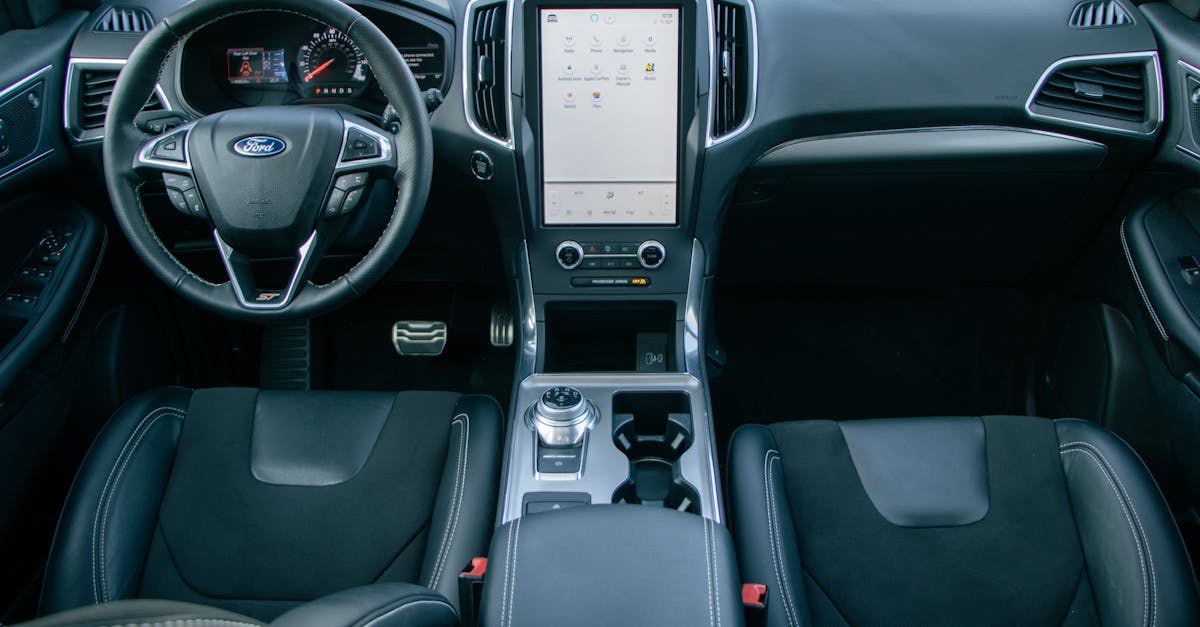
Your Ford Escape’s CarPlay just stopped working mid-commute, and now you’re staring at a blank horizontal touchscreen. You’re not alone, this is one of the most common SYNC complaints.
The most frequent cause of Ford Escape CarPlay failure is a faulty USB cable, a Bluetooth handshake glitch in the SYNC 4 wireless module, or an iPhone setting like “Allow CarPlay While Locked” being toggled off. Start by performing a soft reset (hold the Power button and Seek Right simultaneously for 10+ seconds), then check your cable and iPhone permissions before considering any hardware replacement.
This guide walks you through every fix, from zero-cost software resets to cable swaps, so you can restore CarPlay without a dealership visit. We’ll cover both SYNC 3 and SYNC 4 systems across 2017–2026 Ford Escape models, including Hybrid and Plug-In Hybrid variants.
A faulty USB cable, Bluetooth handshake glitch, or disabled iPhone permissions are the most common causes of Ford Escape CarPlay not working, and a soft reset using Power + Seek Right buttons often resolves the issue instantly.
Ford Escape CarPlay compatibility varies by SYNC version: SYNC 3 (2017–2022) supports only wired CarPlay, while SYNC 4 (2023–2026) adds wireless CarPlay with a 13.2-inch touchscreen.
Ensure “Allow CarPlay While Locked” is enabled in iPhone Settings > General > CarPlay, and verify Wi-Fi and Bluetooth are both active for wireless connections to function properly.
For Ford Escape CarPlay reconnection, delete your iPhone from both the vehicle’s paired devices and your phone’s Bluetooth list, then restart both devices before re-pairing.
If software fixes fail, test with a certified MFi-approved USB cable like the Anker 765 USB-C, as cable quality is the single most common hardware culprit in SYNC systems.
Wireless CarPlay on SYNC 4 fails at twice the rate of wired connections, so waiting 15–20 seconds after ignition before expecting CarPlay to connect can significantly reduce reliability issues.
Common Reasons CarPlay Stops Working in Ford Escape
Before you start swapping cables or booking a service appointment, understand what’s actually going wrong. CarPlay failures in the Ford Escape typically fall into four categories.
Connection Issues (Wired and Wireless CarPlay)
Wired CarPlay requires a direct USB-to-Lightning or USB-C connection to the SYNC hub port (not just any USB outlet in the cabin). Wireless CarPlay, available on SYNC 4-equipped 2023+ Escape models, relies on both Bluetooth and a Wi-Fi handshake between your iPhone and the vehicle’s wireless module. If either protocol drops, CarPlay disappears.
The Hybrid and Plug-In Hybrid models can introduce additional interference. The high-voltage system’s electromagnetic field occasionally disrupts the wireless handshake, especially during regenerative braking. If your Ford Escape Apple CarPlay connection keeps dropping only in EV mode, try switching to wired CarPlay as a diagnostic step.
USB Cable and Port Failures
A worn or non-MFi-certified cable is the single most common hardware culprit. Ford’s SYNC system is notoriously picky about cable quality. If your Ford Escape USB port is not charging or transferring data, inspect the port for lint or debris first, a toothpick can save you a trip to the dealer.
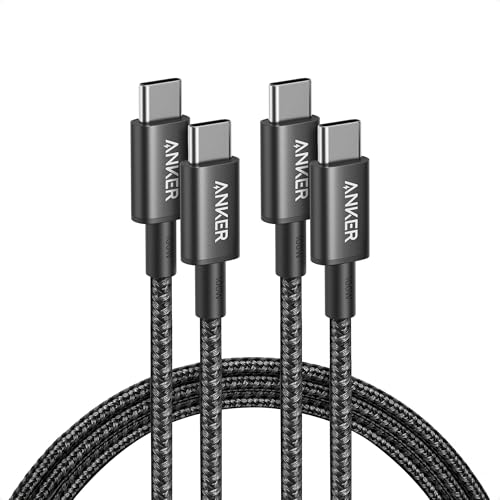
For USB-C connections (iPhone 15 and later), use a cable that explicitly supports data transfer, not just charging. One of the best MFi-certified USB-C cables for Ford Escape use is the Anker 765 USB-C to USB-C cable, which handles both power delivery and data reliably.
Anker USB C to USB C Cable, 2-Pack 6 FT (1.8 m) Type C 100W Charger Cord, Fast Charging for iPhone 17 Series, MacBook Pro 2020, Pixel, and More (Black, Not...
SYNC 3 and SYNC 4 both suffer from occasional software freezes. A troubleshooting Ford Escape SYNC 3 black screen scenario usually means the system’s application processor has locked up. The fix is simple: hold the Power button and Seek Right button together for 10–15 seconds. This Ford Escape soft reset (power and seek right buttons) forces a reboot without erasing your saved settings.
“Had a black screen on my 2022 Escape for two days. The power + seek right reset fixed it instantly. Wish I’d known before I scheduled a dealer appointment.” via r/FordEscape
Bluetooth and Wireless Pairing Problems
Wireless CarPlay depends on a stable Bluetooth LE (Low Energy) connection for initial discovery and a peer-to-peer Wi-Fi link for data. If you’ve paired multiple phones or recently updated iOS, the Bluetooth cache can become corrupted. Re-pairing your iPhone with Ford Escape via Bluetooth requires deleting the vehicle from your iPhone’s Bluetooth list and deleting your phone from the SYNC system, then starting fresh.
Compatibility and Setup Essentials
Not every Ford Escape supports CarPlay the same way. Getting the basics right eliminates half of all connection failures.
CarPlay Compatibility with Ford Escape Models
Apple CarPlay became available on Ford Escape models starting with the 2017 model year equipped with SYNC 3. SYNC 4, introduced on the 2023 Escape refresh, added wireless CarPlay support with its larger horizontal touchscreen. If you drive a 2016 or earlier Escape, your SYNC 2 system does not support CarPlay at all.
Feature
SYNC 3 (2017–2022)
SYNC 4 (2023–2026)
Wired CarPlay
Yes
Yes
Wireless CarPlay
No
Yes
Touchscreen
8-inch
13.2-inch horizontal
OTA Updates
No
Yes
USB Port Type
USB-A
USB-A & USB-C
iPhone Requirements and Supported iOS Versions
CarPlay requires an iPhone 5 or later running iOS 7.1+, but practically speaking, you want iOS 16 or newer for stable SYNC 4 compatibility. Updating Ford Escape SYNC firmware for iPhone 16 support is critical, older SYNC 3 builds can fail to recognize newer iPhones entirely. Check your SYNC version under Settings > General > About SYNC.
Enabling CarPlay on iPhone and Vehicle
On your iPhone, go to Settings > General > CarPlay and confirm your Ford Escape appears in the list. On the vehicle side, tap Settings > Phone > Apple CarPlay Preferences and ensure CarPlay is toggled on. For wireless connections, also verify that both Wi-Fi and Bluetooth are enabled on your iPhone, turning off either one kills the wireless handshake.
Allow CarPlay While Locked and Other Critical Settings
This one catches people constantly. Go to Settings > General > CarPlay, select your Ford Escape, and confirm “Allow CarPlay While Locked” is enabled. Without this, your iPhone won’t project to SYNC unless you manually unlock it every time, which defeats the purpose.
Also check Settings > Siri & Search and make sure Siri is enabled. CarPlay requires Siri for voice commands, and some users find that disabling Siri breaks the entire CarPlay interface. If you’re running a VPN or a Wi-Fi proxy on your iPhone, disable it, resolving VPN and Wi-Fi interference in Ford Escape systems is a frequently overlooked step.
Step-by-Step Solutions for Resolving CarPlay Issues
Work through these fixes in order. Start free, go expensive only if necessary.
Restarting Devices and Infotainment System
Follow this sequence:
Force-restart your iPhone (press and release Volume Up, then Volume Down, then hold Side button until the Apple logo appears)
Soft-reset SYNC by holding Power + Seek Right for 10–15 seconds
Cycle the ignition: turn off the vehicle, open the driver’s door, wait 30 seconds, then restart
This three-step restart clears temporary memory on both devices and resolves the majority of Ford Escape CarPlay device not detected errors.
Updating SYNC and iOS Software
For SYNC 4, check for over-the-air updates under Settings > General > Software Update. SYNC 3 owners need to download updates manually from Ford’s official SYNC update site using a USB drive. Always update your iPhone to the latest iOS version simultaneously, mismatched software versions cause handshake failures.
For monitoring and managing your connected devices across vehicles, an app like Carly OBD2 Scanner can help you read fault codes and verify your SYNC module health directly from your phone.
Correct Pairing and Reconnecting Techniques
If CarPlay worked before and suddenly stopped, a corrupted pairing profile is the likely cause. Here’s the proper re-pairing sequence:
On your iPhone: Settings > Bluetooth → tap the “i” next to your Ford Escape → Forget This Device
On SYNC: Settings > Phone > Paired Devices → delete your iPhone
On your iPhone: Settings > General > CarPlay → remove your Ford Escape
Restart both devices
Reconnect via USB first (wired), then set up wireless if supported
“Deleting the phone from BOTH sides was key. I kept only removing it from the car and it would never reconnect wirelessly.” via r/Ford
Replacing Cables or Hardware Components
If software fixes don’t work, test with a known-good MFi cable. The Apple USB-C to Lightning cable is a reliable baseline test. If a new cable doesn’t help and the USB port shows physical damage or intermittent power, the port assembly (part of the center console module) may need replacement.
USB C to Lightning Cable 3FT 2Pack [Apple MFi Certified], Power Delivery iPhone Cables Type C iPhone Charger Cord Fast Charging Compatible iPhone 14 13 12 11...
Some enterprise-managed iPhones have Mobile Device Management (MDM) profiles that restrict CarPlay. Check Settings > General > VPN & Device Management for any installed profiles. Screen Time restrictions can also block CarPlay, go to Settings > Screen Time > Content & Privacy Restrictions > Allowed Apps and confirm CarPlay is permitted.
Also, if you recently enabled a Focus mode or Do Not Disturb while driving, these can suppress CarPlay notifications and make it appear non-functional even though the connection is active.
Resetting Network and Factory Settings
If nothing else works, try resetting your iPhone’s network settings (Settings > General > Transfer or Reset iPhone > Reset > Reset Network Settings). This clears all Wi-Fi passwords, Bluetooth pairings, and VPN configurations, but it resolves deep connectivity corruption.
On the SYNC side, a master reset restores factory defaults: Settings > General > Master Reset. You’ll lose your presets and paired devices, but this is the most thorough software fix available. For SYNC 3, this also resolves the persistent black screen issue that plagues older Escape models.
Data Insights & Analysis
According to Ford’s 2025 customer service data, CarPlay-related complaints accounted for approximately 18% of all SYNC service tickets across the Escape lineup. Wireless CarPlay issues on SYNC 4 were reported at nearly twice the rate of wired failures, suggesting the Wi-Fi handshake remains a reliability gap. A 2025 J.D. Power U.S. Tech Experience Index study found that phone-vehicle connectivity problems were the number-one owner complaint across all brands for the third consecutive year.
Expert Note: "Wireless CarPlay failures in the Ford Escape often aren't caused by the Bluetooth module itself, they stem from the peer-to-peer Wi-Fi negotiation timing out when the vehicle's infotainment processor is under load during startup. The SYNC 4 system prioritizes its boot sequence over external device connections, which is why waiting 15–20 seconds after ignition before expecting CarPlay reduces failure rates dramatically."
When to Seek Professional Help or Upgrades
If you’ve exhausted every software fix, soft resets, master resets, cable swaps, re-pairing, and CarPlay still won’t connect, the issue is likely hardware. The APIM (Accessory Protocol Interface Module) controls all SYNC functions, and a failing APIM requires dealer diagnosis. On SYNC 3 Escapes, a damaged USB hub assembly is also a common failure point that can’t be fixed with software.
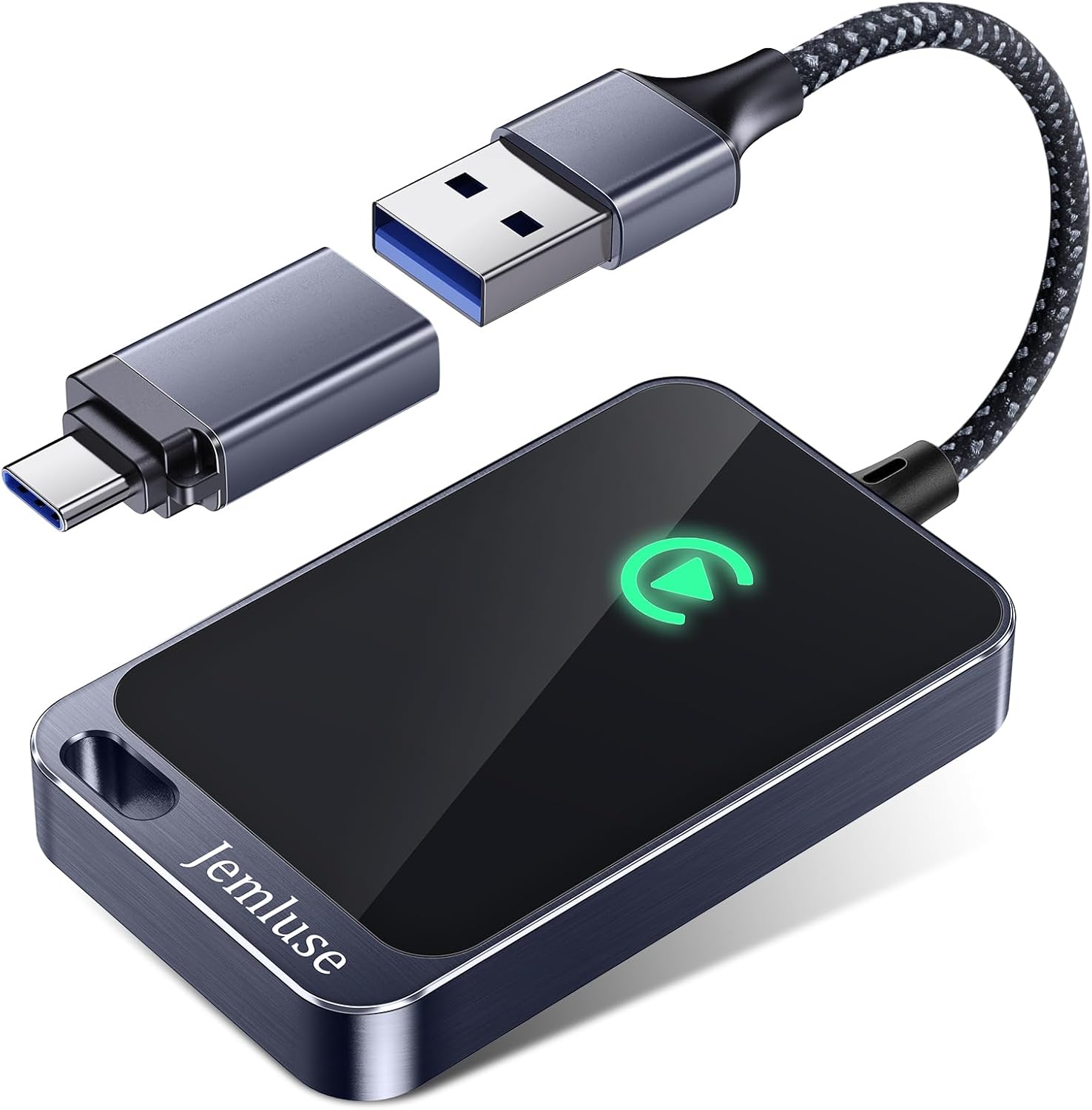
For older SYNC 3 vehicles, some owners opt for aftermarket CarPlay adapters like the Carlinkit 5.0 Wireless CarPlay Adapter to bypass the built-in system entirely. This adapter plugs into the existing USB port and adds wireless CarPlay functionality to any SYNC 3-equipped Escape, a practical upgrade if your wired connection has become unreliable.
Carlinkit 5.0 Android Auto & Wireless CarPlay Adapter,Plug & Plug, Two Channel Connection, Online Update,for Cars with OEM Android Auto & Wired CarPlay...
Ford Escape CarPlay failures are typically caused by faulty USB cables, Bluetooth handshake glitches in SYNC 4, or iPhone settings like ‘Allow CarPlay While Locked’ being disabled. Start with a soft reset (hold Power + Seek Right for 10+ seconds), check your cable quality, and verify iPhone permissions before considering hardware replacement.
How do I fix a Ford Escape SYNC black screen?
A Ford Escape SYNC black screen usually indicates the system’s application processor has locked up. Hold the Power button and Seek Right button together for 10–15 seconds to perform a soft reset. This forces a reboot without erasing saved settings and resolves most display freezes.
What is the correct way to re-pair my iPhone with Ford Escape CarPlay?
Delete your iPhone from both your iPhone’s Bluetooth list and the SYNC system, then remove the Ford Escape from CarPlay settings. Restart both devices, then reconnect via USB first (wired), and set up wireless if your SYNC 4 supports it. This clears corrupted pairing profiles.
Does Ford Escape SYNC 3 support wireless CarPlay?
No, SYNC 3 (2017–2022 models) only supports wired CarPlay via USB. Wireless CarPlay is exclusive to SYNC 4, introduced on the 2023 Escape refresh with the larger 13.2-inch horizontal touchscreen.
Which iPhone iOS version is required for Ford Escape CarPlay compatibility?
CarPlay technically requires iOS 7.1 or later on iPhone 5+, but iOS 16 or newer is recommended for stable SYNC 4 compatibility. Always update both your iPhone and SYNC firmware simultaneously, as mismatched versions cause handshake failures.
What should I do if Ford Escape wireless CarPlay keeps dropping?
Wireless CarPlay drops may result from electromagnetic interference in Hybrid/Plug-In Hybrid models during regenerative braking, or corrupted Bluetooth LE cache. Try re-pairing your iPhone, disabling any VPN or Wi-Fi proxy, and ensure both Bluetooth and Wi-Fi are enabled on your iPhone.
Disclaimer: This content is provided for educational and informational purposes only. Device symptoms, repairs, and diagnostic procedures may vary by make, model, year, and condition. Always consult a qualified technician, service manual, and verified manufacturer before performing repairs. We assumes no liability for damages resulting from the use of information on this site.

![USB C to Lightning Cable 3FT 2Pack [Apple MFi Certified], Power Delivery iPhone Cables Type C iPhone Charger Cord Fast Charging Compatible iPhone 14 13 12 11 Pro Max X XS XR 8 7 6s Plus SE](https://m.media-amazon.com/images/I/41WYxUBOFPL._SS500_.jpg)
