
You press “Y” but see “Z” on screen. You try typing an email address and “@” becomes quotation marks. Your muscle memory fights against every keystroke, and typing your password feels like decoding a puzzle.
Swapped keyboard keys typically result from mismatched regional layout settings (US QWERTY vs. German QWERTZ or UK QWERTY), accidentally triggered language-switch shortcuts (Alt+Shift or Ctrl+Shift), third-party key-remapping software (PowerToys Keyboard Manager, SharpKeys, AutoHotkey), or dual-OS mechanical keyboards toggled to the wrong operating system mode.
The good news? Most swapped-key scenarios stem from software configuration, not hardware failure. Whether you’re battling Z/Y transposition, quotation mark and at-sign confusion, or entire layout mismatches, the fixes below restore your physical keycaps to match screen output in minutes.
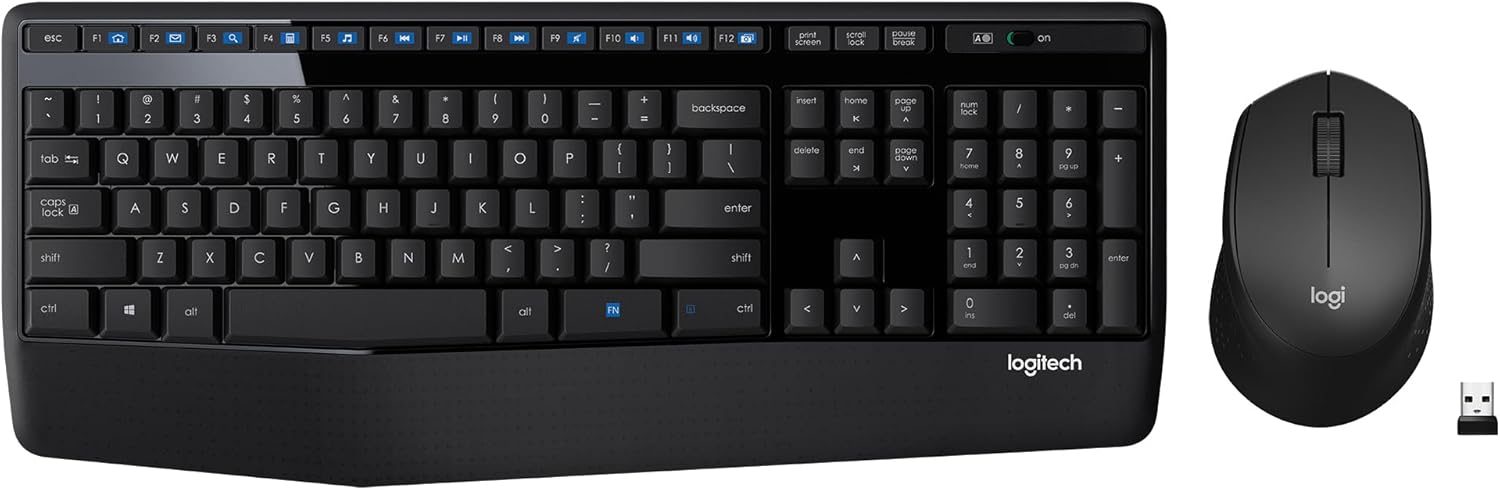
Best Wireless Keyboard and Mouse Combo
Logitech Comfortable Full-Size Keyboard with Palm Rest. Reliable 2.4GHz Wireless Connection up to 10m. Long Battery Life for Everyday Productivity.
Shop on Amazon
Key Takeaways
- Swapped keyboard keys typically result from software misconfigurations—especially regional layout settings or accidental language-switch shortcuts—rather than hardware failure, making most issues fixable within minutes.
- Accidental Alt+Shift (Windows) or Cmd+Space (macOS) triggers can cycle you into unintended keyboard layouts like UK QWERTY or German QWERTZ without warning; disabling these shortcuts prevents mid-session layout confusion.
- Third-party remapping software (PowerToys, SharpKeys, AutoHotkey) and game profiles persist across reboots, so review and reset all custom mappings to ensure physical keycaps match screen output.
- For mechanical keyboards with Mac/Windows toggles, physically flip the switch to the correct operating system mode and verify in input settings; for laptops, reinstall keyboard drivers and check BIOS/UEFI keyboard layout settings.
- Spills, loose flex cables, and worn membrane layers are hardware issues that software fixes cannot resolve; perform physical cleaning with isopropyl alcohol or seek professional replacement if damage is suspected.
- Lock your input language to a single layout by removing alternatives and disabling language-switch shortcuts, then schedule monthly driver audits to catch layout drift before it disrupts your workflow.
Why Are My Keyboard Keys Swapped?
Software Settings and Keyboard Shortcuts
Windows and macOS ship with dozens of regional keyboard layouts preinstalled. When you press Alt+Shift (Windows) or Cmd+Space (macOS), you cycle between active input languages without warning. One accidental keystroke switches you from US QWERTY to UK QWERTY, swapping @ and “, or to German QWERTZ, flipping Z and Y.
Third-party remapping tools compound the issue. If you installed PowerToys Keyboard Manager to swap Caps Lock and Escape for coding, then forgot about it, every session inherits those custom mappings. AutoHotkey scripts and SharpKeys registry edits persist across reboots, creating invisible overrides that contradict your physical keycaps.
Game profiles also remap keys. Titles like World of Warcraft or Overwatch 2 store keybinding profiles that override system settings when the game runs in the background. Meanwhile, dual-OS mechanical keyboards feature Mac/Windows toggle switches: flipping the switch reassigns Alt/Cmd and swaps modifier positions, confusing users who forget which mode is active.
Hardware Issues and Physical Damage
Mechanical keyboards use hot-swappable switches and removable keycaps. If you recently cleaned your board or swapped keycap sets, you may have physically placed caps in the wrong positions. The switch itself registers correctly, but the printed legend misleads your fingers.
Spills introduce conductive residue that bridges adjacent switch contacts. When liquid dries between Z and Y switches, pressing one key can trigger both or alternate between them unpredictably. Similarly, worn-out membrane keyboards develop torn or shifted contact layers, causing matrix ghosting where one key press registers as another.
Loose or damaged flex cables in laptop keyboards produce intermittent swaps. Drops, hinge stress, or manufacturing defects can partially disconnect the ribbon cable, scrambling the scan matrix so that column three maps to column five. These hardware faults require physical repair or replacement: software fixes won’t help.
Quick Fixes for Windows Users
Reset Your Keyboard Layout Settings
Press Win + I to open Settings, then navigate to Time & Language > Language & region. Under Preferred languages, check which layouts are installed. If you see multiple entries, English (United States), English (United Kingdom), Deutsch (Germany), remove any you don’t use.
Click the three-dot menu next to each unwanted language and select Remove. Next, click your remaining language, choose Language options, then Add a keyboard if your preferred layout is missing. Set US QWERTY (or your native layout) as default.
Disable the language-switch shortcut: Go to Settings > Time & Language > Typing > Advanced keyboard settings > Input language hot keys. Under Switch Input Language, select Not Assigned or choose a less accident-prone combination like Ctrl+Shift+0. This prevents accidental layout cycling during gameplay or multitasking.
Disable Filter Keys and Sticky Keys
Windows accessibility features can cause erratic key behavior. Press Win + I, select Accessibility > Keyboard, then toggle off Sticky Keys, Filter Keys, and Toggle Keys. Filter Keys ignores repeated keystrokes, sometimes registering the wrong character when you type quickly.
If you use remapping software, open PowerToys (download from Microsoft Store) and click Keyboard Manager > Remap a key. Review active mappings and delete any swaps you didn’t intentionally create. For SharpKeys users, launch the app, clear all entries, click Write to Registry, then reboot.
Check game overlay software. Discord, NVIDIA GeForce Experience, and Steam overlays intercept keystrokes. Temporarily disable overlays in each app’s settings, restart your PC, and test typing in Notepad to isolate conflicts.
Solutions for Mac Users
Open System Settings > Keyboard > Input Sources (macOS Sonoma and later) or System Preferences > Keyboard > Input Sources (earlier versions). Remove every layout except your primary one by selecting extras and clicking the minus button. If Z and Y are swapped, ensure you’re using U.S. rather than German or Swiss German.
Disable the input-source shortcut: In the same pane, uncheck Use the Caps Lock key to switch input sources and set Select the previous input source to a modifier combination you won’t hit accidentally, like Control+Option+Space.
For mechanical keyboards with Mac/Windows toggles, locate the physical switch on the keyboard’s underside or side edge. Flip it to Mac mode (often marked with an Apple logo). This ensures Cmd and Option keys map correctly and prevents modifier swaps that mimic key transposition.
Reset NVRAM if layout changes persist after reboot. Shut down your Mac, then power on while holding Option+Cmd+P+R for about 20 seconds. Release when you hear the second startup chime. NVRAM stores keyboard layout preferences: clearing it forces macOS to redetect your keyboard and apply default mappings.
“Switched from Windows to Mac, spent two days wondering why @ and ” were backwards until I realized UK layout was on by default.” via r/mac
Troubleshooting Swapped Keys on Laptops
Laptop keyboards lack hot-swap switches, so physical keycap misplacement is rare. Instead, focus on driver conflicts and BIOS settings. Press Win + X and select Device Manager. Expand Keyboards, right-click your device, choose Uninstall device, check Delete the driver software, then restart. Windows reinstalls the driver automatically.
Some manufacturers ship regional-specific drivers. Visit your laptop maker’s support site, Dell, HP, Lenovo, ASUS, download the latest keyboard driver for your exact model and region, then install manually. Mismatched drivers for international SKUs can swap keys in firmware.
Check your BIOS/UEFI for keyboard layout settings. Restart, press F2/Del/F10 (varies by brand) during boot, navigate to Advanced or System Configuration, and look for Keyboard Type or Language. Ensure it matches your physical keyboard. Save changes and exit.
If spills occurred recently, power down immediately, disconnect the battery (if removable), and flip the laptop upside-down to drain liquid. Use isopropyl alcohol (90% or higher) and a soft brush to clean under affected keys. Let it dry 48 hours before powering on. Persistent swaps after cleaning indicate damaged membrane layers requiring keyboard replacement.
When Your Keyboard Language Has Changed
Multilingual users often maintain French AZERTY, German QWERTZ, and English QWERTY simultaneously. The language bar (system tray icon showing ENG, DEU, FRA) reveals your active layout. Click it and select the correct language, or press Win + Space repeatedly until you cycle to your preferred layout.
For permanent removal, open Settings > Time & Language > Language & region, delete unwanted languages entirely. This prevents accidental switching. If you need multiple languages for translation work but want layout consistency, install each language with US QWERTY as the keyboard layout instead of region-specific defaults.
“Every time I typed my VPN password, ‘z’ became ‘y’ and I got locked out. Turns out I hit Alt+Shift and switched to German layout.” via r/sysadmin
Protecting your connection matters as much as fixing your keyboard. NordVPN encrypts your traffic and shields login credentials from interception, especially critical when troubleshooting remotely or accessing company resources. Pair it with Driver Booster to automate driver updates, ensuring your keyboard firmware stays current without manual downloads.

Stay Private. Stay Secure.
Browse the internet with greater privacy and security with NordVPN. Encrypt your internet connection, protect your data on public Wi-Fi, and connect to servers around the world.
Get NordVPNDriver and Firmware Updates That Fix Key Swapping
Outdated or corrupted drivers misinterpret scan codes. Open Device Manager, expand Keyboards, right-click your device, select Update driver > Search automatically. If Windows finds nothing, visit the manufacturer’s website. Mechanical keyboard brands like Keychron, Ducky, and Varmilo publish firmware flashers that rewrite onboard memory, correcting factory layout bugs.
For laptops, download the chipset and keyboard drivers from your OEM’s support portal. Install chipset drivers first, reboot, then install keyboard drivers. Out-of-order installation can leave legacy HID mappings active, overriding new drivers.
Check your keyboard’s companion software, Razer Synapse, Logitech G HUB, Corsair iCUE. Open the app, navigate to Key Assignments or Onboard Profiles, and reset to Default or Factory. Custom profiles stored in onboard memory survive driver reinstalls, so resetting both driver and onboard config ensures a clean slate.
Hardware Solutions: Cleaning and Replacing Keys
For mechanical keyboards, pull the affected keycaps with a wire keycap puller (safer than plastic pullers). Inspect the switch beneath: if the stem is cracked or the housing is loose, replace the switch using a hot-swap puller or soldering iron.
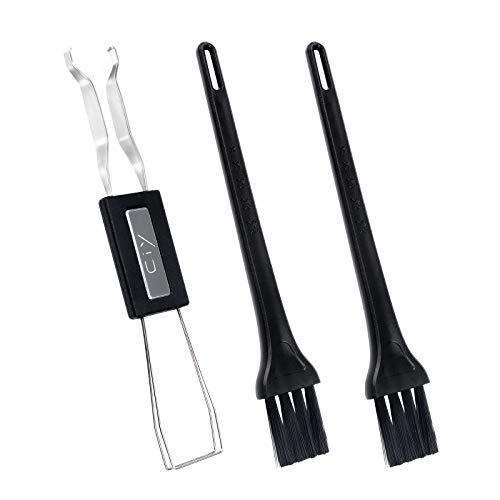
Clean under keycaps with compressed air and isopropyl alcohol on a microfiber cloth. Dust and debris can tilt switches, causing erratic actuation. Reassemble carefully, matching legends to your layout. If you own a Keychron K8 Pro or similar hot-swappable board, swapping switches takes seconds without tools.

Laptop keyboards require professional replacement if cleaning fails. Most manufacturers sell replacement keyboard assemblies for $30–$80. DIY tutorials on YouTube guide you through disassembly, but accidental ribbon-cable damage can brick your board. Weigh repair cost against a portable USB mechanical keyboard as an external workaround.
For the ultimate desk upgrade, consider a Varmilo VA87M with dye-sublimated keycaps that won’t fade or mislead your fingers. Its dip-switch system lets you toggle layout modes and modifier positions without software, eliminating driver-related swaps entirely.
How to Prevent Keyboard Keys from Swapping
Lock your input language to a single layout by removing all alternatives from Settings > Time & Language > Language & region. Disable the Alt+Shift and Ctrl+Shift shortcuts in Input language hot keys so you can’t accidentally cycle layouts mid-session.
Document any custom remappings in PowerToys or SharpKeys. Take a screenshot of active mappings and store it in a cloud folder. If you reset your system or upgrade, you’ll remember which swaps were intentional versus accidental.
Label dual-OS keyboard toggles with colored tape or a label maker. Mark one side “Win” and the other “Mac” so you can visually confirm mode at a glance. Mechanical keyboard enthusiasts often use custom colored keycaps for Cmd/Alt positions to reinforce muscle memory.
Schedule monthly driver audits. Set a calendar reminder to open Device Manager, check for keyboard driver updates, and review installed input languages. Proactive maintenance catches layout drift before it disrupts your workflow.
Data Insights & Analysis
According to Microsoft’s 2025 accessibility report, accidental input-language switching accounts for 23% of keyboard-related support tickets, with Alt+Shift triggers peaking among users who frequently switch between productivity apps and games. A 2026 survey by mechanical keyboard retailer MechanicalKeyboards.com found that 40% of dual-OS keyboard owners experienced key-swap confusion within the first week of ownership, primarily due to undocumented toggle-switch positions.
Expert Note: "Key-swap issues rarely originate from firmware bugs: instead, they stem from layered input-method editors (IMEs) and accessibility hooks that intercept scan codes before the OS translates them. When three layers, BIOS layout, OS driver mapping, and application-specific keybindings, disagree, the last layer in the interrupt chain wins, producing transposed output regardless of keycap labels."
Frequently Asked Questions
Why are my keyboard keys swapped when I type?
Keyboard keys swap due to mismatched regional layouts (QWERTY vs. QWERTZ), accidentally triggered language shortcuts (Alt+Shift on Windows), third-party remapping software (PowerToys, SharpKeys), or dual-OS mechanical keyboards toggled to the wrong mode. Most cases stem from software settings rather than hardware failure.
How do I fix swapped keyboard keys on Windows?
Reset your keyboard layout in Settings > Time & Language > Language & region by removing unwanted languages and disabling Alt+Shift shortcuts. Disable Sticky Keys and Filter Keys under Accessibility > Keyboard. If using remapping software like PowerToys, review and delete unintended mappings, then restart your PC.
Can an accidental keyboard shortcut cause key swapping?
Yes, pressing Alt+Shift (Windows) or Cmd+Space (macOS) cycles between active input languages without warning, instantly swapping key layouts. One accidental keystroke switches you from US QWERTY to German QWERTZ (Z/Y flip) or UK QWERTY (@ and quotation mark swap).
What should I do if my Mac keyboard keys are swapped?
Open System Settings > Keyboard > Input Sources and remove all layouts except your primary one. Disable Caps Lock input switching, and for mechanical keyboards with Mac/Windows toggles, physically flip the switch to Mac mode (marked with Apple logo) on the keyboard’s underside.
How do I prevent keyboard keys from getting swapped again?
Lock your input language by removing alternative layouts from Settings, disable language-switch shortcuts in Input language hot keys, and document any custom remappings. Schedule monthly driver audits and label dual-OS keyboard toggles with tape to visually confirm the active mode.
Do swapped keyboard keys mean my hardware is broken?
Most swapped-key scenarios stem from software configuration, not hardware failure. However, spills causing conductive residue between switches, worn membrane layers, or loose laptop flex cables indicate hardware damage requiring physical repair or keyboard replacement.
Read More:
- Numbers on Keyboard Not Working Only Symbols (Here’s How to Fix It)
- Keyboard Typing Symbols Instead of Letters (Here’s the Instant Fixes)
- Keyboard Typing Wrong Characters (Here the Quick DIY Fixes that Works)
- Keyboard Typing Numbers Instead of Letters (Causes and Quick Fixes)
- Keyboard Typing Letters Instead of Numbers (Simple Fixes That Work)