

If your Tesla’s Cabin Overheat Protection isn’t working, it’s often due to software conflicts, including issues with multiple user profiles or system glitches. One proven fix is removing additional user profiles, which can resolve setting conflicts and restore proper function. Other causes might involve battery levels dropping below the required threshold or software needing updates.
This feature is designed to prevent your car’s interior from getting dangerously hot by activating the climate control automatically. When it fails, your vehicle can become uncomfortable or unsafe, especially during hot weather. Understanding why this happens and how to troubleshoot it can save you time, inconvenience, and potential service costs.
Many Tesla owners have shared experiences and solutions involving resets, profile management, and remote diagnostics. Knowing these practical steps helps you address the problem quickly and ensures your Tesla maintains a safe cabin temperature when parked. For more detailed troubleshooting, check out this guide on Tesla Cabin Overheat Protection not working.
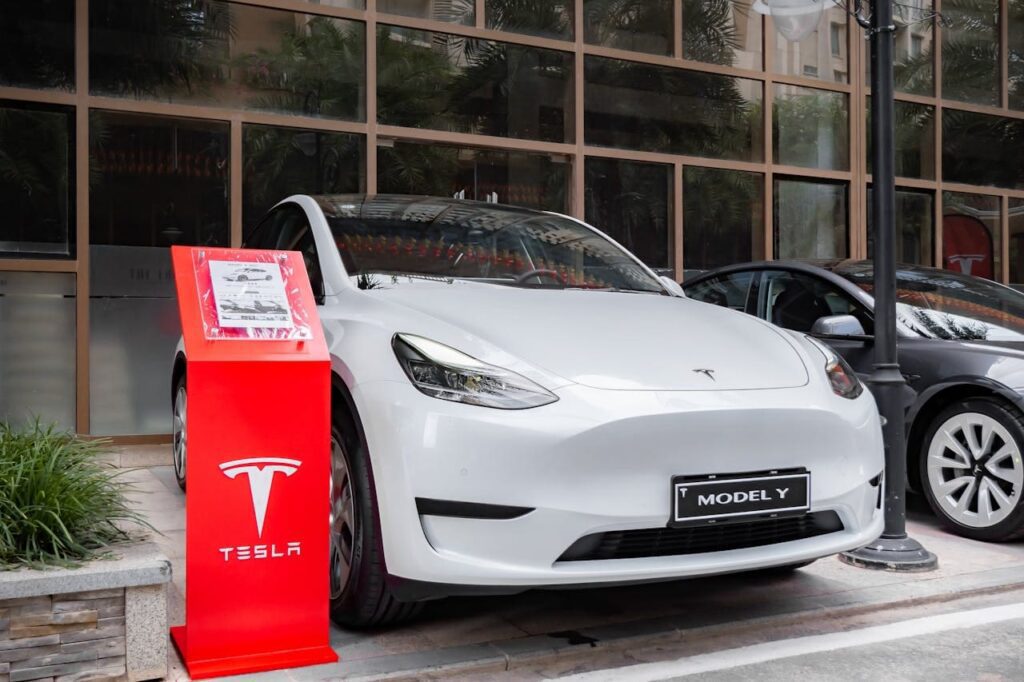
Understanding Tesla Cabin Overheat Protection
Tesla’s Cabin Overheat Protection (COP) actively controls your vehicle’s internal temperature to prevent it from reaching unsafe levels. It relies on specific triggers and has defined operating limits that affect its activation. Knowing how the system functions and its boundaries will help you understand why it sometimes may not work as expected.
How Cabin Overheat Protection Works
The Cabin Overheat Protection system monitors your Tesla’s interior temperature using sensors. When the temperature inside surpasses approximately 105°F (40°C), COP automatically activates the climate control to cool the cabin. It can use either ventilation alone or engage the air conditioning depending on the conditions and settings you’ve selected.
COP only operates when your Tesla is parked and locked with all windows closed. The feature consumes battery power since it runs fans and possibly the AC system. Therefore, it will disable itself if your battery charge drops below 20% to preserve critical driving range. COP can run continuously for up to 12 hours, after which it shuts off automatically until you reset it by locking and unlocking the car again.
Purpose and Safety Benefits
The primary purpose of Tesla’s cabin overheat protection is to keep the interior temperature at a safer and more comfortable level when your vehicle is left unattended. It is especially useful for protecting passengers, pets, or sensitive cargo from heat-related risks.
By preventing extremely high cabin temperatures, the feature helps reduce the risk of heatstroke or discomfort. This is critical in hot climates or during summer months when interior temps can rise above 140°F (60°C) within a short time. Moreover, it contributes to preserving the longevity of interior materials by avoiding prolonged heat exposure.
Limitations and Operating Conditions
Certain conditions can prevent Tesla’s Cabin Overheat Protection from activating. A key limitation is the battery charge level: COP will not operate if the battery falls below 20% to conserve energy. You must also have your car correctly parked in “Park” mode, with no one inside, and all doors and windows closed.
The system requires the cabin temperature to exceed its threshold before turning on, so it won’t run if temps remain below 105°F (40°C), even on warm days. Some Tesla modes, like Transport mode or Sentry mode, can override COP to save battery. Additionally, extreme outdoor weather conditions may disrupt its functionality.
If the Tesla software is outdated or experiencing glitches, the overheat protection feature might also fail to perform reliably. Periodic software updates and ensuring you don’t exceed the 12-hour runtime limit can help maintain proper operation.
For further details on troubleshooting issues with cabin overheat protection, see this guide on Tesla Cabin Overheat Protection not working.
Common Reasons Tesla Cabin Overheat Protection Is Not Working
Several factors can stop your Tesla’s cabin overheat protection from functioning correctly. Issues range from power restrictions and software glitches to hardware problems and time limits imposed by the system.
Low Battery Level or Vehicle Not in Park
The cabin overheat protection feature relies on battery power to run the HVAC system and maintain safe interior temperatures. If your Tesla’s battery charge drops below 20%, the overheat protection will not activate. This is a built-in safeguard to preserve battery life when energy reserves are low.
Additionally, the vehicle must be in park for the system to engage. If your Tesla isn’t properly shifted into park, the feature won’t work regardless of battery level. Make sure your battery is sufficiently charged and the car is parked to allow cabin overheat protection to operate.
Software and Firmware Issues
Your Tesla’s overheat protection can be affected by software conflicts or corrupted firmware. Multiple user profiles on the vehicle sometimes cause confusion in the system, disabling overheat protection despite settings being enabled. Deleting non-essential profiles has resolved the problem for some owners.
Reboots and system resets might not always fix the issue, and Tesla occasionally deploys remote fixes through updates. Ensuring your vehicle software is current is important because bugs affecting cabin overheat protection have been known to appear in earlier versions.
Sensor Blockages and Faulty HVAC
Cabin overheat protection depends on temperature sensors within the vehicle. If these sensors are blocked, dirty, or malfunctioning, the system may misread the cabin temperature and fail to turn on when needed.
Similarly, HVAC hardware issues like air conditioning failures or clogged vents can prevent the system from cooling the cabin effectively even if it activates. Checking sensor status and scheduling service for HVAC inspection can help resolve these problems.
Time Limit Constraints
The cabin overheat protection feature is designed to maintain temperatures below 105°F (40.5°C) but only operates for a limited period—typically a few hours after parking. Once that limit is reached, the system will turn off to conserve battery and avoid overuse.
If you plan longer stays in the parked vehicle, understand that the overheat protection feature won’t run indefinitely. Alternative options like manually activating climate control remotely or using dog mode might be necessary in situations exceeding the built-in time limit.
For more details on causes and troubleshooting, you can refer to the Tesla Cabin Overheat Protection Not Working guide.
Troubleshooting and Diagnosing Overheat Protection Problems
To resolve issues with Tesla Cabin Overheat Protection, you need to carefully observe the system’s behavior, verify settings, and ensure your software is current. Proper diagnosis requires checking multiple factors, from symptoms to app configurations.
Identifying Warning Signs and Symptoms
Start by noticing any unusual heat buildup inside your Tesla. If the cabin temperature rises beyond safe comfort levels without the air conditioning or fan activating automatically, that indicates a problem with the cabin overheat protection (COP).
Check whether the system is failing to engage during hot days or after your car has been parked for several hours. Also, look for any notifications in the Tesla mobile app related to COP, or if the expected temperature control controls are missing from the climate menu. If you consistently find the interior gets very hot without any cooling effect, this is a clear sign that COP may not be functioning properly.
Initial System Checks
Begin with the basics. Confirm that your battery charge is above 20%, as COP will not activate if battery levels are low. Ensure that Sentry Mode or Camp Mode isn’t interfering, since those settings can affect climate controls differently.
If your Tesla has multiple driver profiles, try deleting any secondary profiles temporarily. Some users report conflicts between profiles can prevent COP from turning on. Also, reboot your car’s system by using the touchscreen reset or the thumb wheel method. Sometimes a simple system refresh resolves glitches affecting the COP system.
Checking and Updating Software
Your Tesla’s software must be up to date. Outdated software can cause malfunctions with the overheat protection feature. In the Tesla mobile app or on your car’s touchscreen, check for available updates and install them promptly.
Also, regularly monitor Tesla forums or official announcements for any known bugs related to COP. Tesla may deploy over-the-air fixes that address these specific issues. Keeping your software current reduces the risk of software conflicts or glitches that might impede the cabin overheat protection’s operation.
App Settings and Feature Activation
Access the Tesla app or your car’s climate controls to verify that Cabin Overheat Protection is enabled. You have options within the feature, including running just the fan or using full air conditioning once the cabin reaches about 105°F (40°C).
Make sure you haven’t accidentally set it to “Off” or “No A/C.” Sometimes toggling the setting off and back on refreshes the system’s responsiveness. Also, check the app for any automation or rules that may override or disable COP settings based on your location or profiles.
Use the Tesla mobile app to remotely monitor and control the cabin’s temperature. This allows you to activate climate control proactively if automatic COP fails.
How to Fix Tesla Cabin Overheat Protection Not Working
If your Tesla’s Cabin Overheat Protection isn’t activating, focus on key areas like battery charge, software updates, sensor functionality, and system resets. Ensuring each part works correctly can restore this important safety feature.
Charging the Battery and Parking Correctly
Cabin Overheat Protection requires sufficient battery power to run the HVAC system. If your battery charge drops below 20%, the feature won’t activate. Keep your Tesla’s battery charged above this threshold to enable cooling when the interior temperature rises.
How and where you park also matters. The system works best if the cabin temperature is already below 100°F when you park. Parking in direct sunlight without ventilation increases heat buildup and may strain the system. If possible, park in shaded areas or use the Tesla mobile app to pre-cool your vehicle before parking.
Addressing Software and Firmware Compatibility
Make sure your Tesla’s software and firmware are up to date. Tesla regularly issues updates that can fix bugs affecting Cabin Overheat Protection. Use the Tesla mobile app or the vehicle’s touchscreen to check for and install updates promptly.
Multiple driver profiles on your Tesla can sometimes cause conflicts with this feature. Some users have resolved issues by removing secondary profiles, as software confusion can prevent activation. If you use several profiles, consider testing with just one to isolate if profiles are the problem.
Unblocking Sensors and Maintaining HVAC System
Sensors monitor interior temperature and trigger Cabin Overheat Protection. Dirt, debris, or obstructions around these sensors can cause inaccurate readings, stopping the system from correctly engaging.
Regularly check and clean sensor areas. Also, ensure the HVAC system is functioning properly—clogged filters or malfunctions can hinder the cooling process. If you suspect mechanical issues, visit a Tesla service center for diagnostics.
Restarting or Resetting Cabin Overheat Protection
A system reset can often clear temporary glitches. You can reboot your Tesla’s touchscreen by holding down both scroll wheels on the steering wheel until the screen turns off and comes back on.
If Cabin Overheat Protection still doesn’t work, toggle the feature off and on through the climate control settings or your Tesla mobile app. Enabling and disabling modes like Camp Mode or Sentry Mode may also help reset the system’s operation. If problems persist, schedule a service appointment with Tesla for a more thorough inspection.
Best Practices and Preventive Measures
Maintaining the effectiveness of Tesla’s Cabin Overheat Protection requires attention to its settings, smart use of the Tesla app, and knowing when professional help is necessary. Staying proactive with these elements ensures the system functions reliably, keeping your vehicle’s interior safe from excessive heat.
Optimizing Overheat Protection Settings
To ensure Cabin Overheat Protection works correctly, regularly check that conflicting features like Sentry Mode, Tilt/Intrusion, or Transport Mode are turned off. These can disable overheat protection automatically.
Keep your battery charge above 20% since the feature won’t activate at lower states of charge. If you plan to use the protection after parking, charge your vehicle fully or at least above this threshold.
Periodically toggle the Cabin Overheat Protection on and off if you notice glitches. Adjusting climate controls and using A/C helps balance interior temperature, especially in extreme heat conditions. Use the vehicle screen by navigating to Controls > Safety & Security for access to these settings.
Using the Tesla App for Remote Control
The Tesla app is a powerful tool for managing your cabin temperature remotely. You can unlock and lock your car via the app, which sometimes resets the cabin sensors and helps the overheat protection reactivate.
Use the app’s climate control feature to turn on the A/C remotely before entering the vehicle. This pre-cools the cabin, preventing the interior temperature from hitting dangerously high levels.
Regularly monitor the interior temperature shown in the app, especially during hot weather. If the temperature reads unusually high or the overheat protection fails to engage, try toggling climate controls off and on through the app before driving.
When to Contact Tesla Service
If you have confirmed settings are optimized, your battery is sufficiently charged, and the Tesla app controls don’t restore Cabin Overheat Protection, it’s time to seek professional help.
Persistent software bugs can cause the system to malfunction. Tesla service centers can perform firmware updates or system resets not accessible through your vehicle’s interface.
If you experience recurring issues, schedule a diagnostic at a Tesla service center where technicians can check sensors, electrical components, and software integrity to ensure the overheat protection feature operates as designed.
