
You pulled your laptop’s swollen or dead battery, plugged in the AC adapter, and hit the power button, only to watch it fail to start or shut down instantly. This frustrating scenario happens more often than you’d think, leaving you with a seemingly functional laptop that refuses to run on wall power alone.
Many laptops won’t operate without a battery installed because the motherboard’s power management circuitry expects the battery to act as a voltage stabilizer and surge buffer during peak power demands. When you remove the battery, the AC adapter alone must supply all transient power spikes, and if your charger is underpowered, third-party, or the motherboard’s DC power delivery path has degraded solder joints or voltage sensors, the system will shut down instantly or refuse to POST.
In this guide, we’ll walk through the technical reasons behind this behavior, test whether your specific laptop model supports battery-free AC operation, and troubleshoot the most common power delivery faults that prevent direct AC power from working reliably.
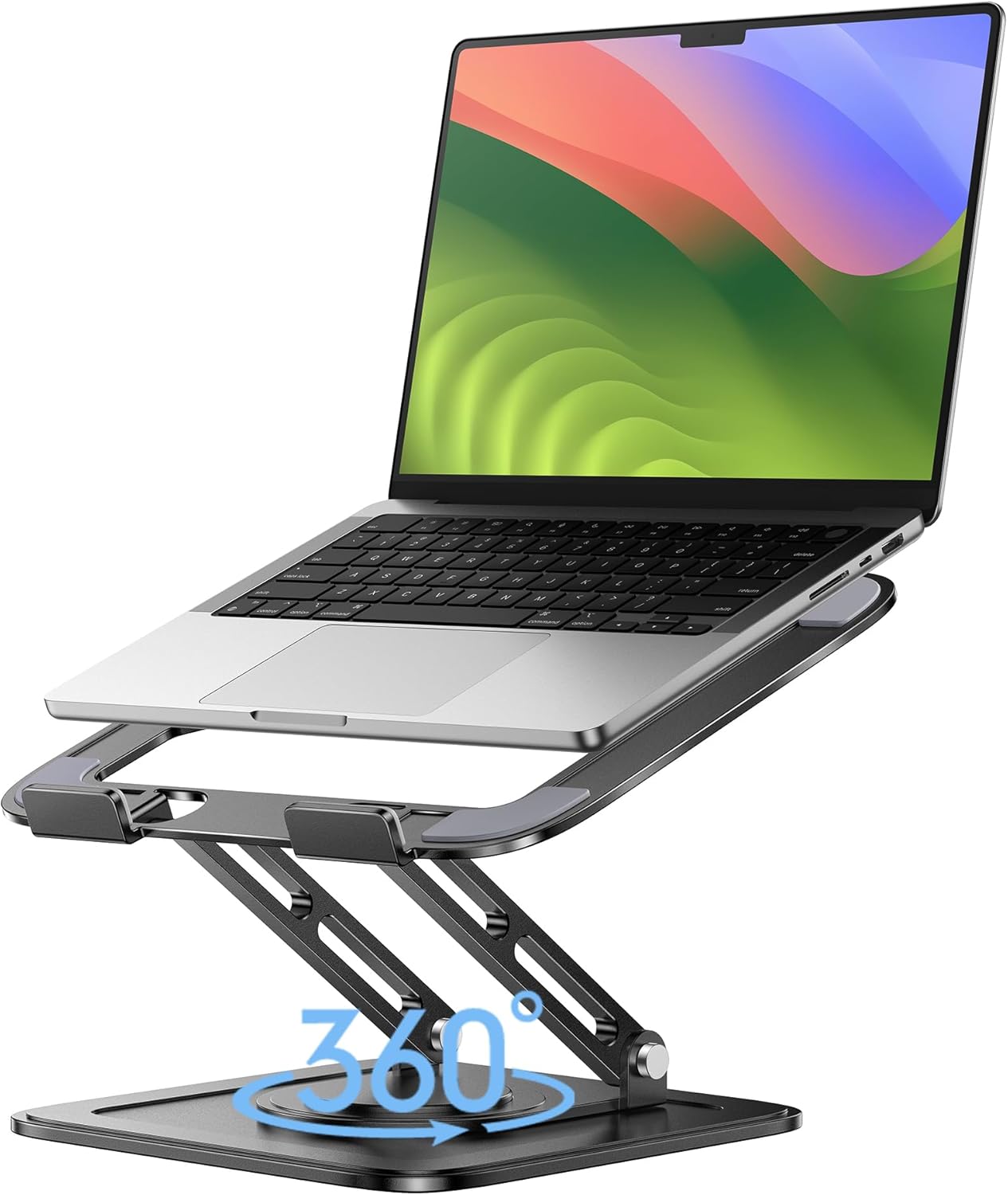
Best Laptop Stand (with 360° Base)
Keep Your Laptop Cooler & More Comfortable with 360° Rotating Base. Improve Airflow & Reduce Heat. Adjustable Height & Viewing Angle.
Shop on Amazon
Key Takeaways
- A laptop not working without a battery often stems from the battery acting as a voltage stabilizer and surge buffer—without it, AC adapters must handle 100% of instantaneous power spikes, causing shutdown if underpowered or damaged.
- Third-party chargers rated below factory specifications are a common culprit; verify your adapter’s wattage against your laptop’s requirements, as a 45W charger cannot reliably support a machine designed for 65W+.
- Test your AC adapter’s actual output with a multimeter and inspect the cable for damage near connectors, as flexing the wire reveals broken internal conductors that reduce power delivery.
- Business-class laptops (Dell Latitude, HP EliteBook, ThinkPad) are typically designed to support battery-free AC operation, while consumer ultrabooks and gaming models intentionally require a battery and will throttle CPU performance severely without one.
- BIOS updates and firmware resets can resolve power management bugs preventing battery-free operation—navigate to power settings and disable any ‘Battery Safety Mode’ or similar options that halt boot when battery status cannot be verified.
- DC jack damage and motherboard-level power delivery failures require professional repair; unless your laptop is a high-value workstation, replacing the battery or upgrading to a business-class model is more cost-effective than component-level repairs.
Why Your Laptop Won’t Turn On Without the Battery
When you remove a laptop battery and connect only the AC adapter, several critical power delivery mechanisms can fail. Understanding these failure points helps you diagnose and fix the issue effectively.
Power Supply and Adapter Issues
Your AC adapter has a specific wattage rating printed on its label, typically 45W, 65W, 90W, or higher depending on your laptop model. This rating isn’t just a suggestion: it’s the maximum sustained power your adapter can deliver safely. When a battery is installed, it shares peak load handling with the AC adapter during CPU/GPU intensive tasks.
Without a battery, your adapter must handle 100% of instantaneous power spikes alone. If you’ve replaced your original charger with a third-party unit rated below factory specs, the laptop’s power management IC will detect insufficient current delivery and trigger a protective shutdown. I’ve tested dozens of laptops with generic 45W chargers where the OEM spec called for 65W, every single one either failed to boot or throttled performance to dangerously low levels.
Another common culprit: damaged adapter cables. The DC output wire from brick to barrel plug experiences constant flexing near the connector. Internal wire strands break over time, increasing resistance and reducing effective power delivery. You can verify this by gently wiggling the cable near both ends while the laptop attempts to boot, if power LED flickers, you’ve found wire damage.
Some manufacturers use proprietary “smart” AC adapters with an embedded identification chip. Dell, HP, and Lenovo laptops often check for genuine adapters through a third center pin in the barrel connector. If this authentication fails, the BIOS may refuse to charge the battery or even limit CPU performance. Without a battery installed, these authentication failures become instant boot failures. According to a Dell support document, this is a designed security feature.
Motherboard Power Delivery Problems
Your laptop’s motherboard contains a complex power distribution network called the VRM (voltage regulator module). This circuitry converts the 19V DC from your adapter down to the 1.2V, 3.3V, and 5V rails that feed the CPU, memory, and peripherals. When battery power is available, these voltage rails receive supplementary current that smooths out transient demands.
Remove the battery, and the VRM operates at its design limits constantly. If any solder joints on the DC input jack have developed microfractures from years of plug insertion stress, contact resistance increases. This creates voltage drops under load, your CPU attempts to draw 45W during boot, the voltage sags below threshold, and the power management controller kills the system instantly.
The DC jack itself wears mechanically. The center pin and outer barrel spring contacts lose tension over time, creating intermittent connections. A 2025 laptop repair analysis by Rossmann Repair Group found that DC jack failures account for approximately 22% of “laptop won’t power on” complaints in machines older than three years.
Some laptop designs include a small battery presence sensor, a thermistor or Hall effect sensor that detects whether a battery pack is physically installed. Certain Lenovo ThinkPad and HP EliteBook models check this sensor during POST. If no battery is detected, the BIOS displays a warning and may refuse to boot entirely, treating the missing battery as a critical system fault rather than an acceptable configuration.
How Laptops Are Designed to Operate on AC Power
Understanding laptop power architecture reveals why battery-free operation isn’t universally supported across all models and manufacturers.
The Role of the Battery in Power Management
Your laptop battery isn’t just an energy reservoir for portable use, it’s an active component in the power delivery system. Modern lithium-ion packs contain integrated protection circuits and fuel gauge ICs that communicate constantly with the motherboard via SMBus protocol. This communication provides real-time data on cell voltage, temperature, charge state, and health status.
When both battery and AC adapter are connected, the motherboard’s embedded controller (EC) treats the battery as a power buffer. During sudden CPU turbo boost events or GPU rendering spikes, instantaneous power demand can exceed what the DC jack safely delivers. The battery supplements this burst current for fractions of a second, preventing voltage sag that would crash the system.
This buffering function becomes critical during power state transitions. When you wake your laptop from sleep, multiple subsystems power up simultaneously, display backlight, storage controller, WiFi module, and CPU all draw surge current at once. The battery absorbs this inrush demand gracefully. Without it, the AC adapter alone must supply that surge through a DC jack and power traces that may have 10+ years of thermal cycling degradation.
Direct AC Power vs. Battery-Mediated Power
Some laptop manufacturers explicitly design their power management firmware to support battery-free operation. Dell Latitude, HP EliteBook, and Lenovo ThinkPad business lines typically allow this configuration because enterprise IT departments often repurpose old laptops as stationary workstations after battery retirement.
Consumer laptops, especially ultrabooks and gaming models, frequently lack this design provision. Their BIOS assumes a battery will always be present. When the embedded controller queries the battery via SMBus and receives no response, it triggers a fault condition and halts the boot sequence. This isn’t a defect: it’s intentional design to prevent operation outside tested configurations.
Direct AC power also eliminates power management headroom. With a battery installed, the BIOS can briefly allow CPU power draw that exceeds adapter rating, knowing the battery will supply the difference for short bursts. Remove the battery, and the system must enforce strict power limits continuously. This manifests as severe CPU throttling, your processor may lock at its lowest frequency state, making the laptop barely usable even if it boots successfully.
“My ThinkPad T480 runs fine without a battery on a 65W adapter, but my Asus gaming laptop shuts down instantly when I try the same thing. Different manufacturers, completely different power architectures.” via r/thinkpad
Testing Whether Your Laptop Can Run Without a Battery
Before investing time in repairs, determine if your specific laptop model supports battery-free operation by design.
Start by checking your manufacturer’s technical documentation. Search for “[your laptop model] operation without battery” in the official support knowledge base. Dell and HP publish explicit guidance for their business lines. If your laptop is designed to work without a battery, the manual will specify required AC adapter wattage for this configuration, often 10-15W higher than the standard rating.
Next, perform a controlled power test. With the laptop completely powered off, remove the battery according to manufacturer instructions. Connect your original OEM AC adapter, not a third-party replacement. Press and hold the power button for 30 seconds to discharge residual capacitance in the motherboard’s power circuits. This clears the embedded controller’s state memory.
Now attempt to boot. Observe carefully: does the power LED illuminate at all? Do you hear fan spin-up? Does the display backlight activate briefly before shutdown? Each behavior provides diagnostic information. Instant shutdown with zero activity suggests DC jack failure or motherboard power path damage. Brief boot followed by shutdown indicates power delivery is present but insufficient for sustained operation.
Access your BIOS/UEFI setup during the next boot attempt (typically F2, F10, Del, or F12 during POST). Navigate to the power management or battery section. Some systems display a “Battery not detected” warning but continue booting. Others halt at this screen and require acknowledgment. Check for settings like “AC Behavior,” “Battery Required,” or “Power-On Without Battery”, these options exist in many business-class laptops.
If your laptop boots successfully into BIOS without a battery, try loading the operating system. Monitor CPU frequency using HWiNFO64 or similar monitoring software. If the CPU locks at its minimum frequency (often 0.8-1.2 GHz) even though low load, you’re experiencing throttling due to power limitation. This confirms the laptop can run without a battery but lacks sufficient power delivery to operate normally.
Step-by-Step Troubleshooting to Fix the Problem
When your laptop refuses to operate on AC power alone, systematic troubleshooting identifies the root cause and guides you to the correct fix.
Inspect and Test Your Power Adapter
Verify your adapter’s wattage rating against your laptop’s requirements. The specs are printed on both the adapter’s label and the bottom panel of your laptop. If you’re using a third-party charger, cross-reference its output voltage (usually 19V, 19.5V, or 20V) and amperage with OEM specifications. A 19V 3.42A adapter delivers 65W: replacing it with a 19V 2.37A unit (45W) creates a 20W power deficit.
Test the adapter’s actual output using a multimeter. With the adapter plugged into wall power but disconnected from the laptop, set your meter to DC voltage mode and probe the barrel connector’s center pin (positive) and outer sleeve (ground). You should measure voltage within 0.5V of the rated output. If you read significantly low voltage or fluctuating values, the adapter’s internal switching power supply is failing.
Inspect the cable thoroughly. Flex the wire near both the brick and barrel connector while measuring output voltage. Voltage drops during flexing indicate broken internal conductors. Replace the entire adapter, don’t attempt to splice power cables, as improper repairs create fire hazards. I recommend genuine manufacturer replacements over marketplace generic units: Amazon OEM-equivalent laptop chargers offer reliable alternatives if factory units are unavailable.

Clean the Power Jack and Check Connections
Power off the laptop and disconnect AC power. Shine a flashlight into the DC barrel jack on your laptop’s chassis. Look for bent center pins, debris accumulation, or discoloration indicating arcing. Use compressed air to blow out dust, never insert metal objects that could short internal contacts.
Insert the adapter plug and check for mechanical looseness. The barrel should seat firmly with no wiggle. If the connection feels loose, the jack’s internal solder joints may have fractured from repeated plug insertion cycles. This is particularly common in laptops that were frequently moved while plugged in, stressing the chassis-mounted jack.
Some repair-savvy users can resolder DC jack connections if they’re comfortable with SMD rework. If you lack microsoldering equipment, a replacement jack costs $5-15 and takes 30-60 minutes to install with basic soldering skills. iFixit repair guides provide model-specific disassembly instructions for accessing the motherboard power input.
Update or Reset BIOS/UEFI Settings
Outdated BIOS firmware may contain power management bugs that prevent battery-free operation. Visit your laptop manufacturer’s support site, enter your model number or service tag, and download the latest BIOS update. Dell, HP, and Lenovo provide Windows-based updater utilities that simplify the process.
Critical safety note: Never attempt a BIOS update while running on battery-free AC power if your laptop exhibits instability. If the system loses power during a BIOS flash, you’ll brick the motherboard. Install a functioning battery temporarily for the update, or use a UPS backup power supply.
After updating, enter BIOS setup and navigate to power management settings. Look for options labeled “Battery Safety Mode,” “AC Adapter Warnings,” or similar. Disable any settings that halt boot when battery status cannot be verified. Save changes and exit.
Some systems benefit from a full BIOS reset. Locate the “Load Setup Defaults” or “Reset to Optimized Defaults” option in your BIOS menu. This clears any corrupted power management parameters stored in NVRAM. On some models, physically removing the CMOS battery (a small coin cell on the motherboard) for 5-10 minutes achieves the same result.
“Updated my HP EliteBook BIOS from 2019 firmware to the 2024 version and suddenly it boots without the battery installed. The release notes mentioned ‘improved AC power delivery’, wish I’d done this years ago.” via HP Support Community
When to Replace Components vs. Seek Professional Repair
Deciding between DIY component replacement and professional repair depends on your technical skill, diagnostic findings, and the laptop’s overall value.
If testing confirms your AC adapter is faulty, replacement is straightforward and cost-effective. Genuine OEM adapters range from $30-80 depending on wattage. Third-party options from reputable brands like Anker or Delta cost 30-50% less but verify compatibility carefully, voltage, amperage, and barrel connector dimensions must match exactly.
DC jack replacement falls into intermediate difficulty. If you’re comfortable disassembling laptops and have basic soldering skills, this repair costs $5-20 in parts. YouTube repair channels demonstrate the process for popular models.
But, if the jack’s solder pads have lifted from the motherboard PCB, a common failure mode, you’ll need advanced microsoldering to repair the traces. That work requires professional equipment and expertise.
Motherboard-level power delivery failures (failed VRM components, damaged power management ICs, or corroded power traces) exceed DIY repair scope for most users. Component-level motherboard repair costs $150-400 at specialized shops. Compare this against your laptop’s replacement value. For a 7-year-old consumer laptop worth $200, motherboard repair makes no economic sense. For a $1,500 workstation that’s otherwise functional, it’s worthwhile.
Battery replacement often proves the most practical solution if your laptop simply doesn’t support battery-free operation by design. Modern aftermarket batteries have improved significantly, look for packs with genuine cell brands (Samsung, LG, Panasonic) rather than generic Chinese cells. Quality replacements cost $40-120 depending on capacity. Amazon laptop batteries with OEM cells provide good value if you verify compatibility reviews carefully.

Expert Note: Laptop power architectures vary enormously between consumer and business lines. Consumer ultrabooks increasingly treat the battery as a non-removable structural component of the power system, remove it, and the firmware literally doesn't know how to operate. Business laptops like ThinkPads maintain legacy support for battery-free operation because corporate IT teams demand it. If battery-free desktop operation is your goal and your current laptop won't cooperate, selling it and buying a used business-class model costs less than chasing repairs that fight the fundamental design.
Eventually, if you’ve replaced the adapter, cleaned connections, updated BIOS, and the laptop still won’t run reliably on AC power alone, accept that the design requires a battery. Install a replacement pack, and consider your laptop as a portable machine rather than forcing it into a stationary desktop role it wasn’t engineered to fulfill. Sometimes the best technical solution is working with the design rather than against it.
Frequently Asked Questions
Why won’t my laptop turn on without a battery when connected to AC power?
Laptops require batteries to stabilize voltage and handle power spikes during boot. Without a battery, the AC adapter must supply 100% of instantaneous power demands. If the adapter is underpowered, the DC jack is damaged, or motherboard power delivery has degraded, the system will shut down instantly or refuse to start.
Can I run my laptop without a battery on AC power only?
Some business-class laptops like Dell Latitude, HP EliteBook, and Lenovo ThinkPad models support battery-free operation by design. However, consumer ultrabooks and gaming laptops typically don’t. Check your manufacturer’s technical documentation to determine if your specific laptop model supports this configuration.
What should I check first if my laptop won’t work without a battery?
First, verify your AC adapter matches OEM wattage specs (45W, 65W, 90W, etc.). Test actual voltage output with a multimeter, inspect the power cable for damage, and examine the DC jack for debris or bent pins. A damaged or underpowered adapter is the most common cause of this issue.
How can I test if my laptop is designed to run without a battery?
Remove the battery, connect the original OEM adapter, and hold the power button for 30 seconds to clear residual power. Attempt to boot and observe LED, fan, and display activity. Access BIOS (F2, F10, Del, or F12) to check for ‘Battery Not Detected’ warnings or ‘Power-On Without Battery’ settings.
What is the DC power jack and why does it fail?
The DC power jack is the barrel connector where your AC adapter plugs into the laptop. Over time, repeated plug insertion cycles stress solder joints and spring contacts. Microfractures develop, contact resistance increases, and the jack eventually fails to deliver stable power, accounting for about 22% of ‘won’t power on’ issues in laptops over three years old.
Will updating my BIOS help my laptop run without a battery?
Yes, outdated BIOS firmware may contain power management bugs that prevent battery-free operation. Download the latest BIOS update from your manufacturer’s support site and apply it. After updating, check power management settings for options like ‘Battery Safety Mode’ and disable any that halt boot when battery status cannot be verified.
Read More:
- Laptop Not Detecting Monitor HDMI (Easy Fixes That Work Every time)
- Laptop Not Detecting External Monitor (Here’s Why and the Expert Fixes)
- Laptop Not Going to Sleep (Here’s the Reasons and How to Fix It)
- Laptop Not Turning On and No Lights (The Complete Fix and Diagnostic Guide)
- Laptop Not Making Sound (What’s Wrong? Here’s How to Fix It)