

You want a TV that makes your games feel smooth, responsive, and vivid. For most gamers who want top speed, low input lag, and high refresh rates, Samsung usually edges out Hisense; but if you want strong value and good picture-per-dollar, Hisense can be the smarter buy.
This article compares gaming performance, display tech, smart features, audio, and value so you can pick the best fit for your setup and budget. You’ll see how each brand handles input lag, refresh rates, HDR impact, and motion handling during fast action.
You’ll also learn which models give you HDMI 2.1 features for next-gen consoles, which ones handle bright rooms better, and where software and sound make a real difference.
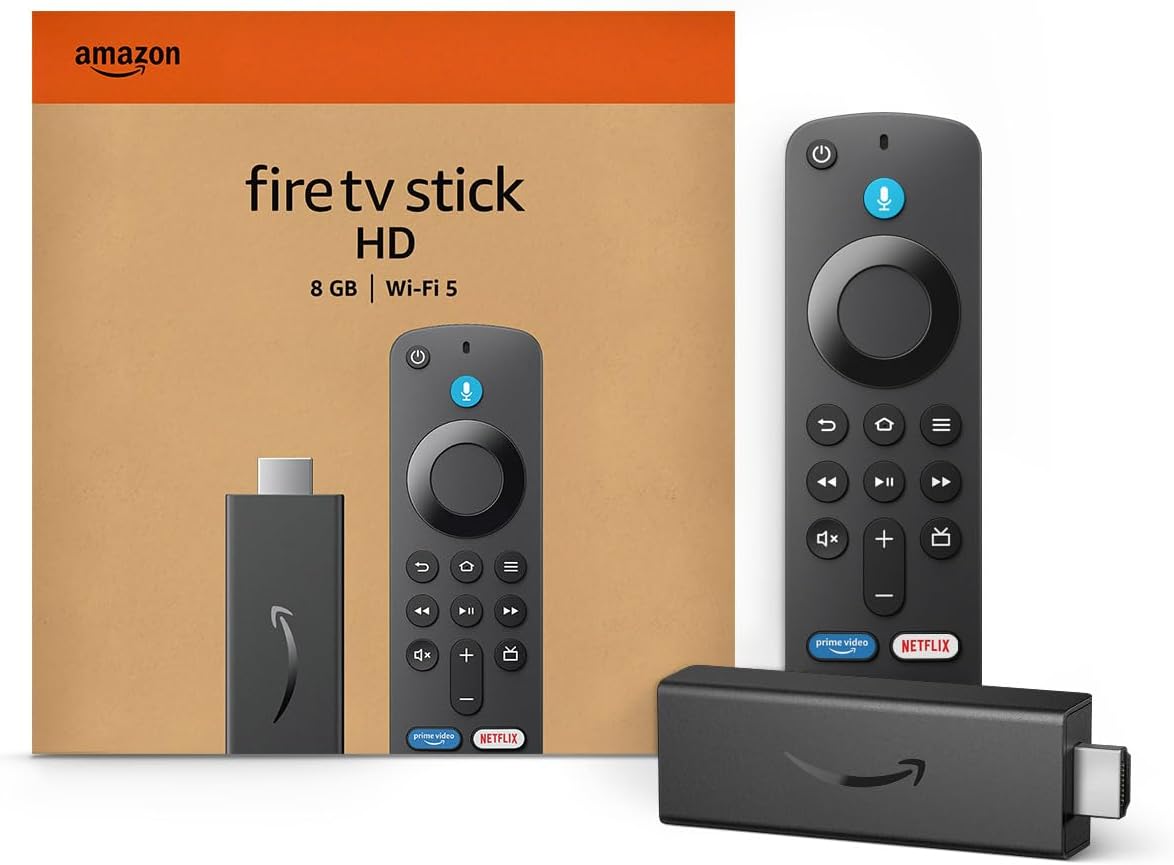
Amazon Fire TV Stick HD
Turn Any TV to a Smart TV. Stream Netflix, Prime Video & More. Alexa Voice Remote Included. Easy Plug & Play Setup.
Shop on AmazonKeep an eye on trade-offs: Samsung often leads on build quality, high-refresh panels, and polished smart platforms, while Hisense delivers surprising picture quality and gaming features at lower prices.

Gaming Performance Comparison
Hisense and Samsung both aim to cut input lag, offer high refresh rates, and include VRR and HDMI 2.1 features. They differ in how those specs perform under real gaming conditions.
Look for measured input lag in Game Mode, which HDMI 2.1 ports actually support 4K@120Hz, and whether VRR and Adaptive Sync run without flicker or brightness drops.
Input Lag and Response Time
Low input lag matters most for fast-action play. Many Samsung QLEDs and Hisense U-series TVs hit under 10 ms at 60Hz in Game Mode on tested units, which is excellent for consoles and competitive play.
Check independent measurements for the exact model you plan to buy; numbers vary by panel, game mode, and whether local dimming is active. Response time affects motion clarity.
Samsung’s QNED/QLED panels tend to have slightly faster pixel transitions, reducing ghosting in fast scenes. Hisense often offsets slower response with strong motion interpolation and black frame insertion on higher-end models, which can lower perceived blur but sometimes introduces judder.
If you play fast FPS or precise fighters, prefer the TV with the lowest measured input lag at 120Hz and the cleanest motion handling in tests.
Refresh Rate and VRR Support
Higher refresh rates let you use frame rates above 60 fps. Both brands offer native 120Hz panels on mid and high-end models.
Confirm the panel’s native refresh rate rather than marketing claims; some mid-tier sets use 60Hz panels with motion smoothing. Variable Refresh Rate (VRR) reduces screen tearing when frame rate changes.
Samsung provides solid VRR support across its Neo QLED range and often implements it with minimal compatibility issues. Hisense supports VRR, FreeSync, and FreeSync Premium Pro on many gaming-focused models, and those models can be especially cost-effective.
Test reports show VRR stability matters more than having the feature, look for consistent VRR from 40–120Hz without flicker or dropped frames.
HDMI 2.1 and Gaming Features
HDMI 2.1 enables 4K@120Hz, VRR, and features like eARC. Not every port on either brand always supports full HDMI 2.1 bandwidth.
Samsung frequently limits full 2.1 to certain ports on some models, so verify port labeling on the TV. Hisense has been more generous on some models, equipping multiple full-bandwidth HDMI 2.1 ports at lower price points.
Also check for firmware stability and feature implementation. Some TVs initially ship with HDMI 2.1 hardware but need firmware updates for full 120Hz and VRR support.
If you use a PC or next-gen console, confirm the TV supports 4K@120Hz input, Game Mode at 120Hz, and that the ports carry the bandwidth for high-bit-depth HDR at 120Hz without chroma sub-sampling compromises.
ALLM and Freesync/Adaptive Sync
Auto Low Latency Mode (ALLM) should switch the TV into its lowest-lag state automatically when you start a game. Both Samsung and Hisense include ALLM on models with modern HDMI specs, but timing and reliability differ.
Samsung’s implementation tends to be consistent across its gaming TVs. Hisense works well on flagship gaming models, though cheaper sets sometimes switch slower or require manual Game Mode.
FreeSync and Adaptive Sync compatibility matters for PC gamers. Hisense often advertises FreeSync Premium Pro on gaming models to handle HDR VRR content.
Samsung supports Adaptive Sync on many Neo QLEDs and often lists G-SYNC Compatible support for PC use. To avoid stutter or artifacting, check independent compatibility tests for the exact TV and GPU/console combination you use.
Picture Quality and Display Technology
You get to choose between self-lit pixels that deliver perfect blacks and backlit panels that push higher peak brightness. Each display type handles contrast, color, and HDR differently.
Pick the one that matches your room lighting and gaming priorities.
Panel Types: OLED, QLED, ULED, and Mini-LED
OLED panels use self-emitting pixels, so each pixel can turn fully off for true black and near-infinite contrast. That gives exceptional shadow detail in dark game scenes and near-zero light bloom.
OLED also keeps excellent viewing angles and fast pixel response, which helps reduce motion blur in fast-paced games. QLED refers to quantum dot LCDs.
They use a separate LED backlight plus a quantum dot layer to boost color and brightness. You get stronger peak highlights than most OLEDs, which helps with HDR effects in bright rooms.
ULED is Hisense’s marketing term for a package of LCD tech: local dimming, high refresh panels, and image processing. Expect solid color and feature sets at lower prices, but not pixel-level black control.
Mini-LED is an advanced backlight for LCDs. It packs thousands of tiny LEDs into the backlight to create many precise local dimming zones.
Mini-LED narrows the gap with OLED for contrast and reduces haloing, while still allowing higher sustained brightness for HDR highlights.
HDR Formats and Performance
HDR performance depends on peak brightness, tone mapping, and format support. Dolby Vision offers frame-by-frame metadata and wide color grading; many Hisense models include Dolby Vision, which can improve HDR grading in compatible games and movies.
Samsung favors HDR10 and HDR10+ Adaptive, which adjusts tone mapping to room light but lacks Dolby Vision on Samsung sets. Peak brightness matters for specular HDR highlights.
QLED and Mini-LED TVs can reach 1,000–2,000 nits in small highlights, making sunlight, reflections, and shiny armor pop. OLEDs typically hit lower full-screen brightness but can show very bright small highlights effectively on newer QD-OLED panels.
Tone mapping quality affects shadow detail and highlight clipping. Choose a TV with strong HDR tone mapping and good metadata handling to preserve detail in both dark scenes and bright specular highlights.
Color Gamut and Accuracy
Quantum dot layers expand color volume and saturation without clipping. QD-OLED and high-end QLED sets commonly cover nearly 100% of DCI-P3 and make solid inroads toward BT.2020.
That gives more saturated skies, foliage, and game UI colors without oversaturation. Color accuracy depends on factory calibration and the TV’s color management.
Many Samsung and premium Hisense models offer accurate out-of-the-box modes and advanced color controls for fine adjustments. If you care about faithful color, look for a TV with good delta-E figures or a professional calibration option.
For gaming, consistent color at high brightness matters. Quantum dot implementations maintain richer color at high nits better than standard LCDs.
OLED maintains color fidelity across angles better than most LCDs, which helps when multiple players watch from off-axis seats.
Local Dimming and Contrast Ratio
Local dimming controls the backlight in zones to deepen blacks and increase contrast. More zones usually mean better control, with mini-LED TVs offering thousands of zones and finer local dimming.
Expect fewer halos and stronger perceived contrast on mini-LED sets compared with standard LED-LCDs. OLED achieves pixel-level dimming without a backlight, so blacks are absolute and contrast ratios are effectively infinite.
That benefits games with dark environments, where subtle shadow detail matters for spotting enemies. Contrast ratio in LCDs depends on black level performance and local dimming efficiency.
Even with many dimming zones, some haloing and blooming can remain around bright objects. If your room is bright, choose a higher peak brightness TV with good anti-reflective coating to keep contrast visible under ambient light.
Smart Features, Audio, and User Experience
You’ll want a TV that makes apps fast, voice commands reliable, and gaming audio immersive. These areas affect how quickly you jump into games, how well dialogue and effects come through, and how the TV fits into your smart home.
Smart TV Operating Systems Compared
Samsung uses the Tizen operating system. Tizen runs apps quickly and has a polished interface with easy navigation.
It usually gets more frequent updates and wider app support than many rivals. That means fewer missing streaming apps and smoother menu performance during gaming sessions.
Hisense often ships with VIDAA or VIDAA U on many models. VIDAA is simpler and lightweight.
It can feel snappier on lower-cost hardware, but it may lack some niche apps and advanced settings that Tizen offers. Hisense also offers some models with Google TV or Android TV in certain regions, which gives access to Chromecast and a larger app library.
If you want the broadest app choice and tighter platform features for a connected home, Tizen or Google TV/Android TV usually serve gaming and streaming needs better than VIDAA. Choose VIDAA if you prefer a clean interface and lower cost.
Streaming Apps and Services
Tizen supports the major streaming services like Netflix, YouTube, Prime Video, Disney+, and many regional apps. App launching and account login tend to work without extra steps, which matters when you switch between game chat and streaming video.
VIDAA covers the big services, Netflix, YouTube, Prime Video but it can miss smaller apps or specialized game-streaming services in some markets. Models running Google TV or Android TV give the widest official app access through Google Play and include built-in Chromecast for casting from phones.
For streaming while gaming, look for apps that support 4K HDR and fast resume. Check that the TV’s OS receives regular updates; that keeps app compatibility and fixes latency or compatibility bugs that could interrupt multiplayer matches or cloud game streams.
Voice Control and Smart Home Integration
Samsung TVs support Bixby, Amazon Alexa, and Google Assistant. You can use the TV for voice search, control smart lights, or launch games by voice.
Integration with Samsung’s SmartThings helps if you already have Samsung smart home devices. Hisense’s VIDAA typically supports Amazon Alexa and Google Assistant on newer models, and Google TV/Android TV variants offer native Google Assistant and Chromecast.
Voice responsiveness can vary: Tizen and Google TV often respond faster than VIDAA on lower-end hardware. If you want the TV as a smart hub, confirm which voice assistants the specific model supports.
Also check for routines or device control features if you use smart bulbs, speakers, or thermostats — these integrations make voice commands actually useful during gaming sessions and media playback.
Sound Quality and Immersive Audio
Higher-end Samsung models include technologies like Dolby Atmos, Object Tracking Sound, and Q-Symphony that work with Samsung soundbars to create a more precise, room-filling soundstage. That helps you locate in-game footsteps and enjoy cinematic audio without adding multiple speakers.
Hisense often offers decent built-in sound with DTS Virtual
If you care about clear dialogue and directional effects in games, prioritize TVs that list Dolby Atmos support, low audio latency, or compatibility with external sound systems. Pairing a TV with a soundbar that supports the TV’s audio features (for example, Samsung TVs with Q-Symphony-compatible soundbars) gives a noticeable upgrade for gaming and movies.
Design, Build Quality, and Value
You want a TV that looks right in your room, lasts at least a few years, and gives solid features for the price. Focus on bezel style, stand and wall-mount options, materials, and how much premium features cost for gaming needs.
Design and Aesthetics
Samsung favors slim metal trims, narrow bezels, and premium finishes that fit modern living rooms. High-end models often use anti-reflective coatings and low-profile stands so the screen reads like a centerpiece.
Samsung’s Frame and lifestyle models offer changeable bezels and art modes if you care about blending the TV with decor.
Hisense usually keeps a cleaner, simpler look on mid and budget models. Premium Hisense sets show improved bezels and metal accents.
Cheaper Hisense lines often use thicker plastic frames. If glare control and a refined living-room look matter, Samsung’s finish and anti-glare tech typically score higher.
Build Quality and Durability
You’ll notice Samsung’s chassis and mounting hardware feel more robust. Higher-end Samsung TVs use metal backs or reinforced plastics and tighter seams, which reduces flex when you mount or move the set.
That can matter when you wall-mount a large gaming panel and want it stable over time. Hisense builds well for the money, but you may find more plastic and less reinforcement on budget models.
Premium Hisense mini-LED models close the gap in rigidity. Long-term reliability data still favors Samsung in many markets.
If you plan heavy daily gaming, pick the model with stronger build specs and check user reviews for durability reports.
Price Range and Value for Money
Samsung spans entry-level to ultra-premium prices. Expect to pay a premium for QD‑OLED, advanced local dimming, and gaming features like full HDMI 2.1 on multiple ports.
That price buys better out-of-box color, lower input lag, and stronger motion handling on many models. Hisense targets value.
For the same budget, you often get features Samsung reserves for pricier lines — Dolby Vision support, mini‑LED local dimming, and competitive brightness. That makes Hisense a strong choice if you want high HDR impact and gaming specs without a top-tier price.
Compare specific models side-by-side to balance panel type, refresh rate, and number of HDMI 2.1 ports.
Warranty and Regional Availability
Samsung typically offers a standard 1‑year warranty in the US, UK, and Australia. Longer options may be available through retailers or extended plans.
Samsung’s large service network means easier repairs and part availability in major markets.
Hisense sometimes offers extended warranties on higher-end models. Some regions may see more aggressive warranty promotions.
Availability of specific Hisense lines varies by country. Some premium models are region-limited.
You should check the exact warranty length and local service options before buying, especially if you live outside the US, UK, or Australia. This helps avoid surprises with parts or support.
Read More:
- Is Samsung TV Better Than Hisense? In-Depth Brand Comparison
- Is Hisense TV Better Than Samsung in Picture Quality?
- Hisense vs Samsung (Which TV Has Better Smart Features)