
You want a TV that feels solid and lasts. For most people, Samsung builds feel more premium and durable, while Hisense often offers good build quality for a much lower price.
This post breaks down how materials, fit and finish, and long-term reliability stack up so you can pick the better-built set for your budget and needs. You’ll get a clear comparison of chassis design and manufacturing, then see how display tech, smart features, audio, and gaming support affect real-world use.
Expect straightforward guidance on which brand gives you the stronger build for casual viewing, home theater setups, or intense gaming.
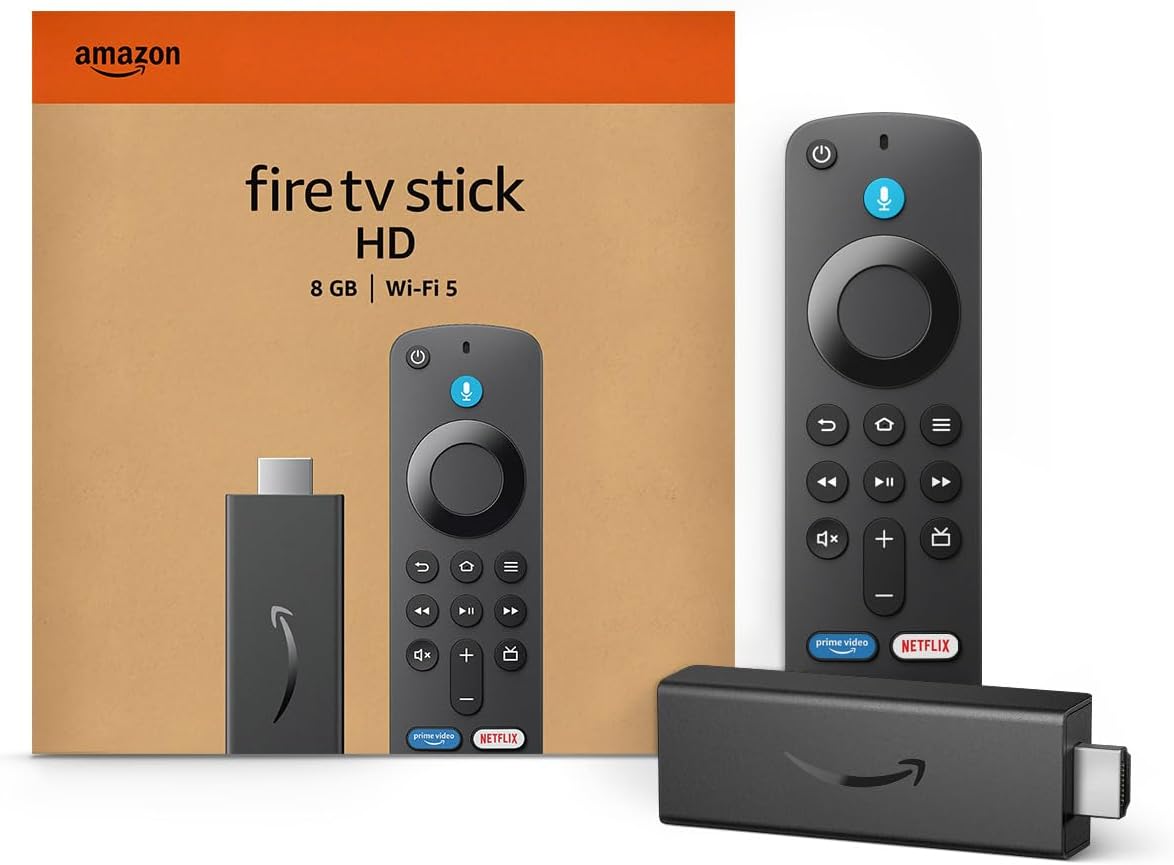
Amazon Fire TV Stick HD
Turn Any TV to a Smart TV. Stream Netflix, Prime Video & More. Alexa Voice Remote Included. Easy Plug & Play Setup.
Shop on AmazonBuild Quality and Design Comparison
You’ll find clear differences in materials, fit, and finish that matter when you mount the TV, move it between rooms, or use it daily. The next paragraphs show how each brand handles construction, looks, and expected lifespan so you can pick what fits your needs.
Material Quality and Construction
Samsung often uses firmer plastics and metal in key areas like the stand plate and rear panel. That gives you a stiffer chassis that resists twisting when you grip the TV near the corners.
Higher-end Samsung models commonly include a metal back or metal-reinforced frame that reduces flex and improves heat dispersion. Hisense focuses more on cost-efficient parts while reinforcing stress points where needed.
You’ll see thinner plastics on budget Hisense TVs, but mid and upper ULED or QD series use better materials and stronger mounts. Screws, mounts, and port housings on both brands matter; Samsung usually fits them tighter, while some Hisense units show small gaps or looser trim on cheaper models.
Aesthetic Design and Slim Bezels
Samsung leads in bezel thinness and uniformity across its lineup. If a near-seamless edge is important for your wall setup or minimalist room design, Samsung keeps bezels consistently slim and finishes smooth.
Their premium models also use matte anti-glare bezels that reduce reflections near bright windows and lights. Hisense often matches Samsung on looks in mid-range sizes but sometimes keeps a slightly thicker bottom bezel or visible seams at corners.
You’ll still get modern designs from Hisense that look clean on a stand or mounted, but they may not have the same premium feel when viewed up close. For thin-bezel value, compare specific Hisense models to Samsung before buying rather than relying on brand alone.
Durability and Longevity
If you move TVs or have kids, expect Samsung’s higher-end models to hold up better over time. Their stronger frames and higher-quality mounting hardware reduce the chance of cracking around the inputs and keep panels aligned after repeated handling.
Samsung also tends to have wider service networks, which can matter if a repair is needed. Hisense delivers good durability for the price, but longevity varies more between models.
Entry-level Hisense sets can show wear sooner under heavy use, especially around ports and stand mounts. Many Hisense midrange and above models include reinforced backs and better thermal design that help them last.
Check the warranty and local service options for the exact model you consider.
Display Technologies and Visual Performance
You’ll see big differences in how TVs make color, handle bright highlights, and show dark scenes. Pick a panel and backlight that match your room light, HDR needs, and how important deep blacks or wide color is to you.
QLED, OLED, Mini-LED, and ULED Technologies
QLED uses quantum dot technology on an LED backlight to boost color and brightness. That helps QLED TVs deliver wide color gamut and strong peak brightness for vivid HDR.
Samsung’s QLED line focuses on this approach for punchy highlights and saturated colors. OLED panels make each pixel emit light, so blacks are true black and contrast is exceptional.
You get near-instant pixel response and wide viewing angles. OLED struggles with peak brightness compared with some QLED or Mini-LED sets, so HDR highlights look less intense in very bright scenes.
Mini‑LED and ULED combine dense local dimming with LED backlights. Mini‑LED uses many small LEDs to control zones precisely, raising contrast and peak brightness.
Hisense’s U8N and other ULED models use advanced local dimming and quantum dot filters in some sets to bridge the gap between standard LED and OLED performance. These hybrids give you higher nits than OLED while improving black levels over basic LED.
Contrast, Black Levels, and Local Dimming
Contrast depends on how well the display stops light in dark areas and lets it shine in bright ones. OLED achieves near-perfect black levels because each pixel can turn off.
That gives you high perceived contrast in dim rooms and detailed shadow performance. LED-based TVs rely on local dimming to improve blacks.
A good Mini‑LED or ULED set has many dimming zones that reduce halo and improve contrast compared with full-array or edge-lit LEDs. However, zone size and processing matter: large zones cause blooming around bright objects, while tight zones keep edges cleaner.
Look for measurements or reviews that list native contrast ratio, number of dimming zones, and examples of blooming. Those specifics show whether a given QLED, ULED, or Mini‑LED model will meet your expectations for dark-scene detail.
Peak Brightness and Color Gamut
Peak brightness, measured in nits, controls how impactful HDR highlights look and how the TV handles glare in bright rooms. QLED and Mini‑LED sets often reach higher peak brightness than OLED, which helps HDR specular highlights pop and improves daytime viewing.
Color gamut shows how many colors the panel can reproduce. Quantum dot QLEDs expand the wide color gamut, improving color saturation in HDR content.
OLED also offers excellent color accuracy and wide gamut, though its lower peak brightness can limit the perceived punch of HDR highlights. When you compare models, check both peak nit numbers and color-volume tests.
High nits plus a wide color gamut give the most vivid HDR. For example, a QLED or a Hisense ULED model with quantum dot filtering will usually offer stronger highlight performance than a mid-tier OLED in a bright room.
Smart Features, Audio, and User Experience
You want a TV that makes apps, voice control, and sound work reliably without extra setup. Expect smoother app access and wider smart-home links on some models, and simpler menus and lower cost on others.
Smart TV Platforms and Operating Systems
Samsung runs Tizen OS. It gives a polished, consistent user interface with a broad app library.
You get Netflix, Disney+, Prime Video, Apple TV, and many regional apps preloaded on most models. Tizen gets regular updates and tends to load menus and app navigation faster on mid and premium sets.
Hisense mostly uses VIDAA U on its value lines and sometimes Android TV, Google TV, or Roku on other models. VIDAA U keeps the home row clean and helps you reach core streaming services quickly.
If you need niche or specialty apps, check the exact Hisense model: VIDAA’s catalog can be smaller than Tizen’s. If app variety and a refined UI matter, favor Samsung’s Tizen.
If you want simple access to major streaming services at a lower price, consider Hisense VIDAA or a Hisense model with Google TV/Roku.
Smart Home Integration and Voice Control
Samsung integrates tightly with SmartThings. You can control lights, cameras, and appliances from the TV and mirror many Samsung phones.
Tizen often supports Bixby plus optional Amazon Alexa and Google Assistant on many models. That gives you multiple voice choices for searching, routines, and playback.
Hisense supports Amazon Alexa and Google Assistant on many newer models and may offer built-in voice shortcuts in VIDAA U. Hands-free voice varies: some Hisense TVs include far-field mics, others use the remote mic.
If you already use Alexa or Google Home, confirm which assistant your chosen Hisense or Samsung model supports. Match the TV to your existing smart devices.
Samsung works best if you use SmartThings and Samsung appliances. Hisense can join Alexa or Google ecosystems without deep SmartThings features.
Sound System and Immersive Audio
Built-in speakers differ by model. Samsung’s mid and premium TVs often include stronger multi-driver arrays, Object Tracking Sound, and tighter integration with Samsung soundbars via Q-Symphony.
That lets the TV and compatible soundbar play together for wider staging and clearer dialogue. Hisense tunes many sets for clear mids and dialogue and adds virtual surround processing like DTS or DTS Virtual
Some Hisense models virtualize Dolby Atmos effects, but they rarely include dedicated upward-firing drivers. If you want real height effects or sound that follows on-screen action, pick Samsung models with Object Tracking Sound and pair them with a compatible Samsung soundbar.
For budget setups, Hisense’s virtualized Atmos and clear dialogue tuning give good perceived immersion without extra gear.
Gaming Performance, Value, and Support
You’ll want a TV that gives smooth gameplay, low delay, and good bang for your buck. The next parts cover how fast screens respond, what features matter for consoles and PCs, and how warranties and support affect long-term value.
Refresh Rates, VRR, and Input Lag
Look for TVs with native high refresh rates (120Hz) and HDMI 2.1 ports if you play on PS5, Xbox Series X, or a high-end PC. These deliver higher frame rates and let features like Variable Refresh Rate (VRR) and Auto Low Latency Mode (ALLM) work properly.
VRR cuts screen tearing by matching the TV’s refresh to your GPU or console frame output. Input lag and response time matter most for competitive play.
Samsung models often show lower input lag and faster response times on flagship QLED sets. Some Hisense models match or beat Samsung at lower price points, but check independent tests for the exact model.
If you want the smoothest, most responsive experience, prioritize measured input lag, 120Hz support, VRR, and HDMI 2.1.
Value for Money and Price Range
You can spend a lot or save a lot and still get good gaming performance. Hisense tends to offer better picture-per-dollar and strong gaming features in mid-range sets.
That makes it a good pick if you want VRR and low input lag without a premium price. Samsung usually charges more for advanced panel tech and lower response times on high-end models.
If you budget for a flagship, you’ll gain brighter HDR performance and sometimes better motion handling. Compare model-specific prices and real-world gaming tests before buying to balance features against your budget.
Warranty and Customer Support
Warranty length and service reach affect how long your TV stays useful for gaming and home entertainment. Check the manufacturer warranty period and what it covers—panel defects, backlight, and parts are common items to verify.
Samsung typically has a larger global service network and more local support centers. Hisense warranty packages can be solid, but support availability varies by region and retailer.
If you depend on fast repairs or in-home service, confirm local support options. Read user reports about claim experiences before choosing.
Read More:
- Hisense vs Samsung (Which TV Is Better for Watching Sports)
- Is Samsung TV Better Than Hisense? In-Depth Brand Comparison
- Hisense vs Samsung (Which TV Has Better Smart Features)