

You want a TV that keeps every pass, puck, and play crisp and blur-free. For most people who watch fast sports, Samsung usually delivers better motion handling, higher peak brightness, and wider viewing angles, while Hisense gives strong value with solid picture and features for a lower price.
This guide compares picture and motion, smart features, sound and gaming, and overall value so you can pick the right set for your living room or sports den. Expect a clear look at how each brand handles fast action, reflections, and color during live games.
You’ll see which models favor brightness and contrast, which ones smooth motion without creating strange artifacts, and how smart TV software affects getting to your streaming apps quickly. You’ll also get practical notes on built-in sound, gaming responsiveness, and whether a budget Hisense or a premium Samsung fits your needs and wallet.
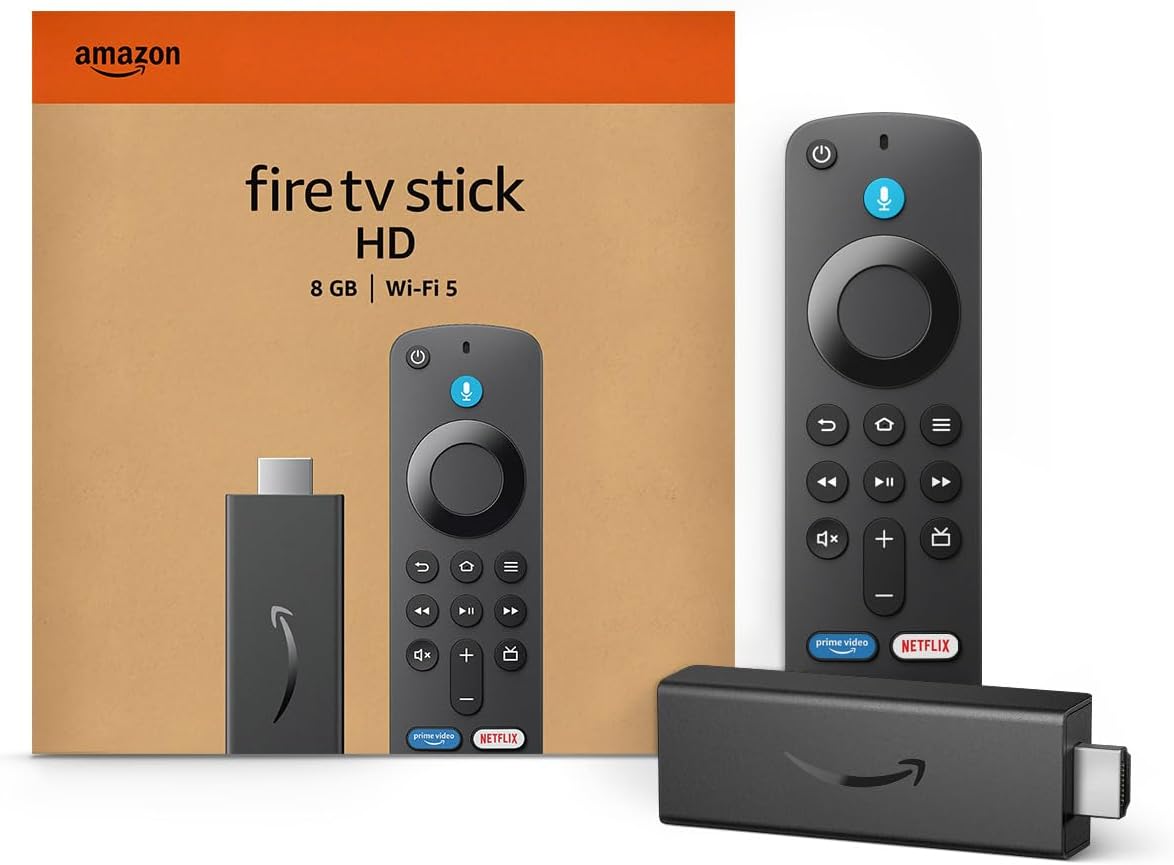
Amazon Fire TV Stick HD
Turn Any TV to a Smart TV. Stream Netflix, Prime Video & More. Alexa Voice Remote Included. Easy Plug & Play Setup.
Shop on Amazon
Picture Quality and Motion Performance
You want clear, bright images and smooth motion when watching sports. This section explains how panel tech, color and HDR, refresh rates, and dimming affect fast action and scoreboard clarity.
Panel Technologies (QLED, ULED, OLED, Mini-LED)
Different panel types change brightness, black levels, and motion clarity. OLED panels give perfect blacks and wide viewing angles because each pixel emits its own light.
That helps contrast and detail in stadium shadows, but OLEDs can be less bright than LED-based sets for sunlit rooms. QLED and ULED use quantum dot layers to boost color volume and peak brightness.
That makes highlights like stadium lights and jerseys pop. Hisense often uses ULED or Quantum Dot in midrange models for strong color at a lower price.
Samsung pushes QLED across many models for higher sustained brightness and color saturation. Mini-LED combines many tiny backlight zones with full-array local dimming to raise contrast and peak HDR brightness.
That helps HDR highlights and reduces bloom around bright objects. For fast sports, choose a panel with low response time and a high native contrast ratio to keep motion crisp and readable.
Color Accuracy and HDR Support
Color accuracy affects how natural skin tones and team colors look on screen. Look for TVs with a wide color gamut and good factory calibration.
Hisense models often score well for SDR and HDR tuning at their price, while Samsung models tend to keep consistent color across the range due to stricter quality control. HDR formats matter for broadcast and streaming.
TVs should support HDR10 as a baseline. Many Samsung sets support HDR10+ while some Hisense models support Dolby Vision or HDR10+.
Dolby Vision HDR provides scene-by-scene tone mapping on compatible content, which can preserve highlight detail on goal-line replays or slow-motion closeups. Peak brightness and color volume are crucial for vibrant HDR.
Higher peak nits make catchlights and scoreboard contrast easier to read in bright rooms. Also check EOTF tracking or calibration reviews if you want accurate HDR tone mapping rather than exaggerated highlights.
Refresh Rate and Motion Handling
Refresh rate and response time determine how smooth fast pans and puck movement look. A native 120Hz panel reduces judder compared with 60Hz, and many modern TVs in both brands offer 120Hz for mid to high tiers.
High refresh rates help you follow fast players and camera pans without blur. Variable Refresh Rate (VRR) mainly helps gaming, but it can reduce judder in variable-frame-rate streams too.
Lower response time and effective motion interpolation reduce blur and ghosting during quick action. Samsung often tunes motion processing aggressively, which reduces smear but can create the “soap opera” effect; you can usually turn that off.
Pay attention to measured input lag if you also game on the TV. For sports-only use, focus on motion clarity metrics like 240Hz scanning backlight or black frame insertion when available.
Those features cut perceived motion blur on fast camera moves.
Viewing Angles and Local Dimming
Viewing angles affect how colors and contrast hold up when you sit off-center. OLED panels keep color and contrast consistent across wide angles, so multiple viewers get similar picture quality during a match.
VA-based LED panels used by many Hisense and Samsung models can darken and lose color off-axis. Local dimming divides the backlight into zones to deepen blacks and lift contrast.
More zones and better algorithms reduce haloing around bright objects, which keeps scoreboards and on-screen graphics readable. Mini-LED and full-array local dimming with many zones perform best for high contrast and minimal bloom.
Beware of aggressive local dimming that crushes shadow detail; good sets balance dimming with detail preservation. In bright rooms, prioritize peak brightness and anti-reflective screens over aggressive dimming, since sunlight affects visibility more than zone count.
Smart Features and User Experience
Expect a fast menu, broad app choices, and multiple voice options that affect how you find games, replays, and live streams. Pay attention to which platform your TV uses because it changes app variety, update pace, and how well the TV links to other smart devices.
Operating Systems (Tizen, VIDAA, Roku, Google TV, Android TV)
Tizen OS on Samsung delivers a polished, consistent interface across models. Menus respond quickly, and Samsung pushes regular updates.
You get built-in features like picture presets and game-focused settings without extra setup. Hisense mostly ships VIDAA U on its own models.
VIDAA keeps the interface simple and puts major streaming apps on the home row. It loads fast but can lack some niche apps and advanced customization that Tizen offers.
Some Hisense models use Roku TV or Android TV/Google TV instead of VIDAA. Roku gives the easiest setup and the widest, most stable app library for casual users.
Google TV and Android TV give deeper app selection and better integration with Chromecast and the Google ecosystem. If app breadth and a refined menu matter, Samsung’s Tizen tends to win.
If you want simplicity or a low cost with solid core apps, VIDAA or Roku on Hisense can make more sense.
Streaming Services and App Ecosystem
Samsung’s Tizen typically carries the largest range of streaming apps, including Netflix, YouTube, Disney+, Prime Video, and many regional services. You’ll see more niche or changing apps arrive sooner on Tizen models.
VIDAA U focuses on the main streaming services—Netflix, YouTube, and Prime Video—so you get everything most viewers need. Check the specific Hisense model if you rely on smaller or local apps; some lower-cost VIDAA models skip niche titles.
Hisense models that use Roku TV or Google TV/Android TV expand app access. Roku offers a stable, extensive app library with easy search.
Google TV brings tighter integration with your Android phone and Google Play apps. Match the TV’s OS to the streaming services you use most.
Voice Assistants and Smart Home Integration
Samsung supports Bixby plus optional Amazon Alexa and Google Assistant on many models. If you own Samsung phones or appliances, the TV ties into SmartThings for lights, cameras, and routines.
That gives you a single hub for compatible smart home devices. Hisense supports Alexa and Google Assistant on many newer models and may include far-field mics on select sets.
VIDAA has simple voice shortcuts, but the depth of integration depends on the model and OS chosen (VIDAA vs Roku vs Google TV). If you use voice to change channels, pull up replays, or control smart lights, confirm which assistant and smart-home platform each TV supports.
Compatibility with Alexa or Google Home matters more than brand name when building a multi-device setup.
Sound Quality and Gaming Performance
You want sound that helps you follow play-by-play and a TV that keeps controls feeling instant. This section shows what each brand offers for audio tech, input lag, and the HDMI features that matter for modern consoles.
Immersive Audio Technologies
Samsung models often include Dolby Atmos, Object Tracking Sound, and Q‑Symphony. Dolby Atmos gives height cues and clearer crowd noise when supported by apps or a soundbar.
Object Tracking Sound moves audio across the panel to match on-screen action, which helps you hear ball movement or a player running across the field. Q‑Symphony lets compatible Samsung soundbars work with the TV speakers to widen the soundstage.
Hisense typically uses dbx‑tv processing and DTS
Higher-end Hisense sets also offer virtual height effects to widen the field, which can make commentary and stadium ambience feel larger. If you rely on the TV’s built-in speakers, check measured bass extension and dialogue clarity for the exact model.
If you plan to add a soundbar, confirm support for Dolby Atmos passthrough and eARC. That keeps multi‑channel audio intact and lowers lip‑sync issues.
For live sports, prioritize clear midrange and low audio latency more than extreme surround effects.
Low Input Lag and Response Time
Low input lag matters for fast reflexes and smooth controller feel. Samsung’s mid and high‑end QLED and OLED models often measure under 10 ms in Game Mode at 60Hz.
That keeps player movements and button presses aligned with on‑screen action. Samsung also tends to maintain low lag at 120Hz on models with full 4K@120Hz support.
Hisense has many models that hit low lag as well, especially in their U‑series and gaming‑focused lines. Some Hisense sets trade slightly slower pixel response for stronger motion processing like black frame insertion.
That can reduce perceived blur, but might introduce flicker for sensitive viewers. Look for reviewed measurements of input lag at the refresh rate you plan to use (60Hz vs 120Hz).
Also check response time or gray‑to‑gray numbers to judge motion blur. If you play competitive online sports titles or fast arcade games, pick the TV with the lowest measured lag at 120Hz for the smoothest experience.
HDMI 2.1 and Advanced Gaming Features
HDMI 2.1 enables 4K@120Hz, VRR, ALLM, and eARC — features that affect game smoothness and audio routing. Samsung often implements HDMI 2.1 on select ports and pairs it with stable VRR and ALLM.
Confirm which ports carry full bandwidth on the exact Samsung model you choose. Hisense has put full‑bandwidth HDMI 2.1 ports on several value models, giving you more chances to run a console at 4K@120Hz without swapping cables.
Hisense also advertises FreeSync/VRR support on gaming models, which helps reduce tearing during variable frame rates common in cloud gaming or next‑gen consoles. Verify firmware maturity: some TVs ship with hardware ready but need updates to unlock 120Hz HDR or VRR with HDR.
Check that Game Mode works at 120Hz and that eARC passes Dolby Atmos if you plan to use an external sound system.
Design, Build Quality, and Value
You’ll see clear differences in how each brand looks, what materials they use, and what you get for the price. Focus on bezel width, frame options, and how those choices fit into your room and budget.
Aesthetic Design and Slim Bezels
Samsung often uses ultra-slim bezels and metal accents on higher-end models. This gives a near-edge-to-edge picture that looks cleaner in living rooms and sports bars.
If you like a minimalist setup, Samsung’s Frame and QLED lines offer thinner profiles and optional decorative bezels you can swap. Hisense trims bezels on mid-to-premium models too, but many budget models keep thicker plastic edges.
That difference matters if you mount the TV or place it near other media gear. For watching sports, slimmer bezels help you focus on the action and make multi-screen setups look more cohesive.
Build Materials and Durability
You should expect better materials from Samsung in general. Premium Samsung sets use metal stands, reinforced backs, and refined cable-management ports that stand up to daily use.
These features show up in TVs bought and tested across long-term reviews as signs of lasting build quality. Hisense uses plastic more often, especially in budget models, though its higher-end ULED and Canvas lines add sturdier components.
Durability varies by model; check warranty terms and third-party tests before you buy. If you handle the set often or move it between rooms, pick one with a solid mount pattern and a robust frame.
Price, Value for Money, and Overall Verdict
Samsung commands a premium price for advanced technology, refined finishes, and stronger long-term reliability. You pay more for better materials, sleeker design, and ecosystem features that tie into smart-home setups and high-end soundbars.
Hisense targets value for money. For the price, you often get features like mini-LED backlighting, Dolby Vision, or high refresh rates that rival pricier Samsung models.
If you want the best TVs for watching sports on a budget, Hisense gives strong picture and features per dollar. If design and long-term build quality are top priorities, Samsung justifies its higher cost.
Read More:
- Hisense vs Samsung (Which TV Has Better Smart Features)
- Is Samsung TV Better Than Hisense? In-Depth Brand Comparison
- Hisense vs Samsung (Which is the Best TV for Gaming)