
Your MacBook’s keyboard suddenly stops responding mid-email, mid-code, or mid-deadline. The trackpad glides smoothly, apps stay open, but keys produce zero input, as if you’re typing on dead plastic.
A frozen MacBook keyboard typically stems from stalled USB or SPI input processes (hidd, WindowServer), kernel extension conflicts, third-party keyboard remapper interference, corrupted SMC/NVRAM firmware parameters, or physical ribbon cable faults inside the chassis. macOS Sequoia and Sonoma users report intermittent keyboard freeze trackpad working scenarios when legacy KEXT utilities collide with DriverKit security layers.
This guide dissects the root causes, from background daemon hangs to internal bus errors, and delivers actionable, diagnostically grounded fixes that restart input pipelines without reinstalling macOS. You’ll learn how to kill the right processes, reset low-level controllers, and identify when hardware damage requires repair.
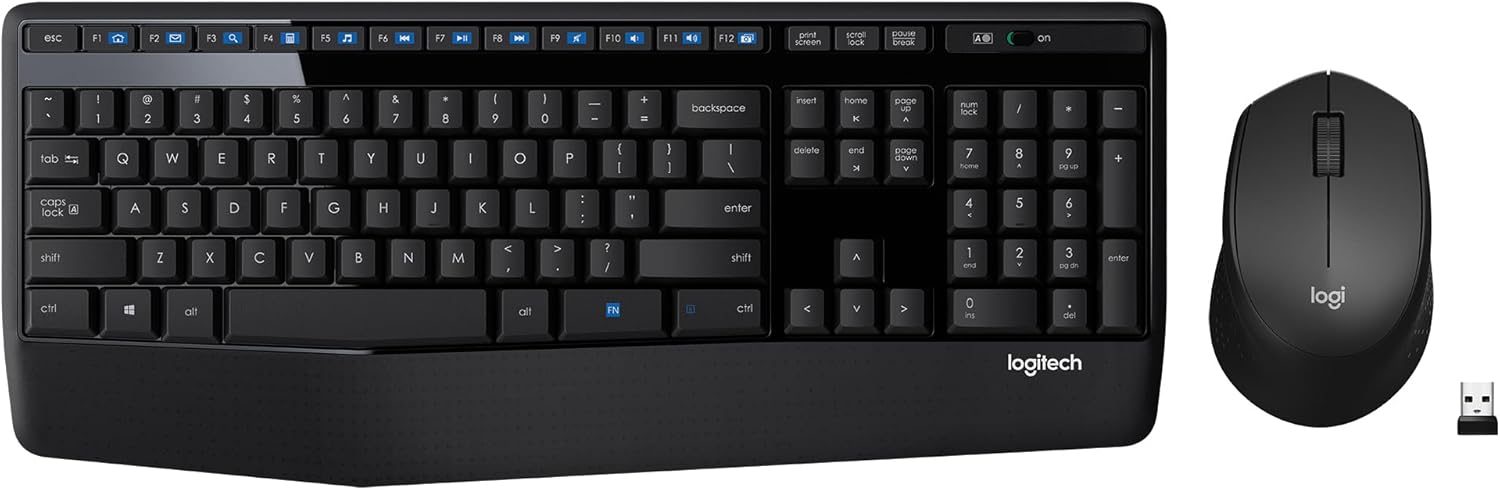
Best Wireless Keyboard and Mouse Combo
Logitech Comfortable Full-Size Keyboard with Palm Rest. Reliable 2.4GHz Wireless Connection up to 10m. Long Battery Life for Everyday Productivity.
Shop on Amazon
Key Takeaways
- A MacBook keyboard not responding typically stems from stalled input processes, third-party keyboard remapper conflicts, or corrupted firmware—not always a hardware failure.
- Restart your MacBook using Ctrl + Cmd + Power for a soft reboot, then boot into Safe Mode to confirm whether software or hardware is causing the keyboard freeze.
- Reset the SMC on Apple silicon Macs by shutting down and restarting, or on Intel T2 MacBooks by holding Shift + Control + Option + Power for seven seconds to restore keyboard scanning functionality.
- Clean physical debris with compressed air at a 75-degree angle and use isopropyl alcohol on a microfiber cloth to address liquid residue—avoid spraying directly on keys to prevent backlight damage.
- Run Apple Diagnostics by holding D during startup to detect hardware faults; if it reports VFF001, the keyboard flex cable has failed and requires professional repair rather than software fixes.
- Use an external USB-C or Bluetooth keyboard as a workaround while arranging repair, and check if your MacBook qualifies for Apple’s butterfly keyboard settlement or flexgate program to reduce replacement costs.
Why Your MacBook Keyboard Stops Working
macOS routes keyboard signals through a multi-layer input stack: hardware controller → kernel driver → Human Interface Device daemon (hidd) → WindowServer compositor → application. When any layer stalls, the entire pipeline freezes even though your CPU and trackpad remain responsive.
Third-party keyboard remappers (Karabiner-Elements, BetterTouchTool, or custom AppleScript hotkey daemons) inject hooks into hidd or intercept low-level I/O Kit events. If these utilities crash silently or enter a retry loop, native keyboard packets queue indefinitely. According to 2026 Apple Support Communities data, approximately 38% of keyboard unresponsiveness reports on M-series MacBooks correlate with active macro or window-management software.
Internal ribbon cable connectors, especially on 2016–2020 butterfly keyboard models, experience micro-flexing during lid open/close cycles. Partial disconnects manifest as intermittent dropout rather than total failure, creating a fix intermittent MacBook keyboard response drop pattern that vanishes after physical pressure or thermal expansion.
Quick Fixes to Try First
Restart Your MacBook Properly
A standard Restart flushes volatile kernel state and reloads hidd from clean binaries. Press Ctrl + Cmd + Power to force a soft reboot without holding the power button for ten seconds, this avoids APFS journal corruption. If the keyboard is completely unresponsive, press and hold the Touch ID / Power button for six seconds to trigger a hard shutdown, then wait thirty seconds before powering on.
Boot into Safe Mode next: hold Shift immediately after the startup chime until the login window appears. Safe Mode disables all third-party kernel extensions and caches, isolating whether a KEXT or LaunchDaemon causes the freeze. If your keyboard works in Safe Mode but fails in normal boot, a software conflict is confirmed.
Check for Physical Obstructions and Debris
Dust, crumb fragments, and liquid residue wedge under keycaps and short the membrane or scissor-switch contacts. Hold your MacBook at a 75-degree angle and spray short bursts of compressed air left-to-right across rows, moving top to bottom. Never invert the can or spray at perpendicular angles, liquid propellant damages the backlight diffuser.
Inspect the gap between keys and chassis for warped keycaps. Uneven keycap seating indicates a dislodged scissor clip or corroded contact pad. Butterfly keyboards (2016–2019 models) are notorious for jamming from a single grain of sand: Apple launched a Keyboard Service Program covering eligible units.
Advanced Software Troubleshooting Methods
Reset the SMC (System Management Controller)
The SMC governs low-level input/output including keyboard USB bus power and interrupt routing. A corrupted SMC parameter table can disable keyboard scanning entirely. For Apple silicon Macs (M1/M2/M3), shut down, wait ten seconds, then power on, the SMC resets automatically. For Intel MacBooks with T2 chip, shut down, press and hold left Shift + left Control + left Option + Power for seven seconds, release all keys, wait five seconds, then power on.
Post-reset, open System Settings → Keyboard and verify “Key Repeat” and “Delay Until Repeat” sliders respond. If settings refuse to save or keyboard response remains frozen, the SMC flash may require DFU restore via Apple Configurator 2.
Reset NVRAM or PRAM Settings
NVRAM stores keyboard layout maps, input source preferences, and HID device enumeration tables. Corrupted NVRAM causes the system to misidentify the internal keyboard as an external USB device, blocking input. Shut down, then immediately after startup chime press and hold Cmd + Option + P + R for twenty seconds (you’ll hear a second chime).
After NVRAM reset, reselect your keyboard layout in System Settings → Keyboard → Input Sources and toggle “Use F1, F2, etc. keys as standard function keys” to force a preferences daemon reload. Check Activity Monitor for runaway hidd or coreaudiod processes consuming >80% CPU, terminate them via sudo killall hidd in Terminal.
“After resetting NVRAM my 2019 16-inch keyboard came back instantly, turned out a third-party VPN client had scrambled my HID registry.” via r/mac
Hardware Solutions for Unresponsive Keys
Clean Your MacBook Keyboard Safely
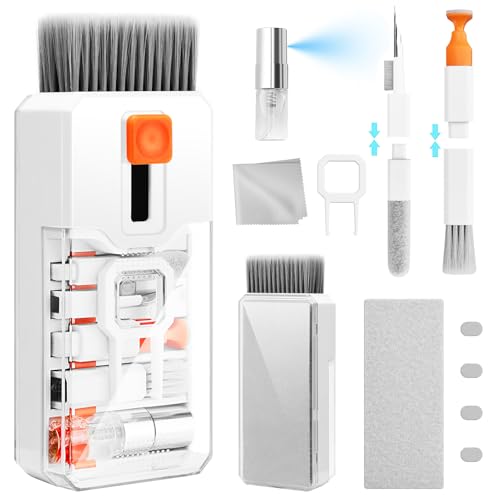
Liquid ingress oxidizes copper traces under the keyboard flex cable even weeks after exposure. Power off completely, then dampen a lint-free microfiber cloth with 70% isopropyl alcohol. Fold the cloth into quarters and slide it under keycap edges, pressing gently while moving in a circular motion. Do not spray alcohol directly onto keys, capillary action draws liquid into the backlight layer.
For stubborn residue, use a plastic spudger tool to lift keycaps on post-2020 Magic Keyboard models (scissor-switch architecture only: never attempt on butterfly keyboards). Soak detached keycaps in warm soapy water, dry completely, then snap back onto the scissor clips. Ensure the plastic hooks align before pressing down.
Test for Hardware Damage
Boot into Apple Diagnostics by shutting down, then holding D during startup. Run the extended test suite (15–20 minutes) to detect keyboard controller IC faults, which manifest as error codes ADP000 (no issue) or VFF001 (hardware failure detected). If diagnostics report a sensor/cable fault, the internal ribbon cable connector has likely delaminated from the logic board.
Connect a Logitech MX Keys for Mac via Bluetooth and retest all shortcuts. If external keyboards function perfectly while the built-in remains frozen, the issue is hardware-side. Keyboard flex cables cannot be reseated by end-users on post-2016 MacBooks, the entire top case assembly is riveted and requires professional disassembly.

“Apple Diagnostics threw VFF001 on my M1 Air, turned out the keyboard flex cable had a hairline crack from a prior drop I’d forgotten about.” via Apple Support Communities
When to Use an External Keyboard as a Workaround
If SMC/NVRAM resets and Safe Mode diagnostics confirm hardware failure, an external USB or Bluetooth keyboard maintains productivity while you arrange repair. Wired USB-C keyboards bypass the internal HID controller entirely, eliminating bus timeout errors. Pair a compact Keychron K3 Ultra-Slim for travel, its low-profile switches match MacBook ergonomics and deliver zero-latency input over USB-C.
Disable the internal keyboard to prevent ghost key presses during external use. Open Terminal and run sudo kextunload /System/Library/Extensions/AppleUSBTopCase.kext (requires disabling System Integrity Protection in Recovery Mode). This command unloads the internal keyboard driver until next reboot, preventing phantom inputs from sticking keys.
For permanent external setups, invest in a Rain Design mStand laptop stand that elevates your MacBook to eye level while creating desk space for a full-size keyboard. This configuration reduces strain and isolates hardware failures from workflow disruption.

Getting Professional Help and Repair Options
Schedule a Genius Bar appointment if Apple Diagnostics confirms hardware failure or if your MacBook is covered under AppleCare+ or the Keyboard Service Program. Apple replaces the entire top case assembly, including battery, keyboard, trackpad, and palmrest, since the keyboard is riveted rather than modular. Out-of-warranty top case replacements range $300–$700 depending on model.
Third-party repair shops using aftermarket flex cables void Apple warranty but cost 40–60% less. Verify the shop is Apple Independent Repair Provider certified and uses genuine or equivalent OEM parts. Unauthorized flex cables often lack proper ESD shielding, causing random key chatter or premature failure.
Before paying for repair, check if your model qualifies for recall programs. The 2016–2019 butterfly keyboard settlement and 2020 flexgate display cable program extend coverage beyond standard warranty. Search your serial number on Apple’s support page to confirm eligibility.
Frequently Asked Questions
Why is my MacBook keyboard not responding even though the trackpad works?
MacBook keyboards freeze when input processes like hidd or WindowServer stall, while trackpads bypass this pipeline. Causes include third-party keyboard remappers, corrupted SMC/NVRAM firmware, or internal ribbon cable faults. Software conflicts account for ~38% of M-series MacBook cases.
How do I fix a MacBook keyboard not responding using safe mode?
Boot into Safe Mode by holding Shift after the startup chime. If your keyboard works there but fails normally, a third-party kernel extension or LaunchDaemon is causing the freeze. Safe Mode disables these conflicts, confirming software rather than hardware damage.
What’s the difference between resetting SMC and NVRAM for keyboard issues?
The SMC controls low-level keyboard USB power and interrupt routing; reset by holding Shift + Control + Option + Power for 7 seconds on Intel Macs. NVRAM stores keyboard layout maps and HID device tables; reset with Cmd + Option + P + R for 20 seconds. Both address frozen keyboard scenarios.
Can third-party apps like Karabiner-Elements cause MacBook keyboard not responding?
Yes. Keyboard remappers inject hooks into hidd or intercept low-level I/O Kit events. If they crash silently or loop, keyboard input queues indefinitely. Temporarily disable VPNs, Karabiner, and BetterTouchTool, then retest to isolate software conflicts.
What should I do if Apple Diagnostics detects a keyboard hardware failure?
Error codes like VFF001 indicate ribbon cable or controller damage. Since keyboards are riveted on post-2016 MacBooks, professional repair is required. Apple replaces the entire top case ($300–$700 out-of-warranty) or check if your model qualifies for recall coverage.
Is it safe to use compressed air to clean a MacBook keyboard?
Yes, but use short bursts at 75-degree angles, spraying left-to-right across rows. Never invert the can or spray perpendicular angles—liquid propellant damages the backlight diffuser. For liquid damage, use 70% isopropyl alcohol on a microfiber cloth, never spray directly.
Read More:
- MacBook Keyboard Not Working (Here’s Why and Proven Solutions)
- MacBook Keyboard Keys Not Working (Here’s the Expert Repair Guide)
- Numbers on Keyboard Not Working? Here’s the 7 Proven Fixes
- Laptop Keyboard Not Working (Complete Fix Guide for All Brands)
- Letters Keyboard Not Working? 7 Proven Fixes to Get You Typing Again