
Last updated on April 5th, 2026 at 09:27 pm
Your TCL TV’s audio is working perfectly, but the screen has gone completely black. This frustrating issue can stem from multiple causes, ranging from simple power problems to more complex hardware failures.
Most TCL TVs experiencing black screen with sound issues are caused by power supply problems, faulty backlight systems, loose cable connections, or corrupted software. The fix typically involves power cycling, checking connections, adjusting display settings, or performing a factory reset.
Causes TCL TV Black Screen with Sound
- Power supply issues represent the most common culprit behind black screen problems. When your TV receives insufficient power or experiences voltage fluctuations, the display panel may fail to illuminate while audio components continue functioning normally. This creates the characteristic symptom of sound without picture.
- Backlight failure ranks as another primary cause, particularly in LED TVs. Your TCL TV uses LED strips to illuminate the LCD panel, and when these fail, you’ll hear sound but see no image. Sometimes you can detect a faint picture by shining a flashlight on the screen, confirming backlight failure.
- Additionally, loose or damaged cables frequently cause display issues while leaving audio unaffected. HDMI connections, power cables, and internal ribbon cables can become disconnected due to temperature changes, physical movement, or manufacturing defects. Even a slightly loose connection can prevent video signals from reaching the display panel.
- Software corruption can also trigger black screen problems. Firmware glitches, failed updates, or corrupted system files may cause the display driver to malfunction while audio processing remains functional. This typically occurs after system updates or power outages during critical operations.
Initial Troubleshooting Steps
- First, start with a complete power cycle of your TCL TV. Unplug the power cord from both the wall outlet and the TV for at least 60 seconds. This allows capacitors to fully discharge and resets internal components. While unplugged, press and hold the power button on the TV for 30 seconds to drain residual power.
- Then, check all cable connections systematically. Ensure your HDMI cable is securely connected to both your TV and source device. Try different HDMI ports on your TV, as individual ports can fail while others remain functional. Replace your HDMI cable with a known working one to eliminate cable defects.
- Finally, test with multiple input sources to isolate the problem. Switch between cable/satellite, streaming devices, gaming consoles, and built-in smart TV apps. If only one source shows a black screen, the issue lies with that specific device or connection rather than your TV’s display system.
Power cycling solves approximately 40% of black screen issues in modern smart TVs. – Electronics Repair Association
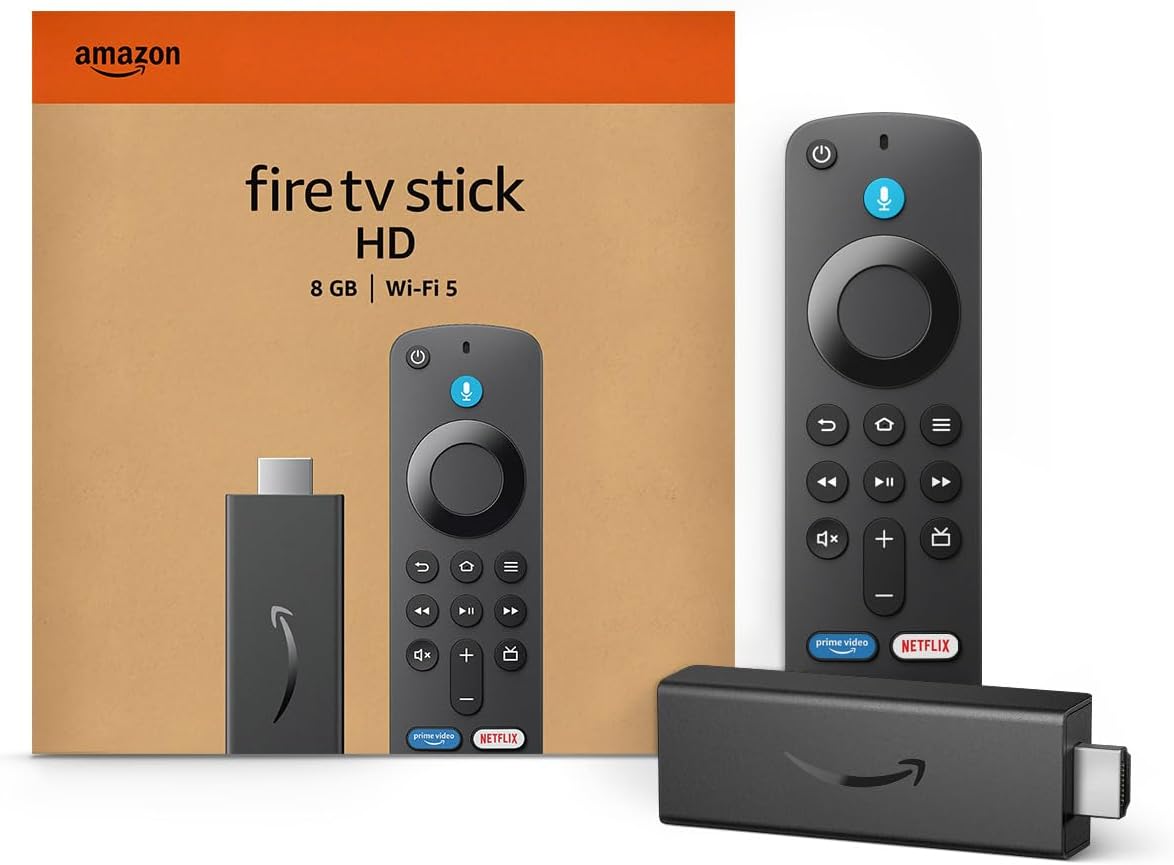
Amazon Fire TV Stick HD
Turn Any TV to a Smart TV. Stream Netflix, Prime Video & More. Alexa Voice Remote Included. Easy Plug & Play Setup.
Shop on Amazon
Advanced Display Settings
- Access your TV’s display settings using the remote control, even with a black screen. Navigate to Settings > Display or Picture Settings and check brightness, contrast, and backlight levels. Sometimes these settings accidentally get minimized, creating an apparently black screen while audio continues playing.
- Disable power-saving modes that might be causing display issues. Many TCL TVs include eco-mode settings that can malfunction and turn off the backlight while keeping other systems active. Look for options like “Energy Saving,” “Eco Mode,” or “Power Management” in your settings menu and disable them temporarily.
- Reset picture settings to factory defaults through the settings menu. This eliminates any display configurations that might be causing conflicts. Navigate to Settings > Picture > Reset Picture Settings or look for a “Restore Default” option within the display menu.
- Adjust HDMI signal settings if you’re using external devices. Some TCL TVs struggle with specific HDMI signal formats or refresh rates. Try changing your source device’s output resolution or switching between different HDMI modes in your TV’s settings.
Software and Factory Reset
- Perform a soft reset before attempting more drastic measures. Hold down the power button on your TV remote for 10-15 seconds while the TV is turned on. This forces a system restart without losing your settings and often resolves temporary software glitches causing display problems.
- Update your TV’s firmware if you can access the settings menu. Navigate to Settings > System > Software Update and check for available updates. Outdated firmware can cause compatibility issues with display drivers, resulting in black screen symptoms while maintaining audio functionality.
- Execute a complete factory reset as a last software solution. This process varies by TCL model, but typically involves holding specific button combinations on the TV itself or accessing reset options through the settings menu. Note that this will erase all your customized settings and installed apps.
- Locate the reset button on your TV (usually hidden behind the TCL logo)
- With the TV turned on, press and hold the reset button for 15-20 seconds
- Release the button and wait for the TV to restart automatically
- Follow on-screen setup instructions to reconfigure your TV
Should software glitches persist even after a reset, you can bypass the internal TCL OS entirely by using an Amazon Fire TV Stick 4K Max, which offers better stability and prevents buggy system updates from triggering future black screen issues.

Factory resets resolve software-related black screen issues in approximately 60% of cases. – Consumer Electronics Support Study
Hardware Diagnosis and Backlight Testing
- Perform the flashlight test to determine if your backlight system has failed. In a dark room, turn on your TV and shine a bright flashlight at an angle across the screen. If you can see faint images, menus, or text, your backlight has failed while the LCD panel remains functional.
- Listen for unusual sounds during startup that might indicate hardware problems. Clicking, buzzing, or high-pitched whining sounds often signal power supply or backlight driver issues. Normal operation should produce minimal noise beyond typical fan operation in larger models.
- Check for physical damage around the screen edges and back panel. Cracks, impact damage, or bent areas can indicate internal component damage that might affect display functionality while leaving audio systems intact. Even minor physical stress can disconnect internal cables.
- Inspect the power cord and adapter thoroughly for damage, kinks, or loose connections. A partially damaged power cord might provide sufficient power for audio processing but insufficient current for the power-hungry display backlighting system.

Professional Repair
Before committing to professional service, you might want to estimate repair costs. TCL TV repairs typically range from $100-400 depending on the specific problem and model size. Power supply replacements usually cost $80-150, while backlight repairs can reach $200-350 for larger models.
Additionally, you need to consider warranty coverage if your TV is relatively new. TCL provides a standard one-year warranty on most models, with some premium series including extended coverage. Warranty repairs address manufacturing defects at no cost, making professional diagnosis worthwhile for newer units.
If repair costs exceed 50% of your TV’s current value, replacement often provides better long-term value. Factor in the age of your unit, available features in newer models, and energy efficiency improvements.
Finally, you need to find qualified repair technicians through TCL’s authorized service network or local electronics repair shops with TV experience. Avoid general computer repair services that lack specialized TV diagnostic equipment and replacement parts access.
Video Credit: Tech Tests & Troubleshooting / YouTube
Frequently Asked Questions
Why does my TCL TV have sound but no picture suddenly?
This commonly occurs due to power supply fluctuations, backlight failure, or loose internal connections. The audio processing circuits require less power than display systems, allowing sound to continue while video fails. Start with power cycling and cable checks before considering hardware repairs.
Can I fix a TCL TV black screen myself?
Many black screen issues resolve through software solutions like power cycling, factory resets, or settings adjustments that you can perform safely. However, hardware problems involving power supplies or backlight systems require professional repair due to high-voltage components and specialized tools.
How much does it cost to repair a TCL TV black screen?
Repair costs typically range from $100-400 depending on the specific cause and TV size. Simple software fixes cost nothing, while power supply replacements average $80-150 and backlight repairs can reach $200-350. Get multiple quotes before proceeding with expensive repairs on older units.
Is a black screen with sound covered under TCL warranty?
Yes, display malfunctions including black screen issues are typically covered under TCL’s standard warranty if they result from manufacturing defects. However, damage from power surges, physical impact, or normal wear may not qualify for warranty coverage.
Should I attempt to open my TCL TV to fix the black screen?
Never open your TCL TV unless you have proper training and equipment. TVs contain high-voltage components that remain dangerous even when unplugged. Additionally, opening your TV typically voids warranty coverage and can cause additional damage requiring more expensive repairs.
Sources:
- TCL Support – No Video Troubleshooting
- iFixit – Black Screen Troubleshooting
- Consumer Electronics Repair Cost Guide
Read More:
- TCL TV Internet Connection Issues (Complete Troubleshooting Guide)
- TCL TV Keeps Going to Home Screen (Complete Troubleshooting Guide)
- TCL TV Just Loading (Get Your TV Working Again Now)