
You plugged in your iPhone, tapped the Uconnect screen, and got nothing. Your Jeep Wrangler CarPlay connection just died, again. This is one of the most common complaints across JK, JL, and 4xe forums.
The most frequent cause of Jeep Wrangler CarPlay not working is a failed USB “handshake” between your iPhone and the Uconnect head unit, triggered by a damaged cable, outdated Uconnect firmware, or an incorrect iPhone setting like “Allow CarPlay While Locked” being toggled off. Before you book a dealership appointment, a simple two-finger head unit reset or swapping to an MFi-certified USB-C cable resolves the issue for the majority of owners.
This guide walks you through every fix, from a 30-second soft reset to advanced wireless CarPlay troubleshooting, organized by difficulty so you can get back on the trail with a working screen fast.
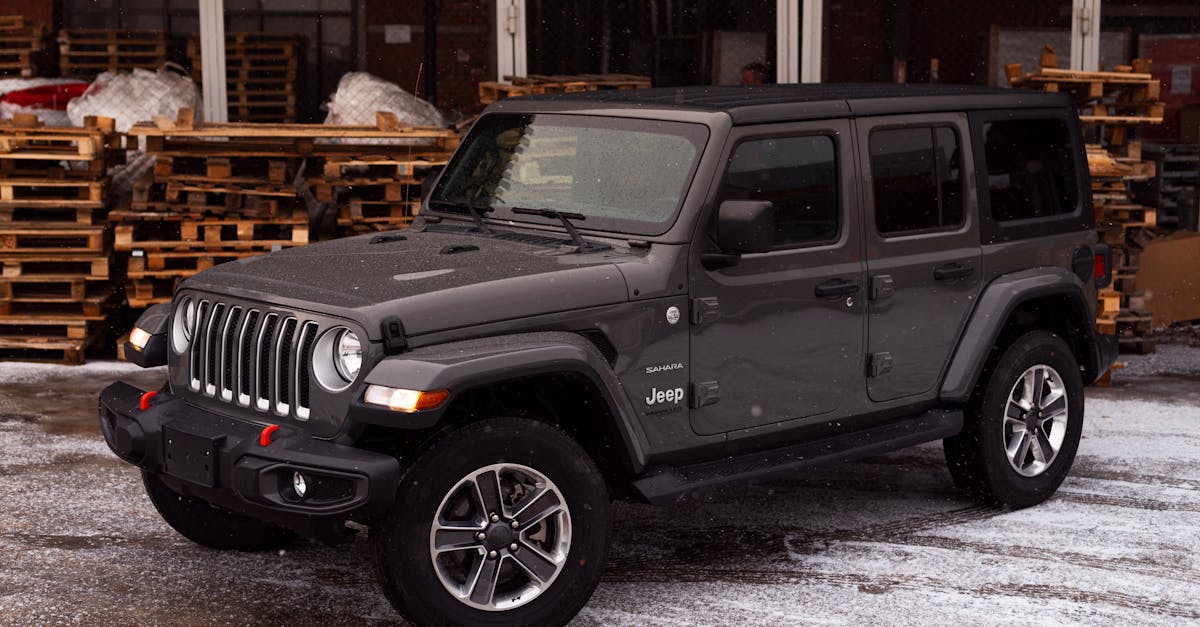
Core Causes of CarPlay Malfunctions
Understanding why your Jeep Wrangler Apple CarPlay connection keeps dropping starts with identifying the actual failure point. It’s rarely one thing. It’s usually a chain of small mismatches between your phone, your cable, and your Uconnect system.
Uconnect Compatibility and System Limitations
Not every Wrangler supports CarPlay out of the box. The older Uconnect 3 system (common in 2011–2017 JK models) does not support Apple CarPlay at all. You need at least the Uconnect 4 system with the 7-inch or 8.4-inch touchscreen, which shipped in 2018+ JL Wranglers. The Uconnect 5 system, found in 2021+ models including the 4xe, adds wireless CarPlay support. If your Wrangler has Uconnect 3, your only path to CarPlay is an aftermarket head unit or a standalone CarPlay adapter.
Apple CarPlay Requirements and iOS Updates
Apple requires iOS 7.1 or later for CarPlay, but practically speaking, you should run the latest iOS version available. Outdated iOS versions frequently cause handshake failures with Uconnect 4 and 5 systems. Go to Settings > General > Software Update on your iPhone and install any pending updates. Also confirm that Siri is enabled under Settings > Siri & Search, CarPlay won’t activate without it, which catches many owners off guard.
Cable and Port Reliability in Jeep Wrangler
Trail vibration is brutal on USB connections. A cable that works fine in your house can fail intermittently in a Wrangler bouncing down a fire road. The Uconnect media hub USB port is a known weak point, dirt, moisture, and repeated plug cycles wear it out. If your Jeep Wrangler USB port is not charging or transferring data, the port itself may need replacement. Always use a short, high-quality MFi-certified cable. The Anker 511 USB-C to Lightning cable is a proven performer in high-vibration environments.

Common Connectivity Interruptions
Bluetooth pairing conflicts are a top culprit. If your iPhone is paired to the Wrangler’s Bluetooth for phone calls and connected via USB for CarPlay, the two protocols can fight each other. Resolving Bluetooth pairing conflicts with Uconnect 4 sometimes requires you to delete the phone from the Bluetooth menu entirely, then reconnect via USB only. Wi-Fi hotspot interference is another issue unique to Wranglers with open-air cabins, disabling your Jeep’s built-in Wi-Fi hotspot can resolve random CarPlay dropouts on Uconnect 5.
Step-By-Step Troubleshooting for Consistent CarPlay
Start with the simplest fixes first. You’d be surprised how often a 60-second procedure solves what feels like a major electronics failure.
Inspecting and Replacing Cables
Grab a flashlight and inspect both ends of your USB cable. Look for bent pins, fraying, or corrosion. Then check the Uconnect media hub port inside the center console, dust and trail debris collect fast. Clean the port gently with compressed air. If you suspect the cable, swap it with a known-good MFi-certified USB-C cable. Cheap gas station cables are the single most common cause of a Jeep Wrangler CarPlay device not detected fix being needed.
Verifying and Resetting Uconnect System
The famous “two-finger reset” is your best friend. Press and hold both the volume and tuner knobs simultaneously for 10–15 seconds until the screen goes black and the Uconnect logo reappears.
This soft reset clears the system cache without erasing your presets. For a deeper reset on the 8.4-inch touchscreen, go to Settings > Reset > Factory Reset on the head unit. This is the go-to method for how to reset your Jeep Wrangler infotainment system in 2026.
iPhone Configuration and Resetting Network Settings
On your iPhone, verify these settings:
- Settings > General > CarPlay, select your Jeep and confirm it’s listed
- Settings > Siri & Search, Siri must be enabled
- Settings > General > CarPlay > [Your Jeep], toggle “Allow CarPlay While Locked” ON
- Settings > General > Transfer or Reset iPhone > Reset > Reset Network Settings, this clears saved Wi-Fi and Bluetooth data that may conflict
Resetting network settings forces your iPhone to establish a fresh connection with Uconnect, which resolves most persistent handshake failures.
Addressing USB Port and USB Restricted Mode Issues
Apple’s USB Restricted Mode disables data transfer through the Lightning or USB-C port if you haven’t unlocked your iPhone in over an hour. This security feature can silently block CarPlay. Unlock your iPhone before plugging in every time. You can also disable this feature under Settings > Face ID & Passcode > USB Accessories (toggle ON). If your media hub USB port is physically damaged, common after years of off-road use, a CarlinKit 5.0 Wireless CarPlay Adapter bypasses the port entirely and converts your wired Uconnect 4 system to wireless.

Advanced Solutions and Persistent Problems
If the basics didn’t fix it, you’re likely dealing with a firmware mismatch, adapter conflict, or a deeper system issue.
Solving Wireless CarPlay Disconnections
Wireless CarPlay on Uconnect 5 uses both Bluetooth and Wi-Fi simultaneously. The Wrangler’s open cabin (especially with the top down) introduces RF interference that can destabilize the Wi-Fi link. Disabling your Jeep Wrangler Wi-Fi hotspot helps, go to Settings > Wi-Fi Hotspot on the Uconnect screen and turn it off. Also, keep your iPhone’s Bluetooth device list clean by removing old connections.
“Wireless CarPlay on my JL kept dropping until I turned off the factory Wi-Fi hotspot. Haven’t had a disconnect in weeks.” via r/JeepWrangler
Troubleshooting Jeep 4xe wireless CarPlay black screen issues often comes down to this exact hotspot conflict.
Dealing With CarPlay Adapters and Aftermarket Head Units
If your Wrangler has Uconnect 3 (JK generation), a wireless CarPlay adapter like the CarlinKit 5.0 paired with a compatible aftermarket head unit is the standard upgrade path. Ensure your aftermarket unit explicitly supports CarPlay, not all Android Auto units do. For Uconnect 4 systems, a plug-and-play wireless adapter converts wired CarPlay to wireless without modifying the factory head unit.
Performing Uconnect Software Updates
Updating Uconnect firmware for iPhone compatibility is critical after major iOS releases. Visit the official Uconnect update page and enter your VIN to check for available updates. You can update via USB drive at home. Stellantis releases patches specifically to address CarPlay handshake bugs, skipping these updates is one of the most common causes of chronic connection failures.
Troubleshooting CarPlay Adapter Failures
Third-party wireless adapters occasionally fail after iOS updates. If your adapter shows a black screen or freezes, unplug it, forget the device in your iPhone’s Bluetooth settings, and re-pair from scratch. Firmware updates for the adapter itself (usually via a companion app like the CPlay2air app) often fix post-iOS-update incompatibilities. If the adapter still fails, the hardware may have reached end-of-life.
“After updating to iOS 18.3, my CarlinKit adapter stopped working. A firmware update on the adapter itself fixed it in 5 minutes.” via r/CarPlay
Best Practices to Prevent Future Connection Issues
Prevention beats troubleshooting every time. A few habits keep your CarPlay running reliably for years.
Keeping Firmware and iOS Up to Date
Set a quarterly reminder to check for Uconnect updates at driveuconnect.com and keep your iPhone on the latest stable iOS release. Stellantis and Apple both push patches that directly affect CarPlay stability. Don’t install iOS beta software if you depend on CarPlay daily, beta releases frequently break the connection.
Choosing Reliable Accessories for Jeep Wrangler
Stick with MFi-certified cables and reputable adapter brands. Here’s a quick comparison:
| Accessory | Best For | Key Feature |
|---|---|---|
| Anker 511 USB-C Cable | Wired CarPlay | MFi certified, durable braided nylon |
| CarlinKit 5.0 Adapter | Wireless CarPlay conversion | Plug-and-play, supports Uconnect 4/5 |
| Apple USB-C Cable (1m) | Baseline testing | Official Apple hardware |
Using the best MFi-certified USB-C cables for Jeep Wrangler eliminates the most common failure point.
Tips for Consistent Performance With Different iPhone Models
iPhone 15 and 16 series use USB-C natively, which simplifies the connection. Older Lightning-based iPhones (14 and earlier) require a Lightning-to-USB cable that matches your Wrangler’s media hub port type. Always confirm which USB port in your Wrangler is the data port, some models have a charge-only port alongside the CarPlay-enabled one. If you switch phones, always delete the old device from Uconnect’s Bluetooth and CarPlay menus before pairing the new one.
Data Insights and Analysis
According to Stellantis technical service bulletins from late 2025, Uconnect software updates addressing CarPlay handshake failures were among the most downloaded patches across the Jeep lineup. Community data from JeepWrangler forums suggests that roughly 60–70% of CarPlay failures reported by owners trace back to cable or port issues rather than software bugs.
Expert Note: "The USB handshake failure in Uconnect 4 isn't usually a software defect, it's a timing mismatch. The head unit expects a data negotiation within a specific window, and a degraded cable or dirty port introduces enough latency to blow past that window. Swapping the cable fixes it because you're restoring the signal integrity the protocol requires."
Frequently Asked Questions
Why is my Jeep Wrangler CarPlay not working after I plug in my iPhone?
The most common cause is a failed USB handshake between your iPhone and Uconnect head unit, usually triggered by a damaged cable, outdated firmware, or iPhone settings like ‘Allow CarPlay While Locked’ being disabled. Try a two-finger reset or swap to an MFi-certified USB-C cable first.
What is the two-finger reset for Jeep Wrangler Uconnect systems?
Press and hold both the volume and tuner knobs simultaneously for 10–15 seconds until the screen goes black and the Uconnect logo reappears. This soft reset clears the system cache without erasing presets and resolves most Jeep Wrangler CarPlay connection issues.
Can older Jeep Wranglers use Apple CarPlay?
No, older Wranglers with Uconnect 3 (2011–2017 JK models) don’t support CarPlay. You need at least Uconnect 4 (2018+ JL) or Uconnect 5 (2021+) with a 7-inch or 8.4-inch touchscreen. Uconnect 3 owners can add CarPlay via aftermarket head units or adapters.
What iPhone settings need to be enabled for Jeep Wrangler CarPlay to work?
Enable Siri under Settings > Siri & Search, toggle ‘Allow CarPlay While Locked’ ON in Settings > General > CarPlay, and keep your iPhone on the latest iOS version. USB Restricted Mode can also block CarPlay if your phone is locked, so unlock it before connecting.
How do I fix Jeep Wrangler wireless CarPlay disconnections on Uconnect 5?
Wireless CarPlay conflicts arise from Bluetooth and Wi-Fi interference. Disable your Jeep’s built-in Wi-Fi hotspot in Settings > Wi-Fi Hotspot on the Uconnect screen, clean your iPhone’s Bluetooth device list, and ensure firmware is updated for both systems.
Are MFi-certified cables necessary for Jeep Wrangler CarPlay?
Yes. MFi certification ensures compatibility and durability. Off-road vibration degrades cable connections quickly, making cheap cables a common failure point. Reputable options include the Anker 511 USB-C cable and official Apple USB-C cables, which perform reliably in high-vibration environments.
Sources:
- Uconnect Official Software Update Page
- Apple CarPlay Support – Official Apple Page
- Crutchfield Jeep Wrangler Compatible Head Units
- r/JeepWrangler – Reddit Community
- r/CarPlay – Reddit Community
Read More:
- Apple CarPlay Not Working (Troubleshooting, Causes & Solutions)
- Jeep Carplay Not Working (Here’s The Best Way To Fix It)
- Jeep Grand Cherokee Carplay Not Working (Causes and Solutions)
- Jeep Compass CarPlay Not Working (Here’s the Fixes Guide)