This post contains affiliate links. Purchases may earn me a commission at no extra cost to you.
Your Jeep Cherokee’s CarPlay just quit mid-drive, and you’re staring at a blank Uconnect screen. You’re not alone, this is one of the most common complaints across 2017–2026 Cherokee models.
The fix usually comes down to three things: a bad USB cable, a software handshake failure after a recent Uconnect OTA update, or a worn-out USB data port in the center stack. Before you book a dealership appointment, try the “Double-Knob Soft Reset” (hold the Volume and Tune knobs simultaneously for 10–20 seconds) and verify your Projection Manager settings show a blue checkmark next to Apple CarPlay. Most owners solve the problem in under five minutes with zero-cost DIY steps.
This guide walks you through every scenario, from the “Device Not Supported” error to the persistent black screen glitch, with specific advice for both the 8.4-inch and 10.1-inch Uconnect displays.
Most Jeep Cherokee CarPlay failures are resolved with three simple fixes: a cable swap, the Double-Knob soft reset, or verifying Projection Manager settings—no dealership needed.
Using an MFi-certified USB cable and plugging into the correct data port (marked with a phone icon, not a lightning bolt) eliminates the majority of ‘Device Not Supported’ errors.
Jeep Cherokee CarPlay not working after software updates often stems from disabled Projection Manager settings—check that Apple CarPlay has a blue checkmark under Phone/Bluetooth settings.
Uconnect 4 systems (8.4-inch display) support wired CarPlay only, while newer Uconnect 5 systems (10.1-inch) offer both wired and wireless options with automatic OTA updates.
Wireless CarPlay on Uconnect 5 requires both Wi-Fi and Bluetooth; disabling VPNs, removing other paired devices, and unplugging accessories can resolve connection drops.
If a factory reset and cable replacement don’t fix the black screen glitch, hardware failure in the USB controller or APIM module requires dealer diagnostics.
Common Reasons for CarPlay Failure in Jeep Cherokee
CarPlay failures in the Cherokee stem from a handful of predictable causes. Understanding which category your problem falls into saves you hours of random troubleshooting.
Uconnect System Compatibility and Limitations
Not every Uconnect head unit supports CarPlay. The Uconnect 4 system (UAQ/UAR, found in 2017+ Cherokees with the 8.4-inch display) added CarPlay support, but earlier 5-inch Uconnect 3 units don’t support it at all. The newer Uconnect 5 system on 2022+ models with the 10.1-inch screen supports both wired and wireless CarPlay. If you’re running Uconnect 4, you’re limited to wired connections only, no Bluetooth-based CarPlay projection.
After the May 2026 OTA update, several owners reported that their Uconnect 5 systems stopped completing the CarPlay handshake. The fix often involves checking that CarPlay is still enabled under Settings > Phone/Bluetooth > Projection Manager. Look for the blue checkmark next to Apple CarPlay, if it’s toggled off after an update, your system won’t even attempt the connection.
Hardware Issues with USB and Cable Connections
Your Jeep Cherokee has multiple USB ports, but only one or two are data-capable. The center console USB ports labeled with a phone icon carry data: those with a lightning bolt icon are charge-only. Plugging into the wrong port is the number-one rookie mistake.
Cable quality matters enormously. Non-MFi-certified cables frequently trigger the “Device Not Supported” error on Uconnect systems. Frayed or kinked cables cause intermittent disconnects that mimic software bugs. A solid upgrade is the Anker 321 USB-A to Lightning Cable, it’s MFi-certified and built to handle the vibration inside a vehicle.
Anker USB C to Lightning Cable, 321 USB-C to Lightning Cable (6ft,White), MFi Certified for iPhone 13 Pro 12 Pro Max 12 11 X XS, AirPods Pro, Supports Power...
Wireless CarPlay on Uconnect 5 relies on both Wi-Fi and Bluetooth simultaneously. VPN apps running on your iPhone can block the Wi-Fi direct connection, causing the system to drop CarPlay seconds after it connects. Disable any active VPN before pairing.
Bluetooth interference from other paired devices, smartwatches, passenger phones, can also disrupt the wireless handshake. If your Jeep Cherokee Apple CarPlay connection keeps dropping, try forgetting all other Bluetooth devices temporarily to isolate the issue.
iPhone and iOS Software Interference
Apple’s iOS updates occasionally break CarPlay compatibility until Stellantis pushes a matching Uconnect patch. After updating to iOS 18 or later, some users found CarPlay wouldn’t launch until they performed a forced restart on their iPhone 16 (quick-press Volume Up, quick-press Volume Down, then hold the Side button until the Apple logo appears).
Also verify that Settings > General > CarPlay on your iPhone lists your Jeep. If it doesn’t appear, or if “Allow CarPlay While Locked” is toggled off, the system can’t initiate the connection even with a perfect cable.
Effective Troubleshooting and Step-By-Step Solutions
Work through these fixes in order. Each step eliminates a specific failure point so you don’t waste time guessing.
Checking and Replacing the USB or Lightning Cable
Start with the cable. Swap in a known-good, MFi-certified USB-A to Lightning cable (or USB-C to Lightning for Uconnect 5 USB-C ports). Test the cable with another device first to confirm it transfers data, not just power. If CarPlay launches with the new cable, your old cable was the culprit.
Inspect the USB data port itself for lint, corrosion, or bent pins. A can of compressed air and a plastic toothpick can clean out debris without damaging contacts.
Updating Uconnect Software and Performing Resets
Check your current Uconnect firmware version under Settings > System Information. Stellantis pushes OTA updates for Uconnect 5 automatically, but Uconnect 4 systems often require a manual USB-drive update downloaded from the Mopar Owner Connect portal.
The soft reset Uconnect volume and tune knob method works on both systems: press and hold the Volume knob and the Tune/Browse knob simultaneously for 10–20 seconds. The screen goes black, the Stellantis logo appears, and the system reboots. This clears cached connection data without erasing your presets.
“Held both knobs for about 15 seconds, screen went black then rebooted. CarPlay came right back after weeks of nothing.” via r/JeepCherokee
Resetting CarPlay Settings and Re-Pairing Devices
On your iPhone, go to Settings > General > CarPlay, select your Jeep, and tap “Forget This Car.” Then on the Uconnect side, go to Phone/Bluetooth Settings and delete your iPhone profile. Re-pair from scratch, this forces a fresh handshake and resolves most “No Device Detected” errors.
For Uconnect 5 wireless CarPlay, also go to Projection Manager and confirm the Apple CarPlay toggle shows the blue checkmark. Without it, the system ignores CarPlay requests entirely.
Identifying Bluetooth and Wireless CarPlay Issues
If wireless CarPlay connects briefly then drops, check for Bluetooth conflicts. Your Uconnect system can pair multiple phones, but only one can run CarPlay at a time. Remove duplicate phone entries and disable Bluetooth on nearby devices during testing.
Wireless CarPlay interference from aftermarket dash cams or USB hubs sharing the same 2.4 GHz band is another common trigger. Unplug accessories one at a time to identify the source.
Advanced Fixes and Less Common Issues
When basic troubleshooting fails, these deeper fixes address less obvious problems.
When to Factory Reset or Seek Dealer Support
A full factory reset erases all Uconnect settings, paired devices, and saved favorites. On Uconnect 5, go to Settings > System > Reset > Factory Reset. On Uconnect 4, the path is Settings > System > Restore Settings. This is your last DIY option before a dealer visit.
If the black screen persists after a factory reset, the issue likely lives in the head unit’s internal USB controller or the APIM (Accessory Protocol Interface Module). At that point, a dealership diagnostic scan is your next step. A persistent fix Jeep 8.4-inch touchscreen black screen freeze that survives a factory reset almost always points to hardware.
“After three resets and two cables, turned out my USB hub behind the dash was dead. Dealer replaced it under warranty in about an hour.” via JeepGarage.org
Resolving App Integration Problems
Some apps freeze CarPlay when they crash in the background. Spotify, Waze, and certain podcast apps are repeat offenders. Force-close all apps on your iPhone, then reconnect. If a specific app consistently causes the freeze, delete and reinstall it.
For monitoring your iPhone’s connection health over time, an app like System Status Pro lets you track Wi-Fi and Bluetooth diagnostics that can help pinpoint intermittent wireless CarPlay drops.
Addressing Aftermarket and Third-Party Stereo Complications
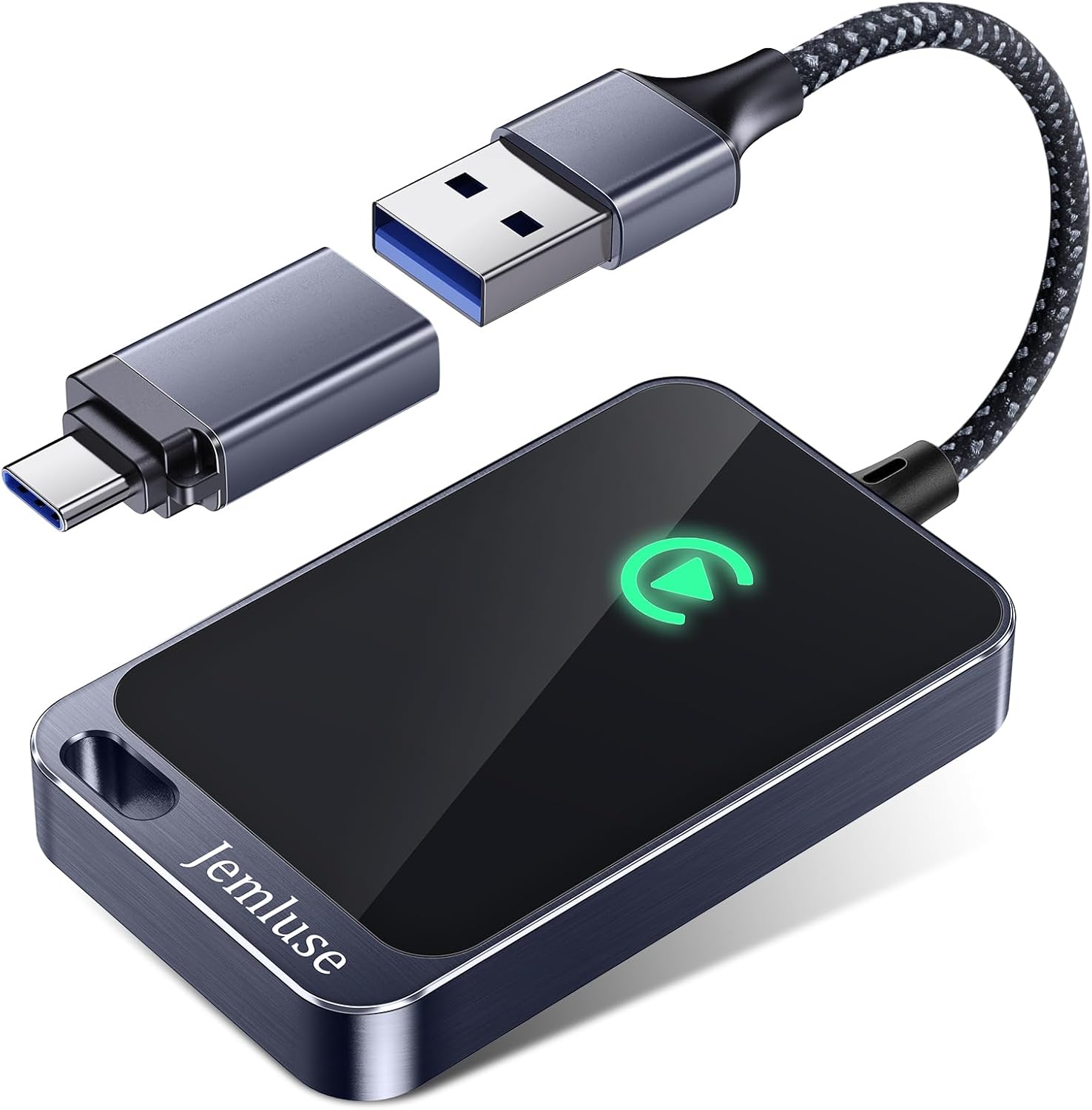
Aftermarket stereos that claim CarPlay support don’t always play nicely with the Cherokee’s CAN bus wiring. If you’ve installed a third-party head unit and CarPlay stopped working, verify the wiring harness adapter supports data pass-through, not just power. The Carlinkit 5.0 Wireless CarPlay Adapter can convert a wired-only Uconnect 4 setup into wireless CarPlay and bypasses some USB data port issues entirely.
CarlinKit 5.0 Wireless CarPlay/Android Auto Adapter USB for Factory Wired Cars (Model Year: 2015 to 2026), Convert Wired Apple CarPlay & Android Auto to...
Preventing Future CarPlay Problems and Ensuring Compatibility
Prevention beats troubleshooting every time. These habits keep CarPlay running reliably across your Cherokee’s lifespan.
Best Practices for Reliable Connections
Keep one dedicated, high-quality MFi-certified cable in your Jeep and don’t use it for anything else. Replace cables every 12–18 months, especially if you live in a hot climate where dashboard temperatures accelerate insulation breakdown. Always use the data-capable USB port, not the charge-only port.
Managing iOS and Uconnect Updates
Don’t rush to install iOS updates on day one. Wait 48–72 hours and check forums like r/CarPlay for compatibility reports. For Uconnect firmware, Stellantis releases patch notes through the Mopar portal. Updating Jeep Cherokee Uconnect firmware 2026 OTA on Uconnect 5 happens automatically when connected to Wi-Fi, but you can force-check under Settings > System > System Update.
Understanding CarPlay Black Screen and Connectivity Loss
The black screen glitch typically means CarPlay initiated the connection but the display renderer crashed. A soft reset fixes it 90% of the time. If you see a black screen only in cold weather, the LCD panel’s response time may be lagging, give the cabin two minutes to warm up before launching CarPlay.
Optimizing CarPlay Settings for Daily Use
Enable “Allow CarPlay While Locked” on your iPhone so the connection launches the moment you plug in. Disable Wi-Fi auto-join for public networks that might compete with the Uconnect 5 wireless channel. And keep your Projection Manager set to auto-launch CarPlay on connection, this skips the extra tap on the touchscreen every time you start the Jeep.
Data Insights and Analysis
According to a 2025 J.D. Power U.S. Tech Experience Index study, infotainment connectivity problems remain the top complaint among vehicle owners, with Android Auto and CarPlay issues accounting for roughly 25% of all tech-related complaints. Stellantis models specifically saw a spike in reported CarPlay failures following OTA rollouts in late 2025.
User data from Jeep forums suggests that roughly 60–70% of “CarPlay not working” threads are resolved by a cable swap or soft reset, meaning most owners never need a dealership visit.
Expert Note: "The USB data port failure rate on Uconnect 4 systems increases significantly after 60,000 miles due to micro-fractures in the solder joints caused by road vibration. The port tests fine for charging but loses the high-speed data handshake required for CarPlay. This is why a cable swap alone sometimes doesn't fix it, the port itself has degraded beyond data-transfer spec."
Frequently Asked Questions
Why does my Jeep Cherokee CarPlay not working after a recent Uconnect update?
After OTA updates, CarPlay may be disabled in your settings. Go to Settings > Phone/Bluetooth > Projection Manager and verify the blue checkmark appears next to Apple CarPlay. A soft reset (hold Volume and Tune knobs for 10–20 seconds) also resolves most post-update handshake failures.
What is the correct USB port to use for CarPlay in a Jeep Cherokee?
Use only data-capable USB ports labeled with a phone icon. Ports marked with a lightning bolt are charge-only and won’t support CarPlay. Plugging into the wrong port is the most common reason for “Device Not Supported” errors.
Does Jeep Cherokee Uconnect 4 support wireless CarPlay?
No. Uconnect 4 (8.4-inch display) only supports wired CarPlay. Uconnect 5 (10.1-inch, 2022+) supports both wired and wireless CarPlay. For wireless on Uconnect 4, consider a wireless adapter like the Carlinkit 5.0.
How do I fix a black screen when using CarPlay on my Jeep Cherokee?
A black screen usually indicates the display renderer crashed mid-connection. Perform a soft reset: press and hold the Volume knob and Tune knob simultaneously for 10–20 seconds until the screen reboots. This fixes the issue 90% of the time.
Can a bad USB cable cause CarPlay to stop working?
Yes, absolutely. Non-MFi-certified cables frequently trigger connection errors, and frayed or kinked cables cause intermittent disconnects. Use a certified USB-A to Lightning cable and test with a known-good replacement to confirm the cable is the culprit.
Why does Jeep Cherokee CarPlay keep dropping on wireless connection?
Wireless CarPlay drops often result from VPN apps blocking Wi-Fi direct connection or Bluetooth interference from other paired devices. Disable any active VPN and temporarily forget other Bluetooth devices to isolate the issue.
Disclaimer: This content is provided for educational and informational purposes only. Device symptoms, repairs, and diagnostic procedures may vary by make, model, year, and condition. Always consult a qualified technician, service manual, and verified manufacturer before performing repairs. We assumes no liability for damages resulting from the use of information on this site.