
Choosing between Samsung and LG TVs comes down to your specific needs and preferences. Both brands deliver excellent quality, but they excel in different areas.
Samsung TVs are typically better if you want brighter screens and advanced AI features, while LG stands out for superior OLED contrast and broader size options.
If you watch TV in a bright room or want cutting-edge upscaling technology, Samsung’s QLED models offer impressive brightness and color vibrancy. On the other hand, if deep blacks and rich contrast are your priority, especially for dark room viewing or home theater setups, LG’s OLED lineup is often the preferred choice.
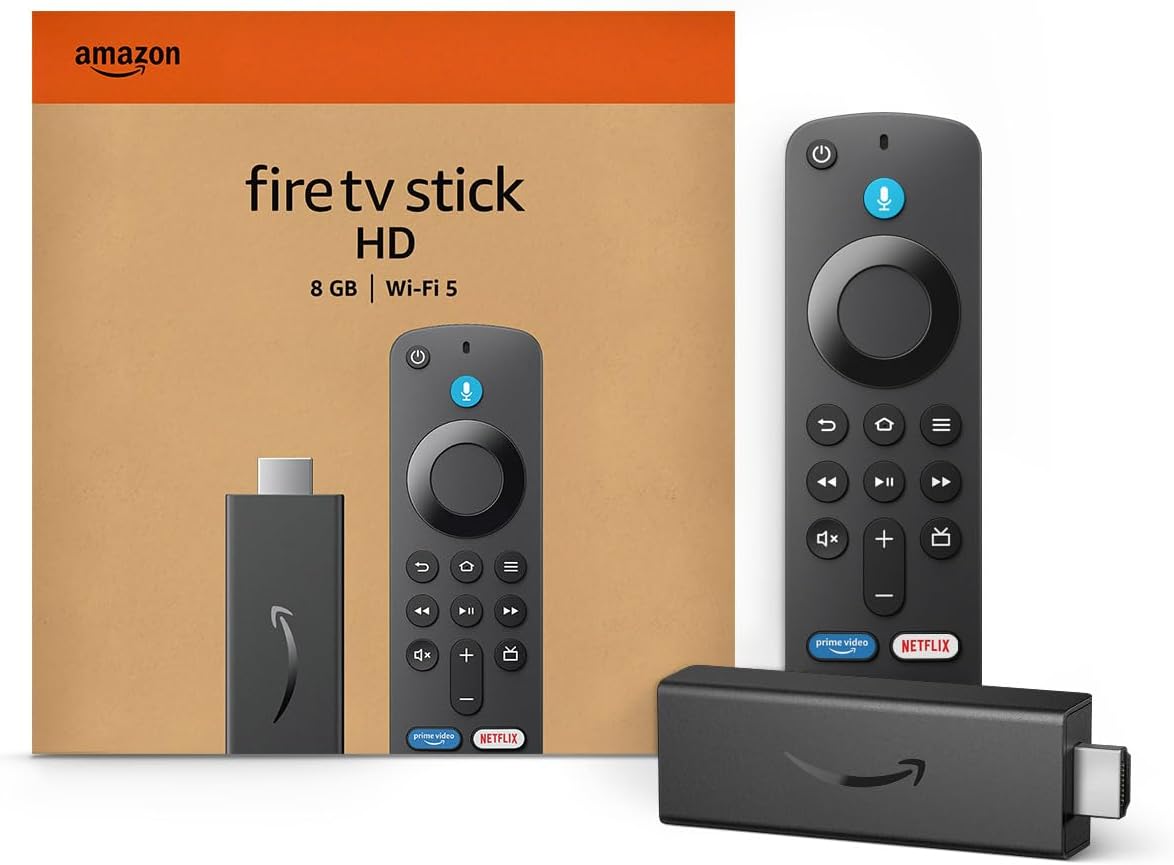
Amazon Fire TV Stick HD
Turn Any TV to a Smart TV. Stream Netflix, Prime Video & More. Alexa Voice Remote Included. Easy Plug & Play Setup.
Shop on AmazonYour decision will depend on whether you prioritize brightness, smart features, or picture quality, which this article will explore in detail. For more information about the ongoing LG vs Samsung TV debate, you can check this detailed comparison.

Core Display Technologies and Performance
When choosing between Samsung and LG TVs, understanding their core display technologies and how they translate to performance is crucial. Key factors include how each handles contrast and brightness, the accuracy and sharpness of colors, and responsiveness during fast-paced action or gaming.
OLED vs QLED: Contrast, Black Levels, and Brightness
LG uses OLED technology where each pixel emits its own light, allowing for perfect black levels and infinite contrast. This means in dark scenes, you get true blacks without any light bleed, making your movies and shows appear more lifelike in dim or dark rooms.
However, OLEDs typically have lower peak brightness compared to Samsung’s QLED. Samsung’s QLED TVs, including its advanced Neo QLED models, use a quantum dot layer on top of an LCD backlight to produce bright, vivid images.
This technology excels in brightly lit rooms by achieving higher peak brightness levels, though blacks are not as deep because of the backlight. You might notice slight blooming effects around bright objects against dark backgrounds.
Color Accuracy and Sharpness
With OLED’s self-illuminating pixels, LG TVs can deliver highly accurate and consistent colors even at wide viewing angles. This makes your content look precise and sharp from nearly anywhere in the room.
LG’s OLED can reproduce a wide color gamut that suits cinematic and HDR content well. Samsung’s QLED TVs leverage quantum dots to push color volume and saturation, producing vibrant and punchy colors.
This results in vivid images that pop, especially at higher brightness levels. However, color accuracy can sometimes falter at wider viewing angles compared to OLED.
Both brands offer strong sharpness and detail, but your preference may depend on whether you prioritize natural color reproduction or dazzling vibrance.
Motion Handling and Low Input Lag
For fast-moving scenes and gaming, motion clarity and input lag are essential. LG OLED TVs generally have very fast response times, minimizing motion blur during sports, action movies, or gameplay.
They also support NVIDIA G-SYNC, which reduces screen tearing and enhances smoothness. Samsung’s Neo QLED TVs include features like Motion Xcelerator Turbo+ that improve motion handling and reduce blur.
They also support FreeSync Premium Pro for gaming, keeping input lag low and gameplay smooth. Both brands offer competitive performance here, but LG’s OLED often leads in response speed, while Samsung’s models emphasize motion interpolation and brightness for clear action visibility in well-lit environments.
For more detailed comparisons of Samsung and LG TV technologies, see this article on Samsung QLED vs LG OLED TV technology.
Smart Platforms and User Experience
Your choice of smart platform affects how easily you navigate content, control your devices, and interact with your TV. Both LG and Samsung offer smooth systems, but they differ in features, smart home compatibility, and app support.
webOS vs Tizen Platform Features
LG’s webOS emphasizes simplicity and quick access. You’ll find the Magic Remote makes navigation faster with point-and-click control and voice input.
The interface uses a customizable launcher bar to switch between apps, inputs, and settings without leaving the screen. Samsung’s Tizen platform focuses on a sleek design with more advanced multitasking.
It offers widgets and a full-featured app store, with seamless switching between live TV, apps, and gaming modes. The Smart Hub feature centralizes content, helping you discover new shows and media efficiently.
Both platforms support voice commands, but webOS primarily integrates with Google Assistant and Alexa. Tizen supports Bixby, Alexa, and Google Assistant for versatile control options.
Smart Home Integration and Assistants
Samsung’s Tizen excels in smart home control through its SmartThings ecosystem. If you have Samsung appliances or other SmartThings-compatible devices, your TV can serve as a centralized control hub.
You can manage lighting, security cameras, and more directly from the TV interface. LG’s webOS integrates well with Google Assistant and Amazon Alexa, allowing you to control your TV and connected smart devices with voice commands.
While it may not have a proprietary smart home ecosystem like Samsung, webOS supports major smart home platforms for broad device compatibility. If smart home synergy matters to you, Samsung’s Tizen offers deeper native integration, especially if you already use SmartThings devices.
App Ecosystems and Ease of Use
Both webOS and Tizen maintain extensive app libraries covering popular streaming services like Netflix, Disney+, and YouTube. webOS offers intuitive navigation with easy app switching and quick access, providing a clean, minimal layout that prioritizes user-friendliness.
Tizen’s app store tends to have a broader selection of regional apps and offers more frequent updates. The interface supports personalized recommendations powered by AI, helping you find relevant content faster.
You’ll find both systems straightforward, but webOS is generally favored for its simplicity if you want a plug-and-play experience. Tizen suits users who prefer advanced features and customization options.
Learn more about the differences in webOS vs Tizen on 65-inch smart TVs and details about smart platforms.
Gaming and Advanced Features
When choosing a TV for gaming, you want low input lag and support for high-quality visual technologies. These elements ensure your gameplay is smooth, responsive, and visually immersive.
Input Lag and Gaming Modes
Input lag is critical for gaming, as it measures the delay between your controller input and the action on screen. Both Samsung and LG TVs offer gaming modes designed to reduce input lag, often bringing it below 15 milliseconds, which is excellent for fast-paced games.
LG TVs support NVIDIA G-SYNC and AMD FreeSync, which reduce screen tearing and stuttering by matching the refresh rate to your console or PC. Samsung TVs feature FreeSync Premium Pro and include tools like Game Bar for quick adjustments to game settings.
These features enhance your gaming experience by maintaining consistent frame delivery and reducing distractions caused by lag or screen artifacts.
HDR and High Refresh Rate Support
High Dynamic Range (HDR) significantly improves the visual quality of games by delivering better contrast and colors. Samsung TVs, especially their QLED and Neo QLED models, provide higher peak brightness and vibrant HDR performance, making HDR content pop, even in bright rooms.
LG OLEDs excel in color accuracy and perfect blacks due to pixel-level lighting, enhancing HDR’s depth and realism. Both brands offer support for high refresh rates, generally up to 120Hz, which improves motion smoothness and responsiveness in compatible games.
Samsung emphasizes smooth motion handling, while LG focuses on ultra-fast response times—both important depending on your gaming style.
For a detailed comparison of gaming and advanced features, visit this Samsung TV vs. LG TV gaming comparison.
Model Variety, Availability, and Value
When choosing between Samsung and LG TVs, consider the range of models offered, their availability in the US, and how pricing aligns with the features you want. Both brands cover a broad spectrum from budget to premium options, but there are differences in technology focus and size selections.
8K TV and Premium Models
Samsung offers a wider selection of 8K TVs compared to LG, with models like the Neo QLED QN900D standing out for brightness and color vibrancy. These Samsung 8K TVs tend to be more affordable relative to LG’s premium 8K OLEDs, such as the LG Z2 PUA, which comes with a significantly higher price tag.
If you want the highest resolution plus bright displays suitable for varied lighting conditions, Samsung’s Neo QLED 8K line is advantageous. LG’s premium 8K OLEDs provide excellent contrast and deep blacks but come at a premium price and with fewer choices.
Regional Differences and Availability in the US
In the US market, both Samsung and LG TVs are widely available. Samsung’s model variety slightly edges out LG, especially in larger sizes and advanced features.
LG offers unique size options like smaller OLEDs at 42 and 48 inches. This can be important if you want top-tier OLED performance in a compact size.
Samsung prioritizes QLED and Neo QLED panels with advanced AI features. These features appeal to users valuing brightness and upscaling.
LG’s smart TVs, running WebOS, integrate well with Apple HomeKit. This makes them better suited for iOS users who want seamless home automation compatibility.
For value, LG tends to be competitive on OLED pricing. Samsung commands higher prices for its latest QLED innovations.
For more detailed comparisons on these aspects, see this LG vs Samsung TV.