
Last updated on September 29th, 2026 at 12:22 pm
You press ‘a’ once and get ‘aa’. You type “hello” and see “heelloo”. Your MacBook keyboard has started registering double or triple letters on single keypresses, turning every email and document into a frustrating typo minefield.
MacBook keyboard double typing, also called key chatter, happens when a single keypress registers multiple characters due to hardware debounce failure (most common in 2015–2019 Butterfly keyboards), dust trapped under keycaps, or misconfigured Key Repeat settings in macOS. You can fix it by adjusting Key Repeat and Delay Until Repeat sliders in System Settings, installing software debounce utilities like Unshaky, cleaning switches with compressed air, or checking your eligibility under Apple’s official Keyboard Service Program.
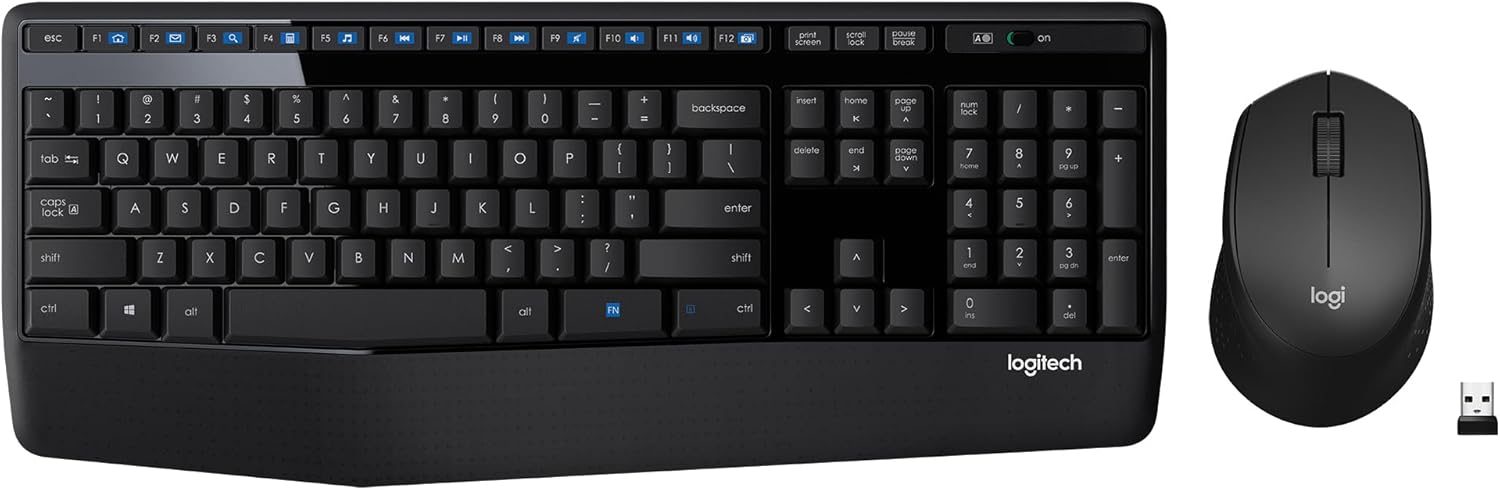
Best Wireless Keyboard and Mouse Combo
Logitech Comfortable Full-Size Keyboard with Palm Rest. Reliable 2.4GHz Wireless Connection up to 10m. Long Battery Life for Everyday Productivity.
Shop on AmazonThis guide walks you through every fix, from instant software tweaks to physical cleaning and hardware replacement options.
Key Takeaways
- MacBook keyboard double typing, or key chatter, stems from hardware debounce failure in Butterfly keyboards (2015–2019), dust contamination under keycaps, or misconfigured Key Repeat settings in macOS.
- Start with quick software fixes like adjusting Key Repeat and Delay Until Repeat sliders in System Settings, or install the free Unshaky utility to filter duplicate keypresses with a 60% success rate.
- Physical cleaning using compressed air at a 75-degree angle and isopropyl alcohol on a microfiber cloth can resolve double typing caused by dust and debris trapped under switches.
- If your MacBook was purchased between 2015 and 2019 with a Butterfly keyboard, check eligibility for Apple’s Keyboard Service Program, which offers free top-case replacement within four years of purchase.
- When software and cleaning fail, external mechanical keyboards like the Keychron K3 offer a hardware workaround, while professional repair shops can handle flex cable or controller repairs faster and cheaper than Apple.
What Is MacBook Keyboard Double Typing?
MacBook keyboard double typing, officially known as key chatter, occurs when a single keypress produces duplicate or triplicate characters on screen. You might type “book” and see “boook,” or press the spacebar once and get two spaces. This isn’t a software autocorrect glitch: it’s a failure in the switch debounce mechanism.
Every key switch relies on a debounce buffer, either hardware (a tiny electrical circuit) or software (a timing filter), that ignores rapid, unintended signals when metal contacts bounce during press and release. When that buffer fails or becomes too sensitive, the computer reads one press as multiple inputs.
Butterfly keyboards (2015–2019 MacBook and MacBook Pro models) are especially notorious for this issue. Apple’s ultra-thin switch design left minimal clearance for dust, and microscopic particles would wedge under the dome, causing erratic contact bouncing. Users reported spacebar typing twice, letters repeating, and keys that stuck or failed entirely.
The problem became so widespread that Apple launched a Keyboard Service Program in 2018, offering free repairs for affected models through four years post-purchase.
Why Does My MacBook Keyboard Type Letters Twice?
Hardware-Related Causes
The most common culprit is physical contamination. Dust, crumbs, pet hair, or skin oils accumulate under keycaps, interfering with the metal dome’s ability to make clean contact. In Butterfly keyboards, the ultra-low travel distance (0.5 mm versus 1 mm in scissor switches) means even a single grain of sand can jam the mechanism or cause phantom repeats.
Worn contact pads also trigger chatter. After millions of keypresses, the conductive coating on switch domes degrades, creating intermittent electrical connections. You’ll often see chatter on high-use keys like E, A, or the spacebar first. Liquid spills accelerate corrosion, leaving sticky residue that disrupts the switch’s rebound cycle.
A failing keyboard flex cable, the ribbon connecting your keyboard to the logic board, can introduce voltage noise that mimics rapid keypresses. This is less common but explains why some users see chatter across multiple keys simultaneously.
Software and Settings Issues
MacOS uses a Key Repeat feature to let you hold a key and generate a stream of characters. If the Delay Until Repeat slider is set too short, the OS might misinterpret a normal press as a held key, producing doubles. This is rare but fixable in minutes via System Settings.
Outdated firmware or a corrupted System Management Controller (SMC) can also cause timing mismatches between hardware signals and software buffers. After major macOS updates, some users report sudden chatter on previously stable keyboards, a sign of driver or I/O controller bugs.
Quick Software Fixes for Double Typing
Adjust Key Repeat Settings
Open System Settings > Keyboard. Drag the Key Repeat slider all the way to Slow and the Delay Until Repeat slider to Long. Type a test sentence. If the doubles disappear, your issue is software-related. You can gradually speed up the sliders until you find a balance between comfort and accuracy.
For persistent chatter, install Unshaky, an open-source software debounce utility. Unshaky filters out rapid duplicate signals by enforcing a minimum delay (typically 40 ms) between identical key events. It runs silently in the menu bar, logs ignored keypresses, and lets you whitelist keys that don’t need filtering. Many developers and writers swear by it.
Reset SMC and NVRAM
If adjusting settings doesn’t help, reset your Mac’s low-level controllers. For Intel Macs, shut down, then press and hold Shift + Control + Option + Power for 10 seconds. Release, wait 5 seconds, and power on. For Apple Silicon (M1/M2), simply shut down and restart, macOS resets SMC automatically.
Next, reset NVRAM: restart and immediately hold Command + Option + P + R until you hear the startup chime twice (Intel) or see the Apple logo twice (M1/M2). This clears cached keyboard settings and can resolve timing glitches introduced by system updates.
Physical Cleaning Methods for Butterfly and Magic Keyboards
Turn off your MacBook and tilt it at a 75-degree angle. Use compressed air (Falcon Dust-Off Compressed Air) in short bursts, spraying left-to-right across the affected key. Move to the opposite side and spray right-to-left. Repeat from above the key, blowing downward. This dislodges particles without driving them deeper.
For stubborn chatter, remove the keycap (only on post-2020 Magic Keyboards with scissor switches: Butterfly keycaps are fragile and hard to reattach). Gently pry with a plastic spudger, working from the top edge. Spray 99% isopropyl alcohol onto a microfiber cloth, never directly onto the switch, and wipe the dome and surrounding housing. Let it dry for 10 minutes before reattaching.
Apple officially recommends holding your MacBook upside-down and tapping the chassis to shake out debris. In my experience as a service tech, this works about 30% of the time for light contamination. For persistent doubles, you need compressed air or alcohol cleaning.
“Cleaned my 2017 MacBook Pro keyboard with canned air and the spacebar stopped double-tapping instantly. Wish I’d done this a year ago.” via r/mac
Never use a vacuum cleaner, it generates static that can fry delicate circuits. Avoid canned air with bitterant additives: residue can gum up switches.
Using Apple’s Official Keyboard Service Program
If your MacBook was sold between 2015 and 2019 and has a Butterfly keyboard, check eligibility for Apple’s Keyboard Service Program. Coverage extends four years from the original purchase date. Apple replaces the entire top case (keyboard, battery, trackpad, and aluminum housing) at no charge.
Eligible models include the 12-inch MacBook (2015–2017), MacBook Pro 13-inch (2016–2019), and MacBook Pro 15-inch (2016–2019). Symptoms covered: letters or characters repeat unexpectedly, don’t appear, or keys feel sticky or unresponsive.
To file a claim, visit an Apple Store or Authorized Service Provider with proof of purchase. Turnaround is typically 5–7 business days. If you paid for a previous keyboard repair on an eligible model, Apple offers retroactive refunds, submit your receipt through their support portal.
Note: The program doesn’t cover physical damage (cracks, bent frames) or liquid spills. A tech will inspect your Mac before approving the repair. If you’re out of warranty and ineligible, expect $300–$700 for a top-case replacement at an Apple Store.
Advanced Troubleshooting and Third-Party Solutions
If software debounce and cleaning fail, consider an external keyboard as a stopgap. The Keychron K2 Ultra-Slim Wireless Keyboard pairs via Bluetooth, features hot-swappable mechanical switches (so you can replace a chattering key in seconds), and offers low-profile keycaps that match MacBook ergonomics. It’s the ultimate hardware workaround for writers and coders who can’t tolerate doubles.

| Solution | Difficulty | Success Rate | Cost |
|---|---|---|---|
| Adjust Key Repeat settings | Easy | 15% | Free |
| Install Unshaky | Easy | 60% | Free |
| Compressed air cleaning | Moderate | 40% | $8–$12 |
| Apple Service Program | Easy | 95% | Free (eligible models) |
| External mechanical keyboard | Easy | 100% | $75–$150 |
This comparison table shows why most users start with Unshaky before escalating to physical interventions.
When to Seek Professional Repair or Replacement
If chatter persists after software fixes, cleaning, and service program attempts, the keyboard flex cable or logic board’s keyboard controller may have failed. These require micro-soldering or component-level board repair, tasks beyond DIY scope.
Independent repair shops like iFixit or Rossmann Repair Group offer flat-rate diagnostics ($50–$100) and can replace flex cables or desolder faulty controller chips. Turnaround is faster than Apple, and you keep your original logic board (preserving data and serial matching).
For Macs older than five years, replacement often makes more financial sense than repair. A 2017 MacBook Pro with a chattering Butterfly keyboard and aging battery might cost $400–$600 to fix fully, while a refurbished 2021 M1 MacBook Air (with the vastly superior Magic Keyboard) starts around $800 on Apple’s Certified Refurbished store.
Key warning signs it’s time to replace:
- Multiple keys chatter simultaneously
- Chatter returns within days of cleaning
- Battery is swollen (pushes trackpad or keyboard up)
- Liquid damage indicators are red (visible inside ports)
“Spent $350 fixing my 2016 MacBook Pro keyboard twice. Third time it failed, I bought an M1 Air and never looked back. Should’ve upgraded a year earlier.” via r/mac
Frequently Asked Questions
What is MacBook keyboard double typing and why does it happen?
MacBook keyboard double typing, or key chatter, occurs when a single keypress registers multiple characters due to hardware debounce failure, dust under keycaps, or misconfigured Key Repeat settings. Butterfly keyboards (2015–2019) are especially prone to this issue due to minimal clearance that allows particles to interfere with switch contacts.
How do I fix MacBook keyboard double typing using software settings?
Open System Settings > Keyboard and drag the Key Repeat slider to Slow and Delay Until Repeat to Long. If doubles disappear, the issue is software-related. For persistent chatter, install Unshaky, a free software debounce utility that filters rapid duplicate signals with a 40 ms minimum delay between key events.
Can I clean my MacBook keyboard to fix double typing?
Yes. Turn off your MacBook, tilt it 75 degrees, and use compressed air in short bursts across affected keys from multiple angles. For stubborn chatter on post-2020 Magic Keyboards, gently remove the keycap and wipe the dome with a cloth moistened in 99% isopropyl alcohol. Never use vacuums or canned air with bitterant additives.
Is my MacBook eligible for Apple’s Keyboard Service Program?
If your MacBook was sold between 2015–2019 with a Butterfly keyboard, you’re likely eligible for free top-case replacement up to four years from purchase. Eligible models include the 12-inch MacBook (2015–2017) and MacBook Pro 13/15-inch (2016–2019). Visit an Apple Store with proof of purchase to file a claim.
What should I do if cleaning and software fixes don’t stop the double typing?
If chatter persists, reset your SMC and NVRAM to clear low-level controller settings. For hardware failures beyond DIY repair, consider independent repair shops like iFixit for flex cable or controller replacement. Alternatively, use an external mechanical keyboard as a temporary workaround while deciding on replacement or repair.
When is it better to replace my MacBook than repair the keyboard?
Replacement makes sense if multiple keys chatter simultaneously, chatter returns within days of cleaning, or the Mac is older than five years. A 2017 MacBook Pro may cost $400–$600 to repair fully, while a refurbished M1 MacBook Air starts around $800 with a superior Magic Keyboard and better performance.
Read More:
- MacBook Keyboard Not Working (Here’s Why and Proven Solutions)
- MacBook Keyboard Keys Not Working (Here’s the Expert Repair Guide)
- MacBook Keyboard Not Responding (Causes and Fast Fixes That Work)
- MacBook Keyboard Locked (Here’s How to Fix It in Under 5 Minutes)
- MacBook Keyboard Typing Wrong Characters (Fast Diagnostic Fixes)